How to Archive WhatsApp Business Customer Conversations
Organize WhatsApp Business customer conversations into readable local files, with clear customer folders, dates and attachment checks.
2 min read
On this page
A useful customer archive lets you find an old quote or order without searching through every chat. Save your WhatsApp Business conversations in Memora Keep, then file reading copies by customer and period.
What you need
- Memora Keep on Windows or macOS. It’s free.
- A readable Business archive, created using the Android Business backup workflow if needed.
- A folder for customer exports and enough space for their attachments.
1. Decide what you need to find later
Choose the conversations and dates relevant to the records you keep: a project, an order or a customer relationship. Include enough surrounding messages to make the exchange understandable.
For each export, note the customer, business number and period covered. This helps when a customer changes their display name or your business uses several numbers.
2. Confirm the saved conversations
Open Archives → WhatsApp, check the account and inspect a few customer chats.
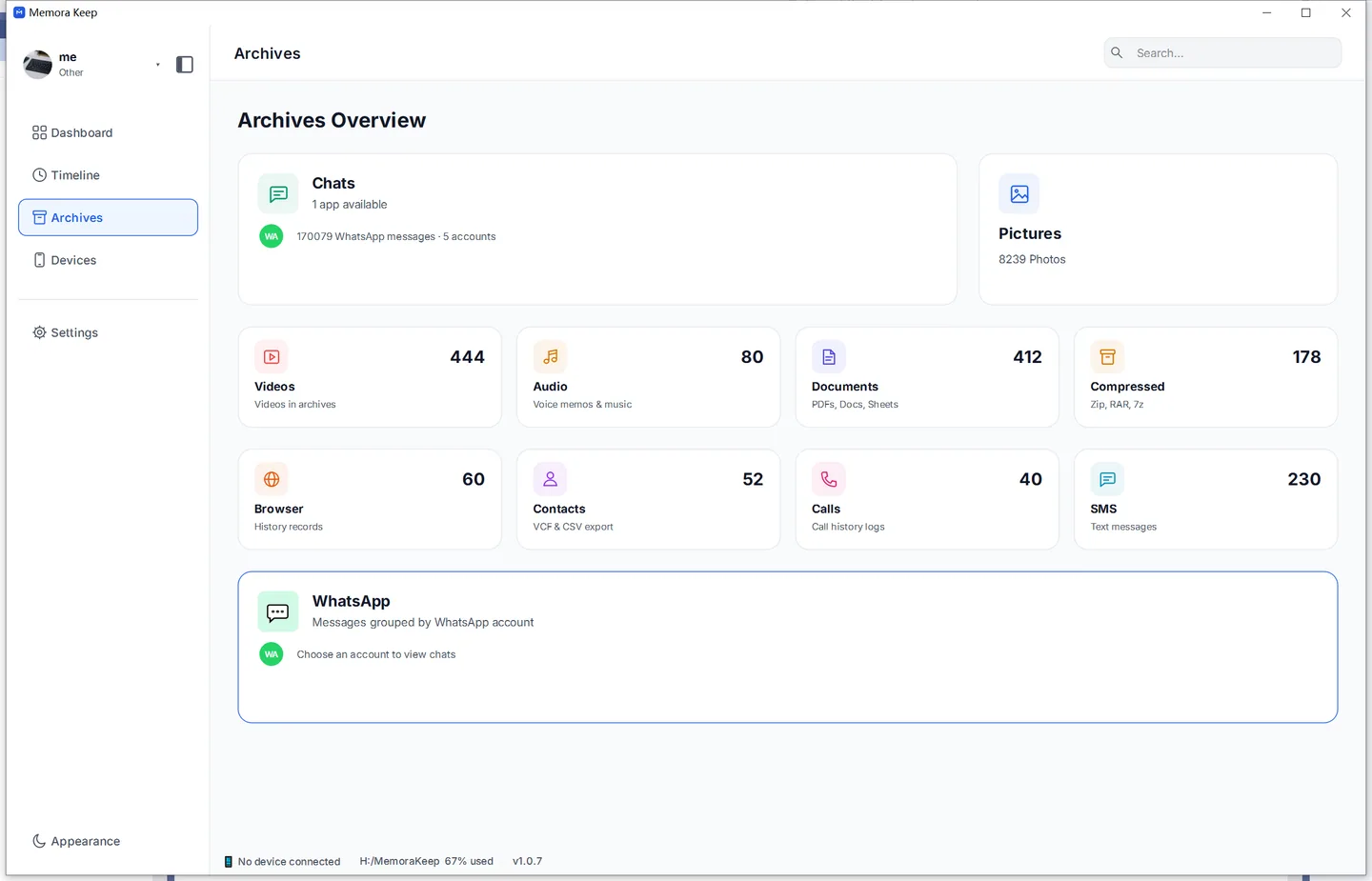
Check important dates and attachments before creating reading copies. If something is missing, compare the archive with the phone and review backup warnings.
3. File exports by customer and period
Choose PDF for a document or HTML + Media for browser reading with attachments. Set the date range in the export dialog.
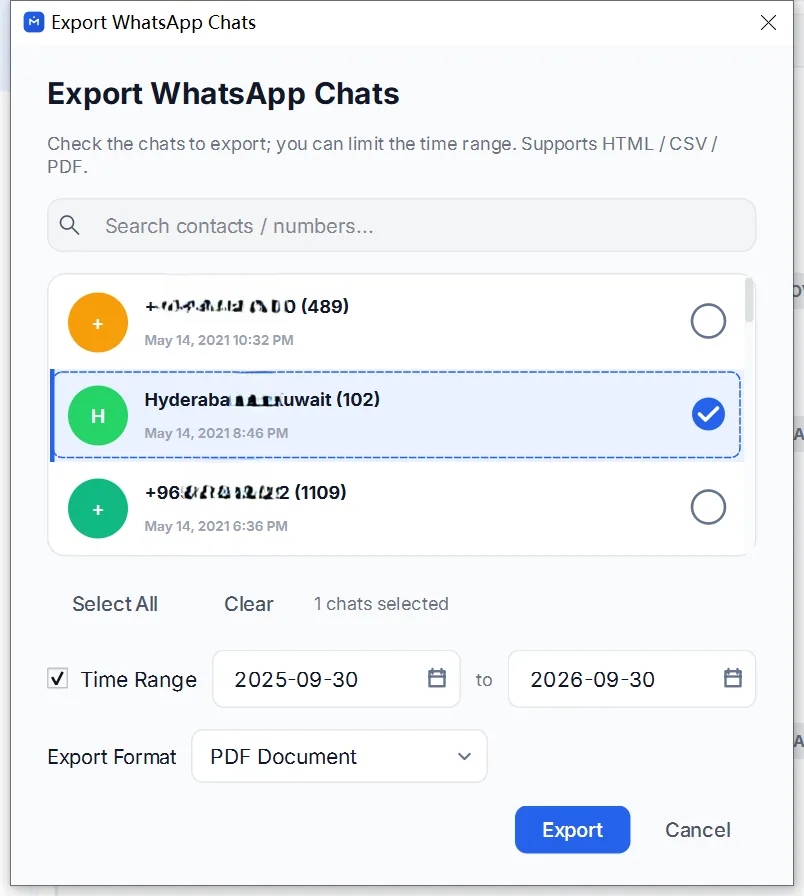
Use a consistent folder structure, for example:
Customers/
  Customer-A/
    2026-Q2/
      Exported-2026-07-01/
Keep each export package together. HTML files need their accompanying media folder; PDFs may also have separate audio, video and documents.
A small register with the customer, period, export date and folder location makes the files easier to find. These are folders you maintain, not labels synchronized from WhatsApp Business.
4. Check the archive periodically
Open a few saved documents and attachments from their folders. Keep a second copy in a location suitable for your business, and review who can access customer files.
Before sharing a record, create and inspect a copy for that customer and period. Follow the Business PDF guide for the export steps.
- whatsapp business
- archive
- customer records
- organization