How to Back Up WhatsApp Business Without Google Drive
Save WhatsApp Business chats locally over USB without using Google Drive. Check the Android setup and verify the archive on your computer.
2 min read
On this page
You can save WhatsApp Business conversations to a computer over USB without using Google Drive for that copy. Memora Keep creates a local archive for reading and exporting chats.
What you need
- Memora Keep on Windows or macOS. It’s free.
- Your Android phone with WhatsApp Business and a USB data cable.
- Enough local disk space for messages and media.
Check app detection first: when both regular WhatsApp and WhatsApp Business are installed, the current workflow selects regular WhatsApp and has no Business selector. Do not uninstall or clear an app to force selection.
1. Choose a local destination
Use a folder on your computer with enough space. If you want the files to remain local, check that the destination is not inside a folder synchronized by a cloud-storage app.
You do not need to delete an existing Google Drive backup to make this copy. Keep any backup you still need for restoring WhatsApp.
2. Complete the USB backup
With a compatible Business setup, connect and unlock the phone, open Memora Keep’s WhatsApp backup workflow and follow its connection prompts.
The detailed steps are in backing up WhatsApp Business from Android to a PC. Keep the phone connected until the process finishes, and review any warnings.
If your setup cannot collect Business data, use Export Chat inside WhatsApp Business to save important conversations individually.
3. Verify the local copy
Open Archives → WhatsApp and confirm that the account matches your business number.
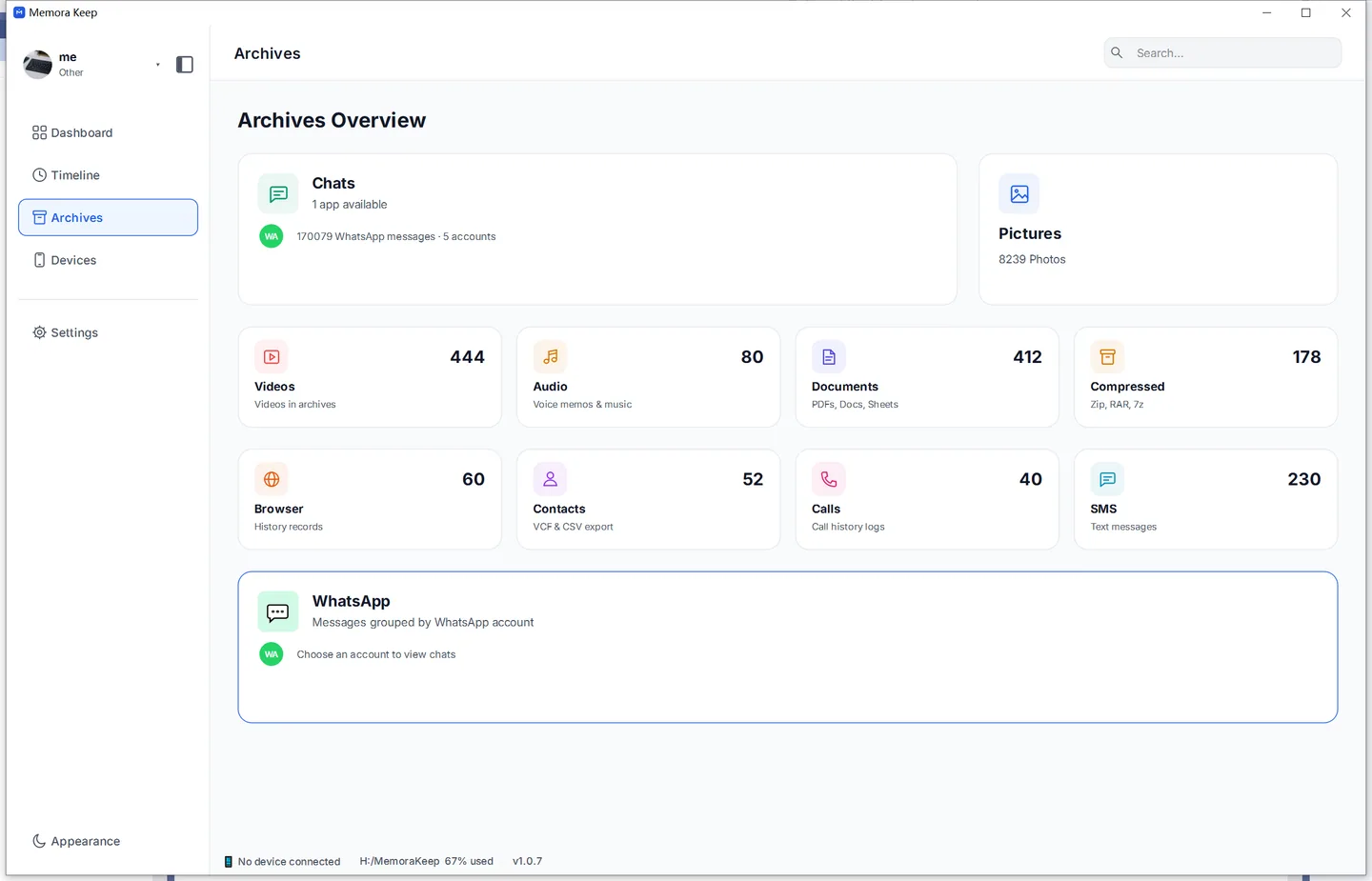
Check a familiar customer conversation, an older message and a recent exchange. Open important attachments too. If a file is missing, check the phone, backup result and archive before assuming it was never saved.
4. Keep a readable export
Export a key conversation as PDF or HTML + Media, then open the saved files.
This gives you a reading copy independent of Google Drive. A PDF, HTML or CSV export is not a source for WhatsApp’s official restore process. Keep a suitable restore backup or transfer plan as well if you intend to move phones.
- whatsapp business
- local backup
- no google drive
- android