How to Back Up WhatsApp from an iPhone to a PC
Create an iPhone backup on Windows, import it into Memora Keep and check saved WhatsApp chats, dates and media before exporting.
2 min read
On this page
To read iPhone WhatsApp chats on a Windows PC, create a local device backup and import it into Memora Keep. You can then browse the WhatsApp records available in that backup without restoring it to your phone.
What you need
- Free Memora Keep on Windows.
- A complete local iPhone backup, or the phone and a data-capable cable to create one.
- The backup password if encrypted and enough space for the backup and archive.
Create the computer backup
Connect the iPhone and respond to the Trust This Computer prompt if shown. Open Apple Devices, select the phone, choose the local computer backup option and start the backup. Use iTunes where it remains the applicable tool.
Apple’s Windows backup guide explains these steps and encryption. If you enable encryption, save the password securely.
This is a device backup, not a WhatsApp-only export. Its coverage depends on Apple’s backup rules and the data available on the phone. Memora Keep’s iPhone backup guide describes the product’s own backup route.
Import the saved folder
In Memora Keep, choose Import iPhone Backup. Select the complete backup folder and confirm the device name and date.
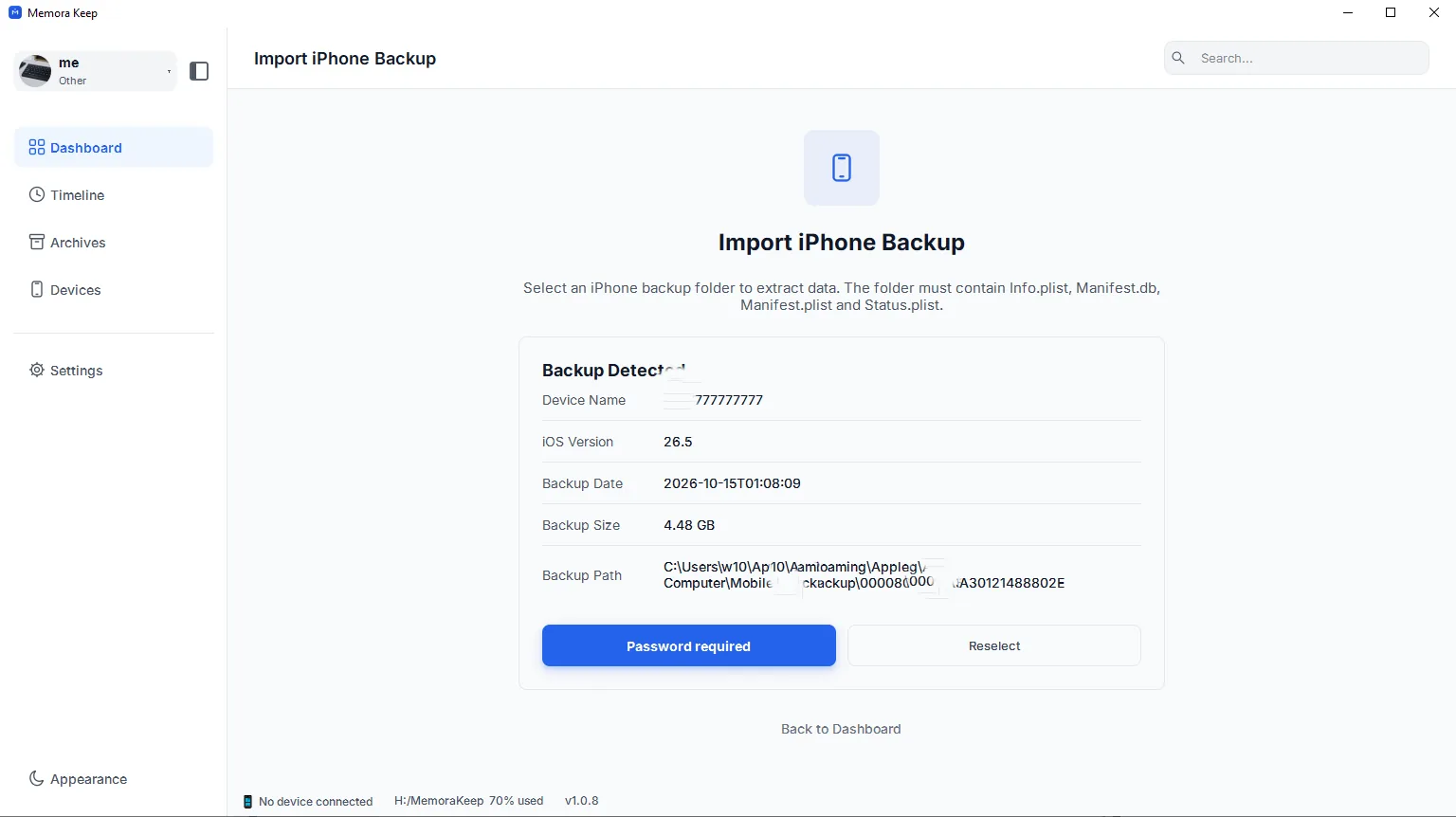
If prompted, enter the backup password and choose Unlock and Import. An incorrect password can be retried; do not treat every password error as proof of corruption.
Check WhatsApp after import
Read the completion result, then open Archives → WhatsApp and select the account.
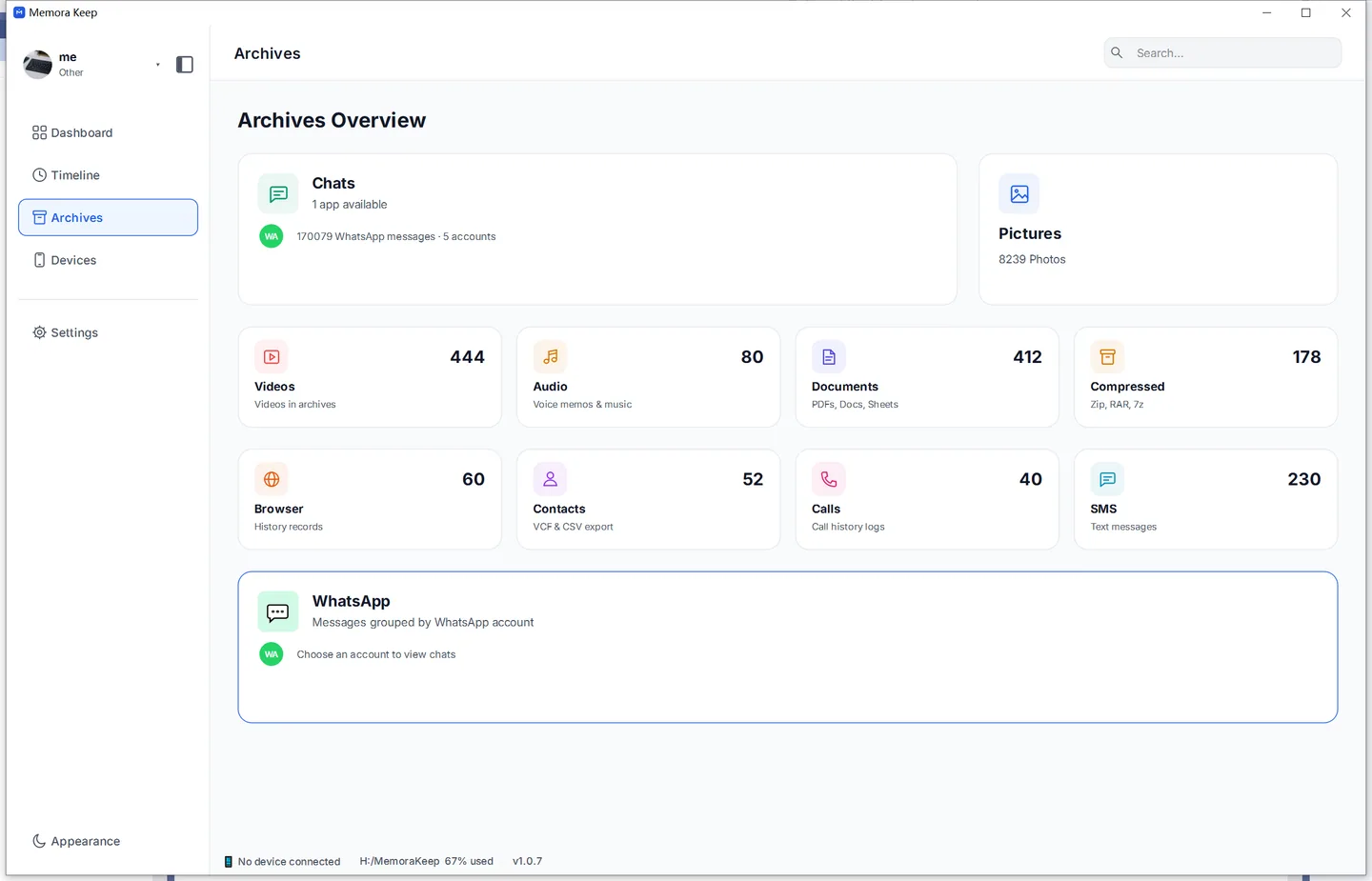
Verify an older conversation, a recent message and important photos or voice notes. If content is missing, inspect the source and import warnings before repeating the backup.
Export the chats you need
Click Export, select conversations and dates, and choose PDF, HTML + Media or CSV. Extract any ZIP and test the saved files.
PDF and HTML exports are reading copies, not inputs to WhatsApp’s official restore process. Follow the media export guide if you need attachments alongside the text.
- iphone
- windows
- backup