How to Back Up WhatsApp from Android to a Mac
Back up Android WhatsApp to a Mac with Memora Keep, then check the saved conversations and media and export a readable copy.
2 min read
On this page
Memora Keep’s Android WhatsApp workflow saves a local archive on your Mac. Once the backup finishes, you can read the saved conversations without keeping the phone connected.
What you need
- Free Memora Keep on macOS.
- An unlocked Android phone with the WhatsApp data you want to save.
- A data-capable USB cable and sufficient free storage.
Connect and prepare the phone
Open Memora Keep’s WhatsApp backup workflow, connect the phone and follow the USB and debugging authorization prompts. Android uses this workflow rather than Finder’s iPhone backup controls.
Confirm the device and detected WhatsApp application. Follow the preparation steps for chat data and required decryption information; do not share passwords or keys in screenshots or support examples.
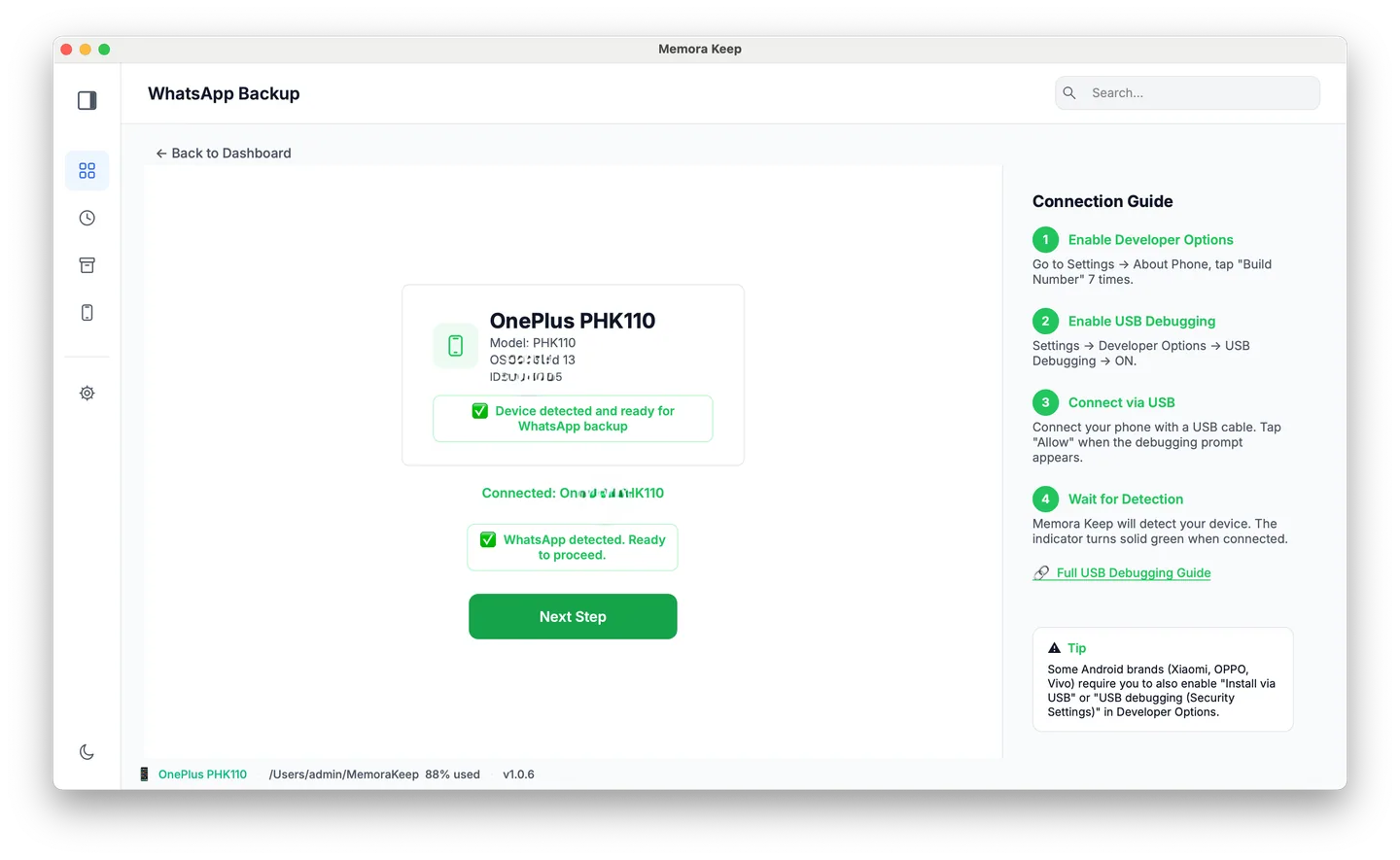
Use the dedicated WhatsApp workflow. Copying a photo folder alone does not supply the chat database.
Complete the backup
Start the task and leave the phone connected while it runs. Check progress and any reported error rather than judging success by elapsed time.
If a connection or permission error appears, resolve that specific problem before retrying. The app’s completion message may also report media that could not be collected.
Check the saved conversations
Open Archives → WhatsApp, select the account and find a familiar old exchange. Test a photo, a voice note and a video that matter to you.
If an item will not open, compare the phone or source with the archive and inspect warnings. A missing or unsupported file and a failed copy are different causes.
Save an export in Finder
Export important chats as PDF, HTML + Media or CSV, then locate the destination in Finder. Extract ZIP packages before opening their contents and keep media with the reading file.
Follow exporting WhatsApp chats on Mac for those checks. The archive is a saved copy, so repeat the backup when you need newer messages.
- android
- mac
- backup