How to Back Up WhatsApp to a PC Without Google Drive
Back up Android WhatsApp to a local archive on your PC without importing from Google Drive. Check the saved chats and media afterward.
2 min read
On this page
Memora Keep can build a readable local WhatsApp archive from an Android phone over USB. This computer copy does not require importing a Google Drive backup.
You can keep an existing cloud backup for its supported restore purpose while maintaining a separate local reading copy.
What you need
- Free Memora Keep on Windows.
- Your Android phone, a data-capable USB cable and access to WhatsApp on the phone.
- Space for the backup, archive and media.
Prepare the phone
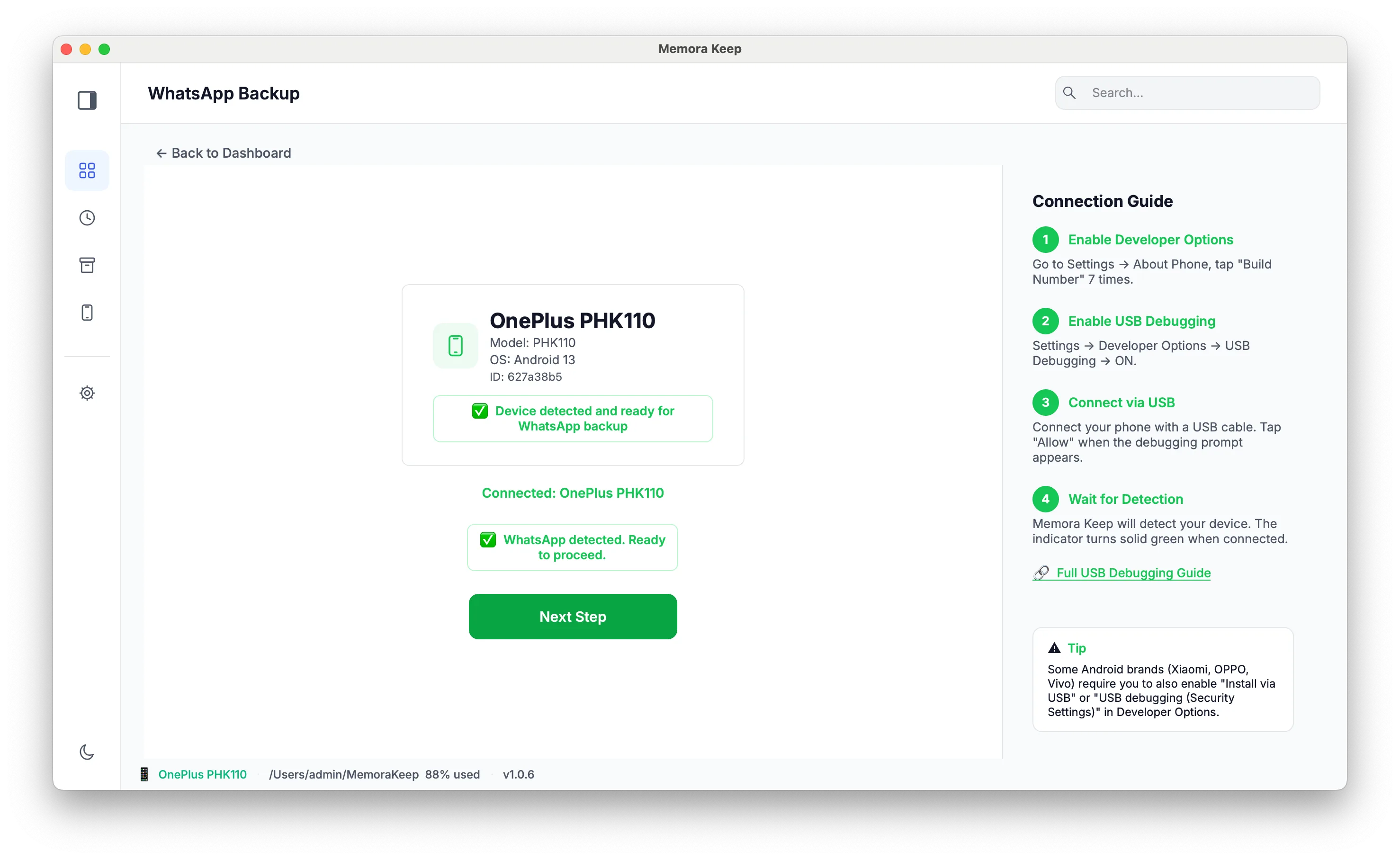
Connect and unlock it, then open Memora Keep’s dedicated WhatsApp backup workflow. Follow the current USB, debugging and authorization prompts.
The workflow needs WhatsApp’s chat data and required decryption information. Follow the preparation steps shown in the app and keep passwords or keys private. A general Android media backup does not include the chat database needed here.
Check the source and run the backup
Confirm the detected application and account number. Do not assume a cloned app or work-profile account is selected merely because a phone is connected.
Complete the preparation steps, start the backup and keep the cable connected. If the task reports an error, read it before retrying; a connection problem and missing source data need different fixes.
Verify the archive
After completion, open Archives → WhatsApp and select the saved account. Check an older exchange, a recent message, a photo and a voice note.
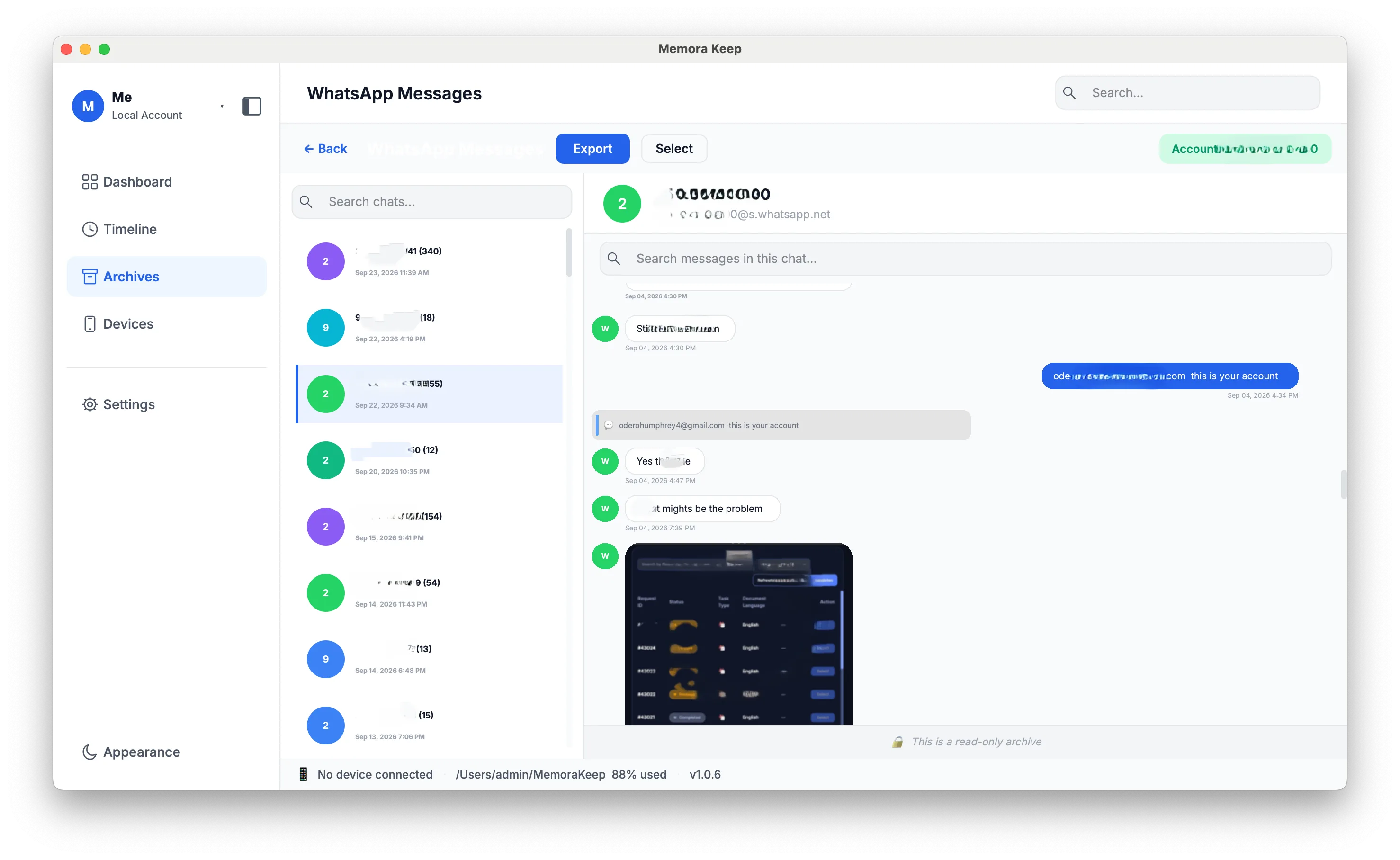
If media is absent, inspect the phone or source, backup warnings and the local file. Absence in the viewer does not prove that the phone never held it.
Keep the copies you need
Record where the archive is stored. You can also export PDF, HTML + Media or CSV reading copies.
The archive does not update automatically, and these exports are not Google Drive restore backups. Before changing your backup arrangements, compare local backups, cloud backups and readable archives. For a Mac destination, use the Android-to-Mac guide.
- android
- local backup
- pc