How to Back Up WhatsApp to a Windows Computer
Choose the Android or iPhone path for saving WhatsApp on Windows. Back up or import the source, then check the local archive.
2 min read
On this page
You can save WhatsApp conversations on a Windows PC using Memora Keep. The preparation differs by phone: Android uses the dedicated WhatsApp backup workflow; iPhone data is read from a local device backup.
What you need
- Free Memora Keep on Windows.
- The Android phone, or a complete local iPhone backup containing the chats.
- A data cable for a new phone backup, any required backup password and sufficient free storage.
If your source is Android
Connect and unlock the phone. Start WhatsApp Backup and follow the preparation, USB and authorization prompts.
Confirm the application and account number before starting. A general Android media backup does not collect the chat database needed for this workflow.
For the full preparation and checks, see backing up WhatsApp to a PC without Google Drive.
If your source is iPhone
Create a computer backup using Apple Devices or Memora Keep’s iPhone backup workflow. If the backup already exists, you can start with it.
Choose Import iPhone Backup, select the complete folder and verify the device and date. Enter its password if encrypted.
Follow the iPhone-to-PC guide for details. Keep the original backup folder intact.
Check the local archive
Read the completion message and warnings. Open Archives → WhatsApp and choose the account.
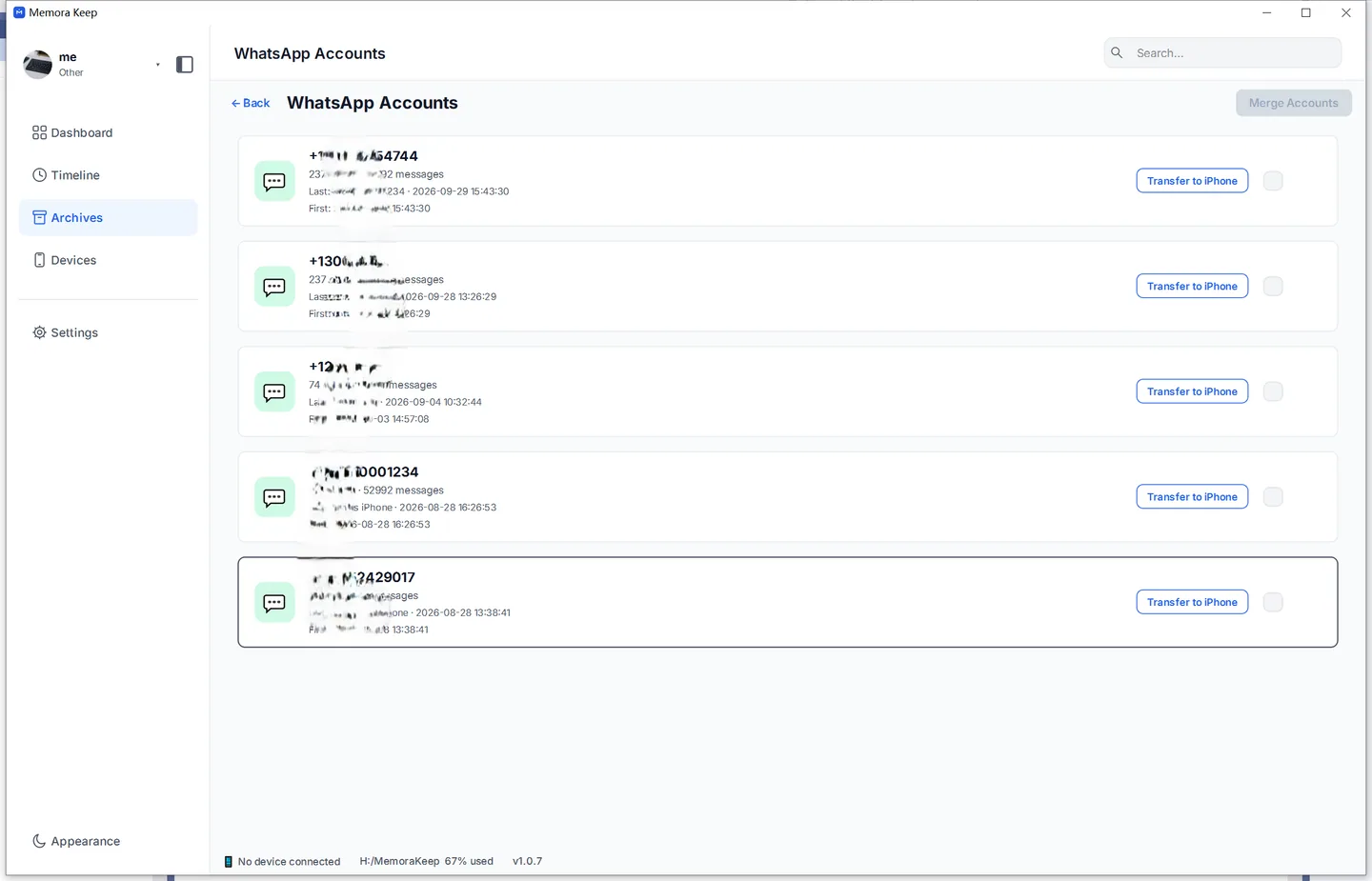
Compare a known old exchange with the source and open important media. Note where both the source and archive are stored. A completed task does not prove every message and attachment was available.
Export a copy when needed
Click Export to save PDF, HTML + Media or CSV. Choose the date range deliberately and verify the saved files.
The archive does not automatically receive new messages. WhatsApp Desktop is the option for linked-device messaging; its app files are not the source used by these backup workflows.
For reading and export problems, follow the archive viewing guide.
- windows
- backup
- local archive