How to Export a WhatsApp Group Chat
Save a WhatsApp group chat as text, PDF, HTML or CSV. Check the group, date range, sender labels and shared files before sharing.
2 min read
On this page
You can save a WhatsApp group as a text copy using the phone’s Export Chat feature, or export a saved group from Memora Keep as PDF, HTML or CSV. Choose the format based on how you want to read or share it.
What you need
- For the phone method: access to the group conversation in WhatsApp.
- For the computer method: free Memora Keep on Windows or macOS and a backup already imported into its archive.
- Enough space for the conversation and any attachments.
Confirm the group and account
Open Archives → WhatsApp, choose your account and find the group. Check the group name and a familiar exchange; similarly named groups can be easy to confuse.
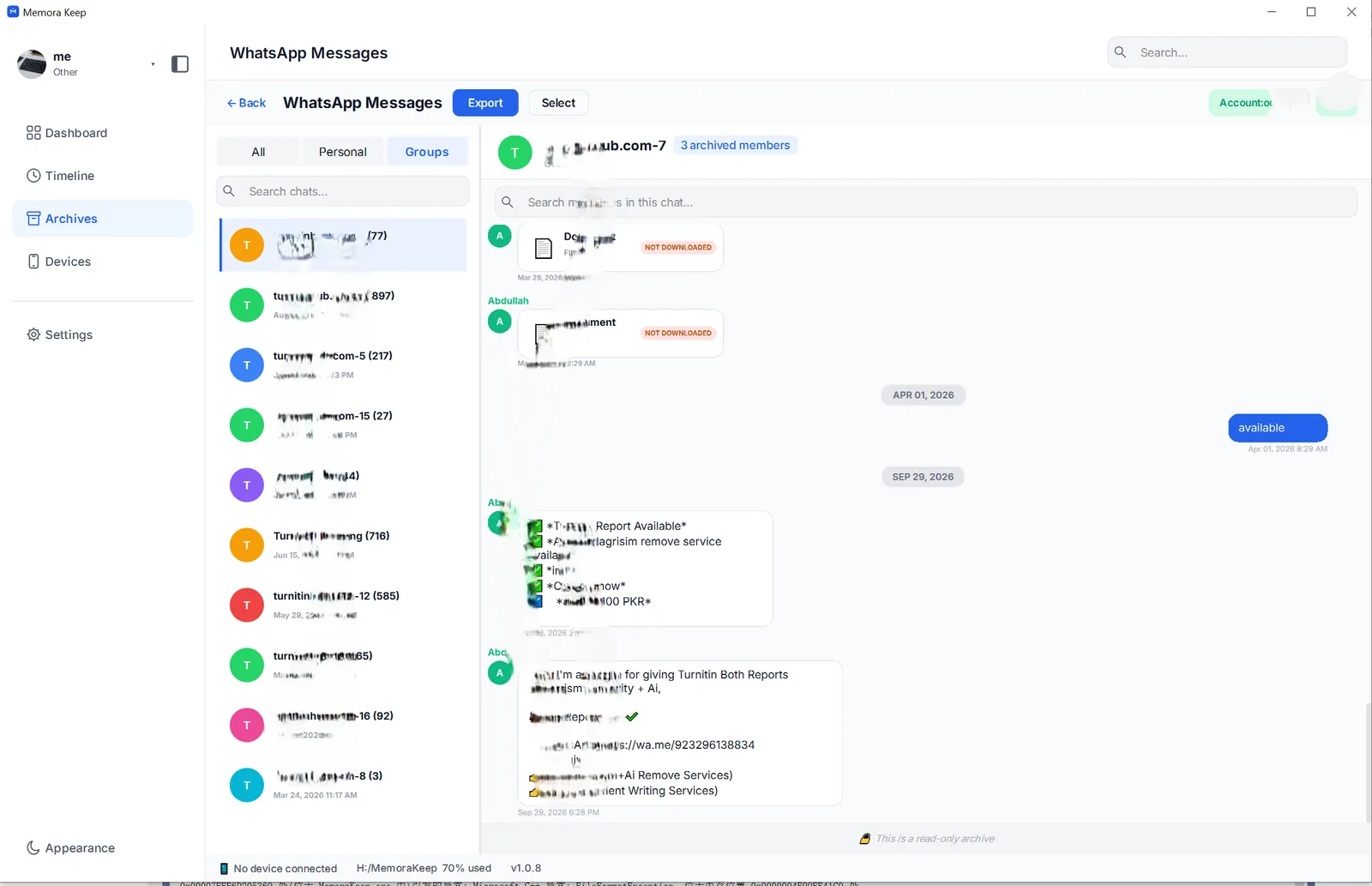
The available history depends on the source. Messages from before you joined or messages absent from the backup may not appear. If the group is missing, check the account, filters and import result before assuming it was never saved.
Save a quick text copy from the phone
Use WhatsApp’s Export Chat option and choose whether to include media. Save the resulting text and any attachments together. The menus and sharing options vary by platform.
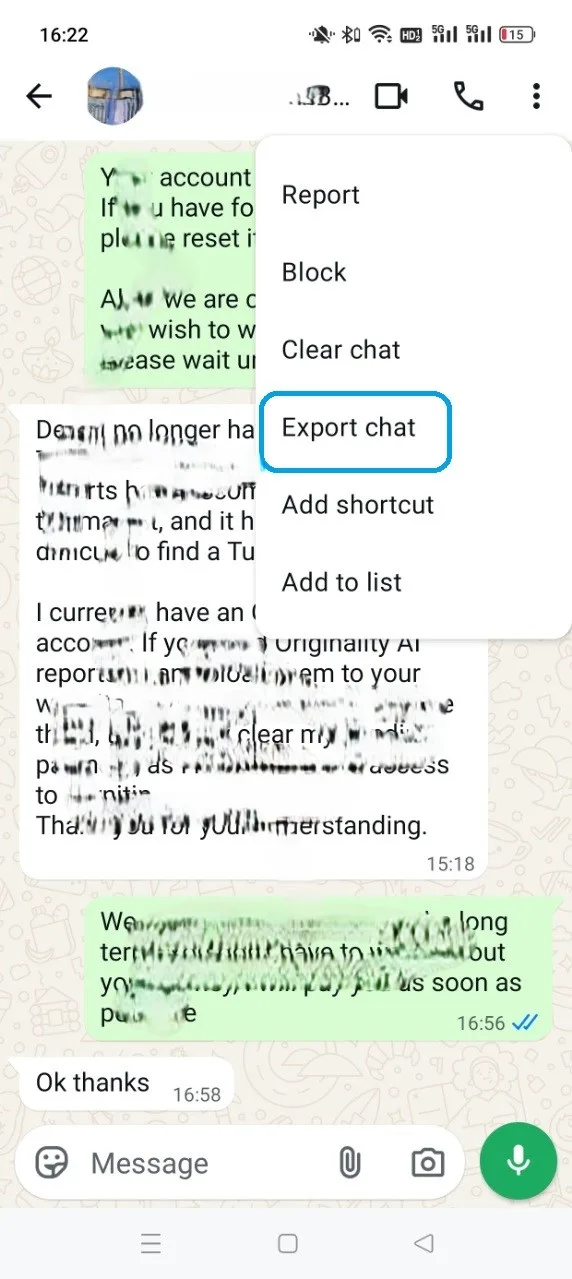
This produces a reading copy, not a backup that WhatsApp can re-import.
Export the group in Memora Keep
Clear checked messages to export the conversation, then click Export. Select the group, set a date range if needed and choose:
- PDF for reading or printing.
- HTML + Media for browsing messages and attachments.
- CSV for message rows in a spreadsheet; media files are not included.
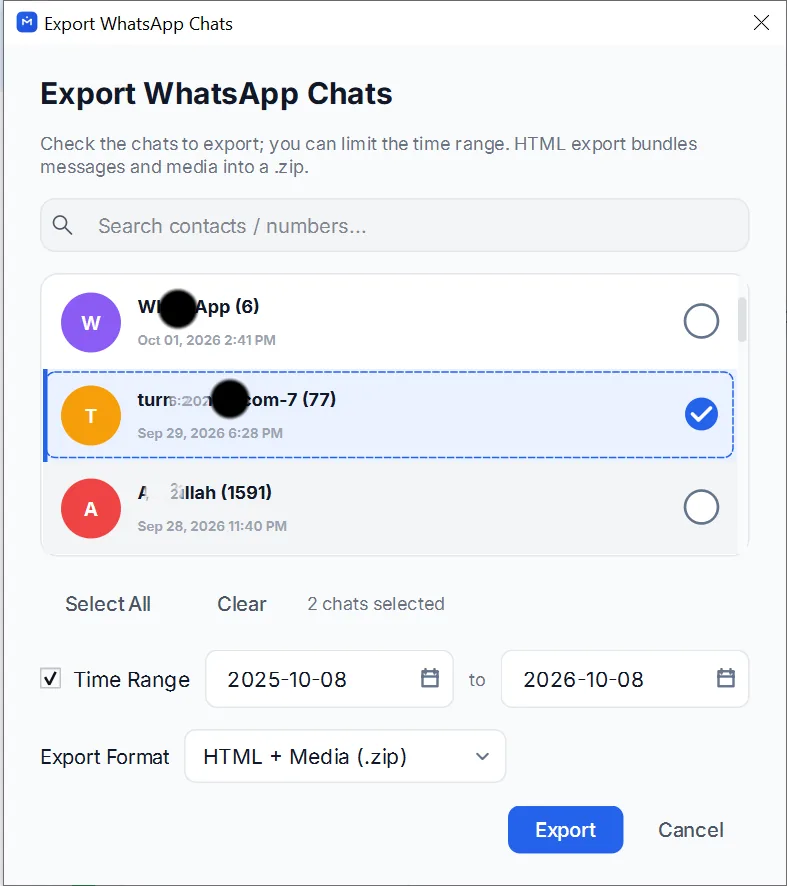
Extract any ZIP before opening the result. Keep its media folder with the reading file.
Check who said what
Review busy exchanges, long messages and shared files. Sender labels come from the saved data; do not assume every format shows both a name and a phone number. Resolve ambiguous names against the source before attributing a message.
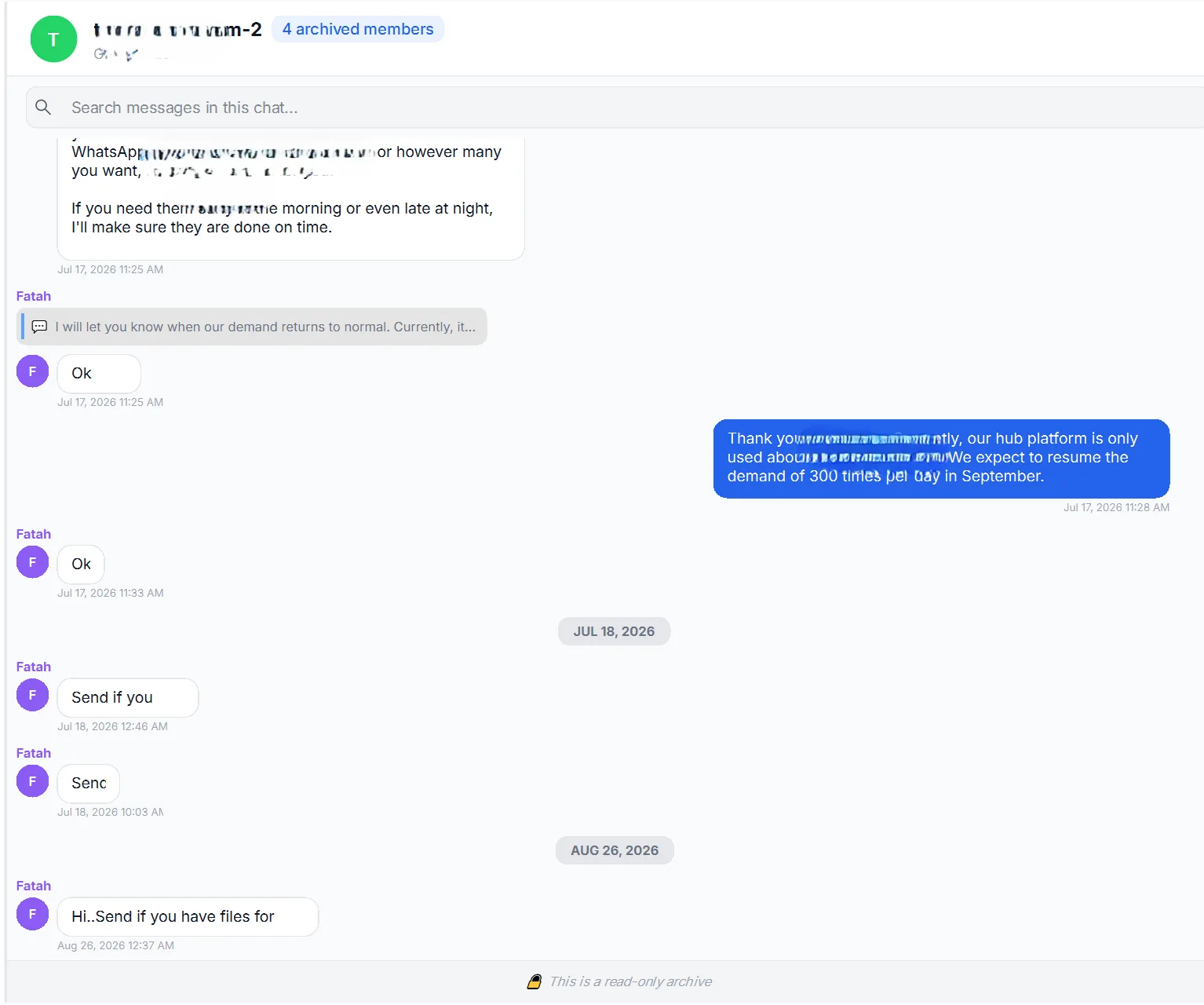
Share only the period the recipient needs. If an attachment is missing, use these checks to distinguish a source gap from an export or playback problem.
- group chat
- export
- participants