How to Export WhatsApp Business Chats to PDF
Export a WhatsApp Business conversation to PDF, choose the customer and date range, and check the document and separate attachments.
2 min read
On this page
A PDF is useful when you need to read, print or share a WhatsApp Business customer conversation. In Memora Keep, choose the chat and date range from your saved Business archive, then check the exported document before sending it.
What you need
- Memora Keep on Windows or macOS. It’s free.
- A readable Business conversation in your local archive. If needed, start with the Android Business backup guide.
- Space for the PDF and any accompanying media.
An existing archive can be exported without reconnecting the phone.
1. Choose the customer conversation
Open Archives → WhatsApp, check the business number, and select the customer chat. Read a few messages to confirm you have the right conversation.
Clear any selected messages if you want to export the conversation through the chat export dialog. Click Export, choose the chat, and set the date range to the period you need.
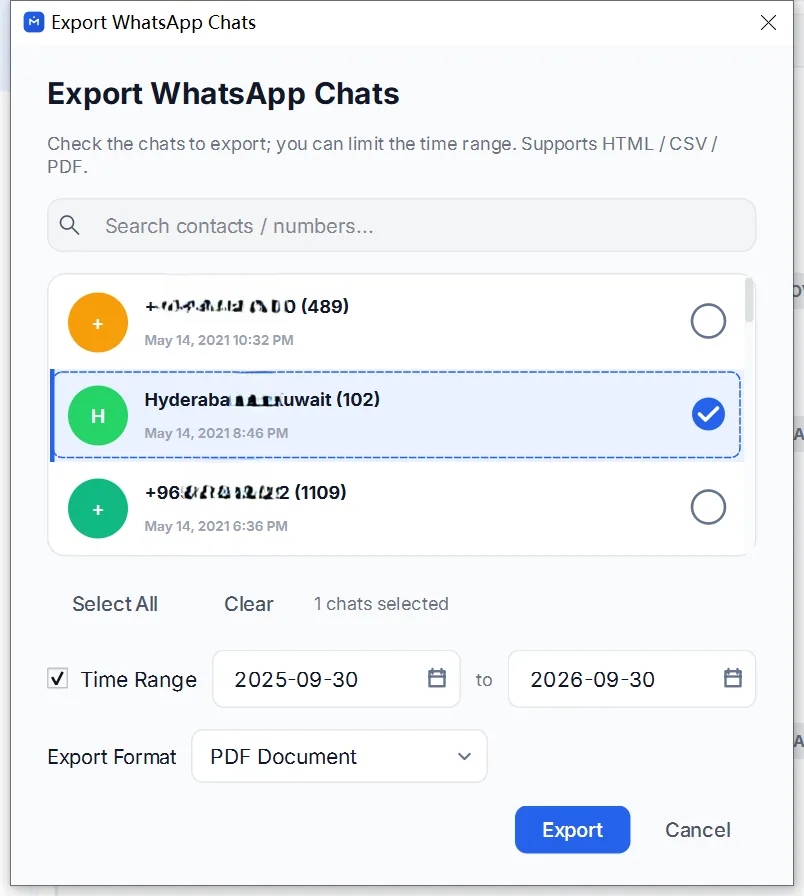
For a customer-facing copy, include the messages needed to understand the exchange and review any unrelated customer details.
2. Select PDF and save
Choose PDF, run the export and select a destination. Check the completion message for warnings.
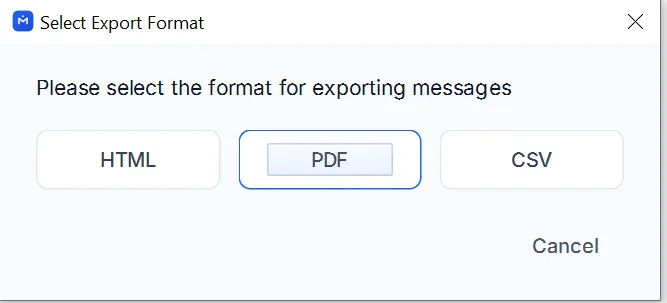
When available media is included, the result is a ZIP containing the PDF and media files. Otherwise, you may receive a standalone PDF. Extract a ZIP before reviewing its contents.
3. Check the document and attachments
Open the PDF and inspect the first and last dates, sender labels and longer messages. Compare an important exchange with the archive.
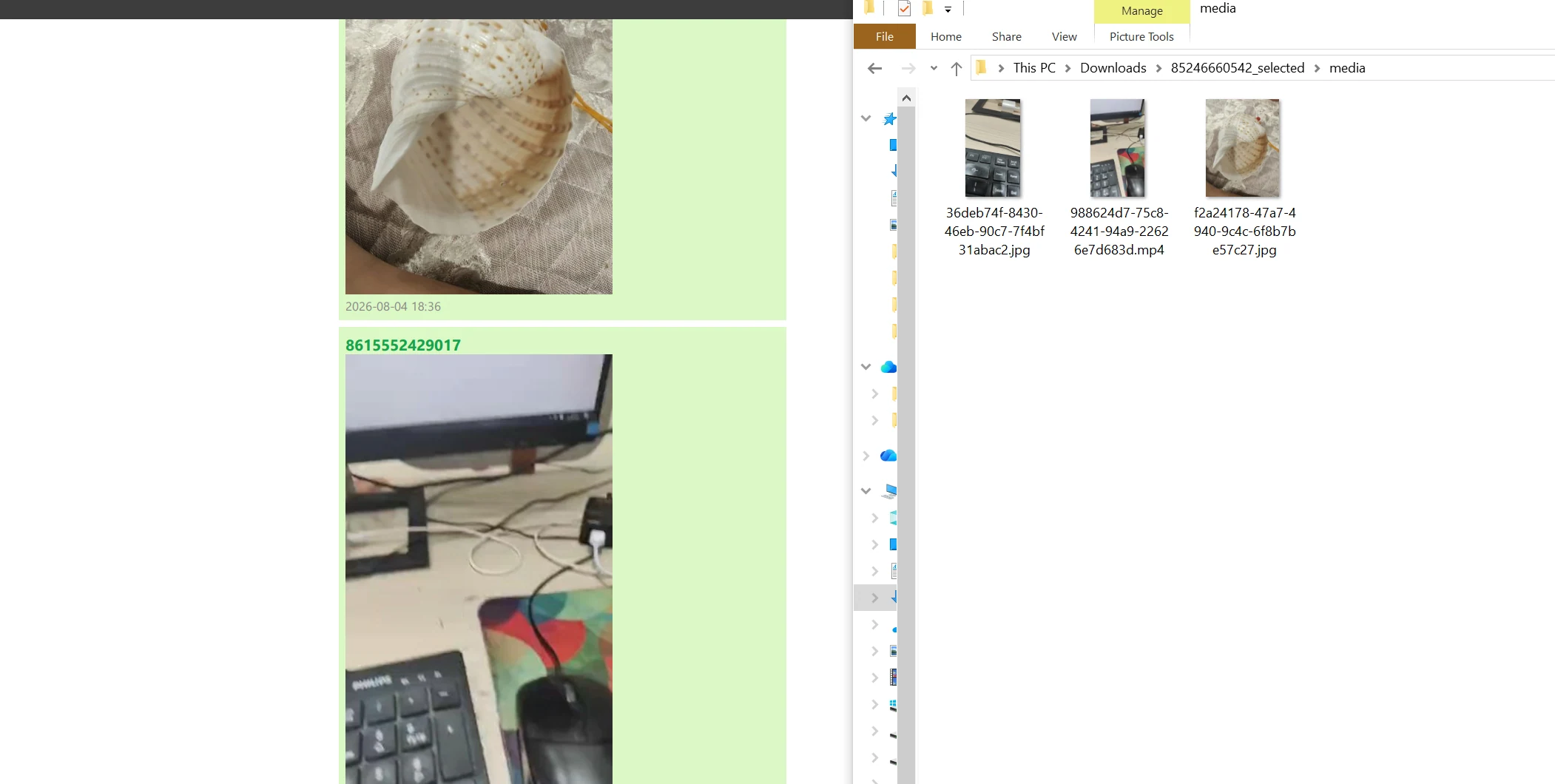
Images rendered in the PDF stay with that document. Separate videos, voice messages and documents need the accompanying media files; sending only the PDF does not send those attachments.
Open a few files from the exported folder as well. If any are missing or unreadable, follow the missing-media checks before sharing the package.
- whatsapp business
- export
- customer chats