How to Export WhatsApp Chats from an iPhone
Export an iPhone WhatsApp chat as text, or import a local backup into Memora Keep to save PDF, HTML and CSV copies on your computer.
2 min read
On this page
An iPhone offers two useful ways to save WhatsApp conversations: export a chat from WhatsApp itself, or read a local device backup in Memora Keep and export from the computer.
The phone method makes a text copy with optional attachments. The computer method offers PDF, HTML and CSV.
What you need
- For a phone export: the conversation available in WhatsApp.
- For the computer method: free Memora Keep on Windows or macOS and a local iPhone backup containing the chat.
- The backup password if encrypted, plus space for the import and export.
Export one conversation on the iPhone
Open the conversation, tap the contact or group name and choose Export Chat. Choose whether to include media, then select an available saving or sharing option.
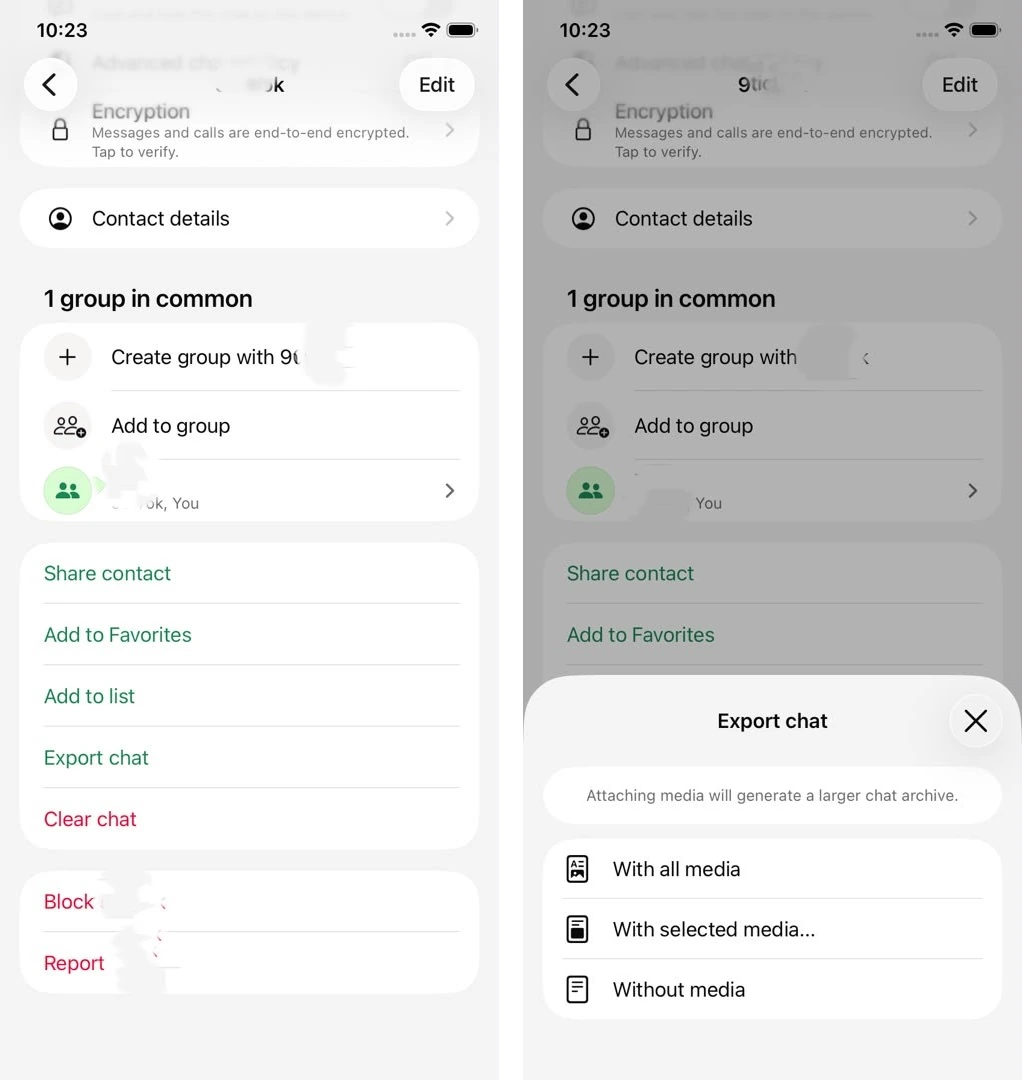
Check WhatsApp’s export instructions if your menu differs. Attachments are separate from the text file. The available history and export limits affect what is saved, so check the result.
Prepare a local backup for computer exports
You can create a computer backup with Finder on Mac or Apple Devices on Windows. Memora Keep also has an iPhone backup workflow.
Keep the complete backup folder. A device backup has its own coverage limits; it is not a direct download of WhatsApp’s iCloud chat backup.
Import and export the conversation
Choose Import iPhone Backup, select the folder and confirm the device and date. Enter the backup password if requested.
After import, open Archives → WhatsApp. Choose the account and chat. Clear checked messages if you want to export the conversation, then click Export and select the date range and format.
- PDF: reading and printing; available media is included separately in a ZIP package.
- HTML + Media: a browser-readable chat and media folder in a ZIP.
- CSV: spreadsheet rows without the attachment files.
Compare the saved copy with the archive
Check older and newer messages, sender labels and important media. If content is missing, review the backup date, import warnings and export range. An absent item does not by itself identify the cause.
Use the missing-media checklist before repeating the whole process. Reading exports cannot be restored into WhatsApp through its official backup flow.
- iphone
- export
- chat backup