How to Export WhatsApp Chats on Windows
Export saved WhatsApp chats on Windows as PDF, HTML or CSV. Find the output in File Explorer and check messages and attachments.
2 min read
On this page
Memora Keep exports saved WhatsApp conversations on Windows as PDF, HTML or CSV. Start with a readable local archive, choose the conversations you need, then save the files to a folder on your PC.
What you need
- Free Memora Keep on Windows.
- WhatsApp data already backed up from Android or imported from a local iPhone backup.
- Space for exported files and extracted media.
Prepare the source
If the chat is not in Archives → WhatsApp, follow the Windows backup guide first. An encrypted iPhone backup needs its password.
WhatsApp Desktop is for linked-device messaging. Its local app files are not a supported import source for this Memora Keep workflow.
Select the chats and format
Open the account and conversation. Clear checked messages to export a chat, then click Export. Select the conversations, set or disable Time Range, and choose PDF, HTML + Media or CSV.
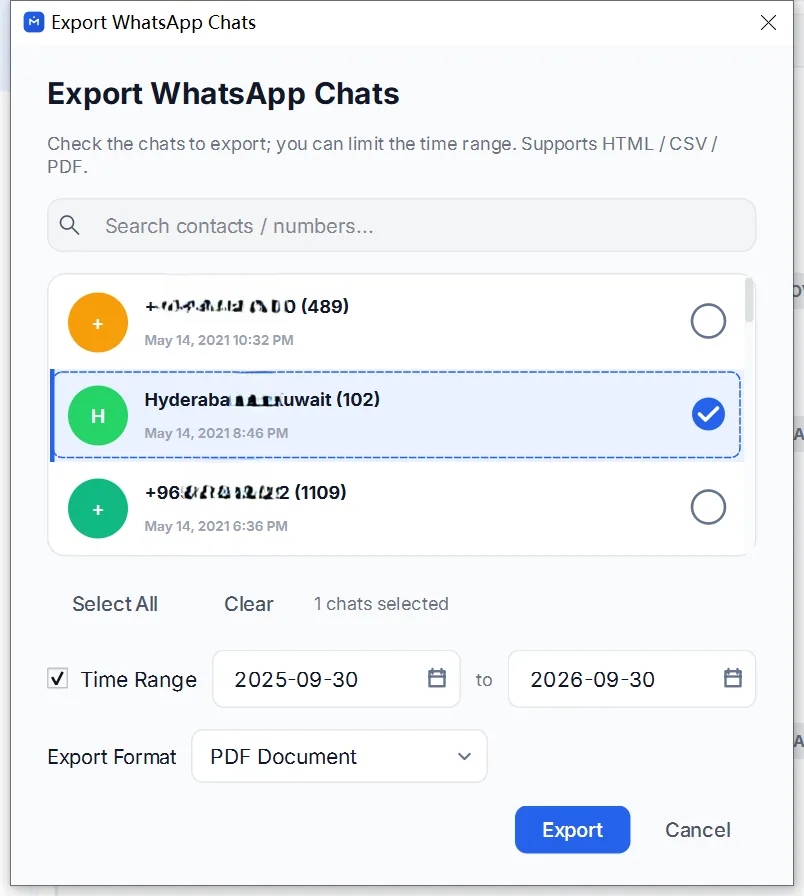
Save to a folder you can find in File Explorer. For several chats, choose a destination directory; the app writes separate outputs for the conversations.
Open the actual output
Read the completion message, including warnings and the saved path. HTML + Media produces a ZIP. PDF also produces a ZIP when it includes available media; otherwise it is a standalone PDF. CSV is a separate text table.
In File Explorer, extract the entire ZIP before opening its HTML or PDF. Keep the media folder alongside it.
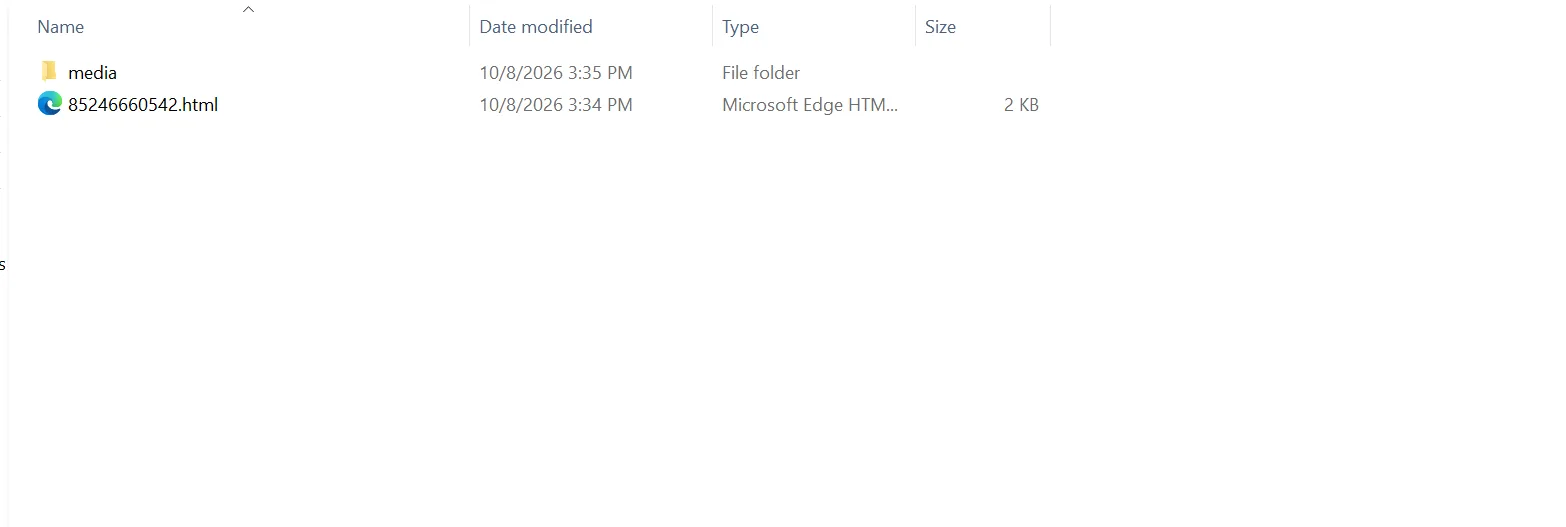
A copied PDF retains rendered images, but its separate media files remain outside the document. HTML links depend on the accompanying folder.
Verify the copy
Open PDF in a PDF reader, HTML in a browser, or import CSV into Excel. Compare older and newer messages, then open important attachments from the saved folder.
If the file was not written, check the destination’s permissions and free space. If it exists but content is missing, check the export range, warnings and media availability.
- windows
- export