How to Keep WhatsApp History from an Old Phone Number
Keep WhatsApp history from an old phone number with a local backup. Learn how Change Number works and how to save or merge your archived chats.
4 min read
On this page
Changing phone numbers can put your WhatsApp history at risk. Your number identifies your account, and a failed transfer, an erased phone or a problem with Change Number can leave old chats behind.
Here’s how Change Number works and how to keep a local copy of your old chats, whether or not the transfer succeeds.
WhatsApp’s Change Number: what it does
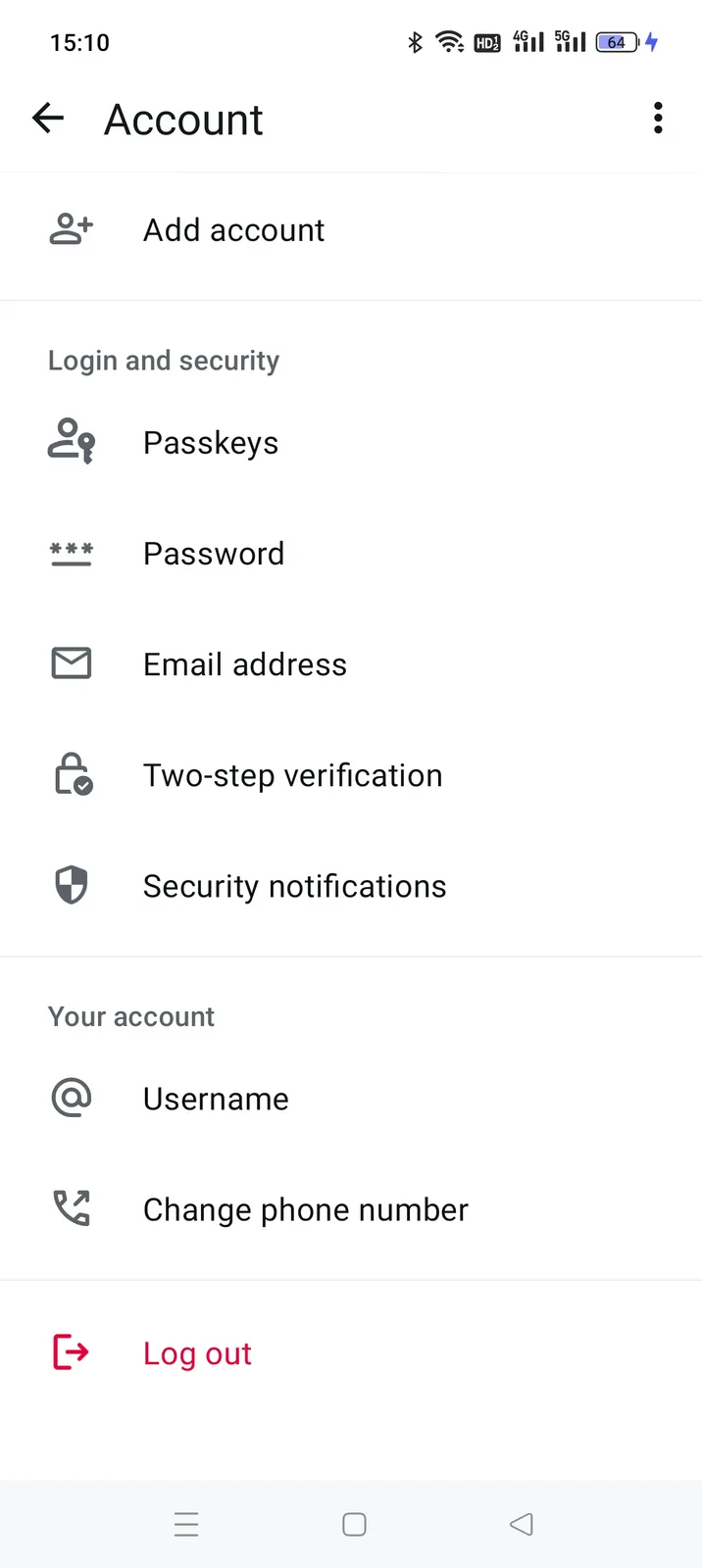
WhatsApp has an official tool for this. In the app: Settings → Account → Change phone number.
Before continuing, read WhatsApp’s summary of what will move and what will be deleted:
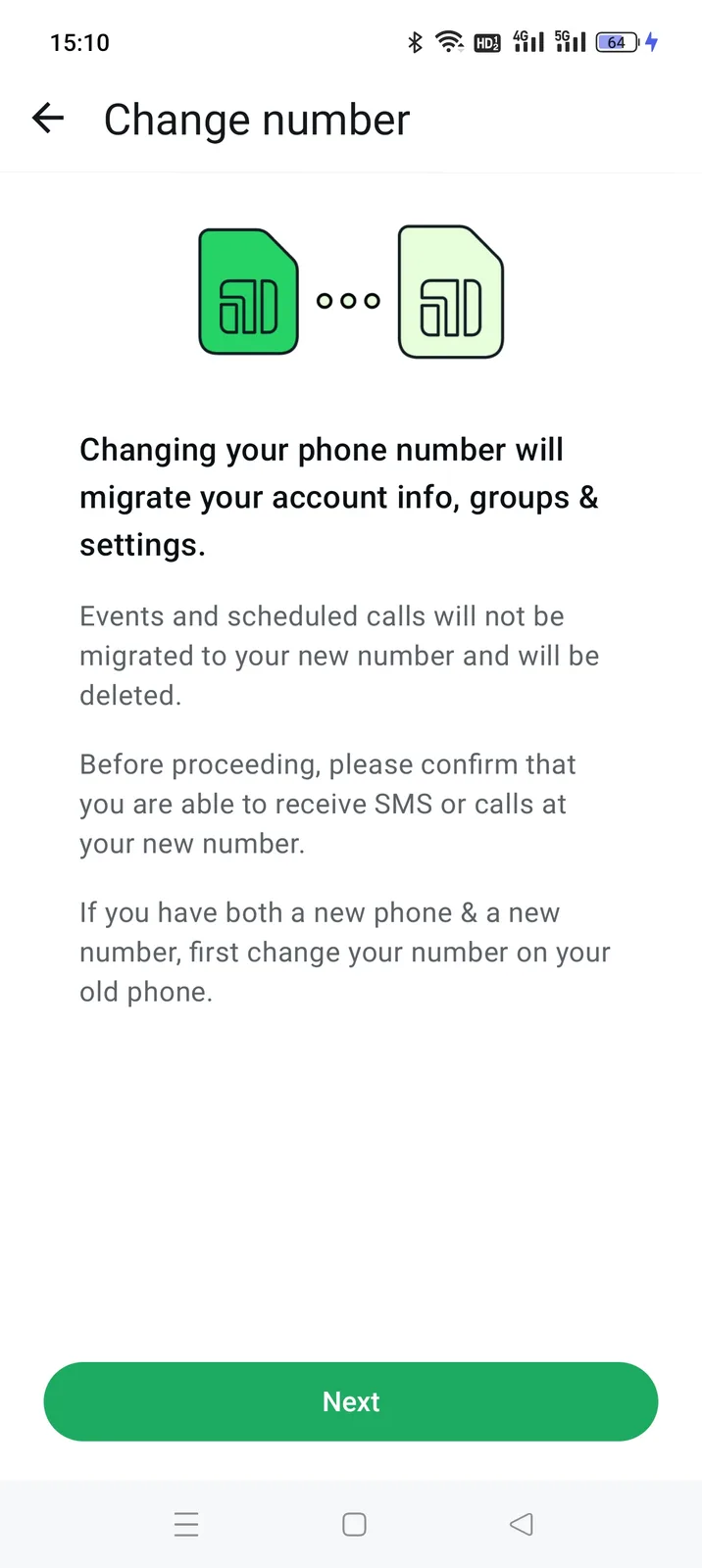
- Groups and settings move. Events and scheduled calls are deleted.
- Chat history transfers through the old number’s Google Drive or iCloud backup. It moves as a whole; you can’t choose individual chats.
- The app advises changing the number on your old phone first.
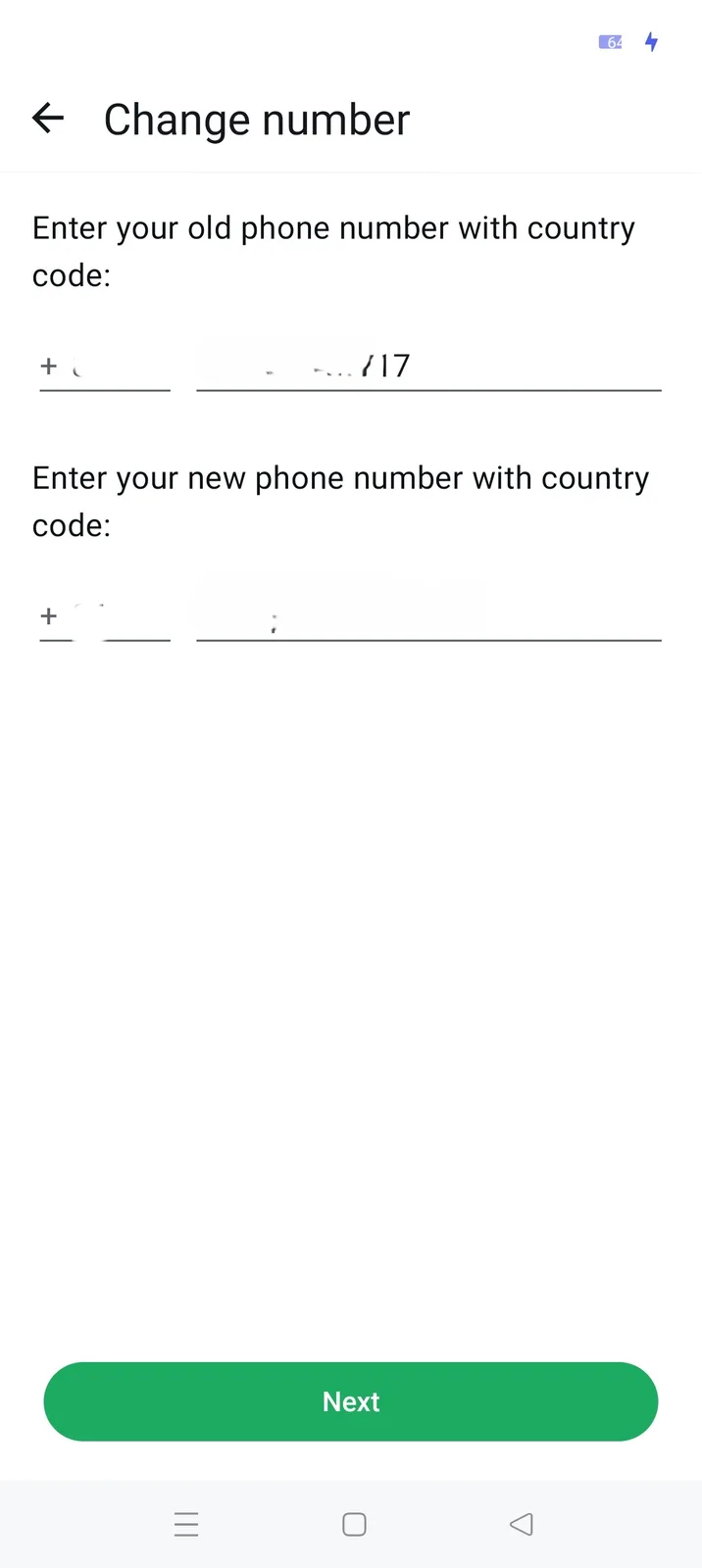
Then you enter both numbers with country codes and verify the new one.
If the new number already has a WhatsApp account
If the new number has already been registered on WhatsApp, Change Number won’t combine the two histories. This can happen if you used it before, received an activated work SIM or took over someone else’s number. The old account takes over, and chats already associated with the new number are wiped.
One history replaces the other.
Save the old chats on your computer
A local copy lets you read the old number’s chats without relying on the phone, a cloud account or a successful transfer. Memora Keep saves them on your computer. It’s free and needs no account.
Download Memora KeepBefore the change: While the old number is still active on the phone, back it up to your computer over USB. Back up Android WhatsApp directly; iPhone chats are included in the device backup (guide).
After the change: You can import an existing iTunes or Finder backup. See where to find it and how to import it.
Once the new number is active on the phone, back it up to the same computer too.
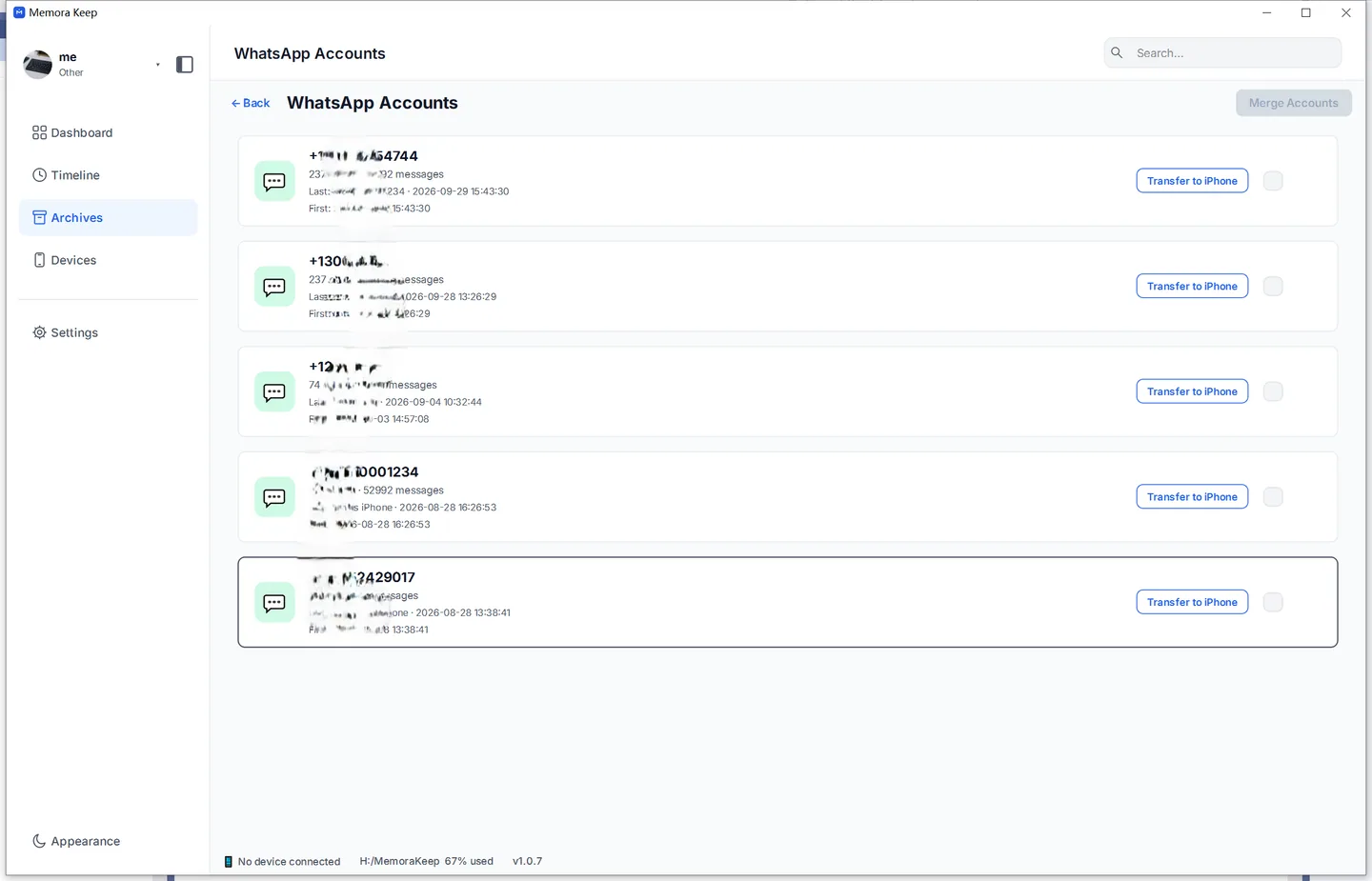
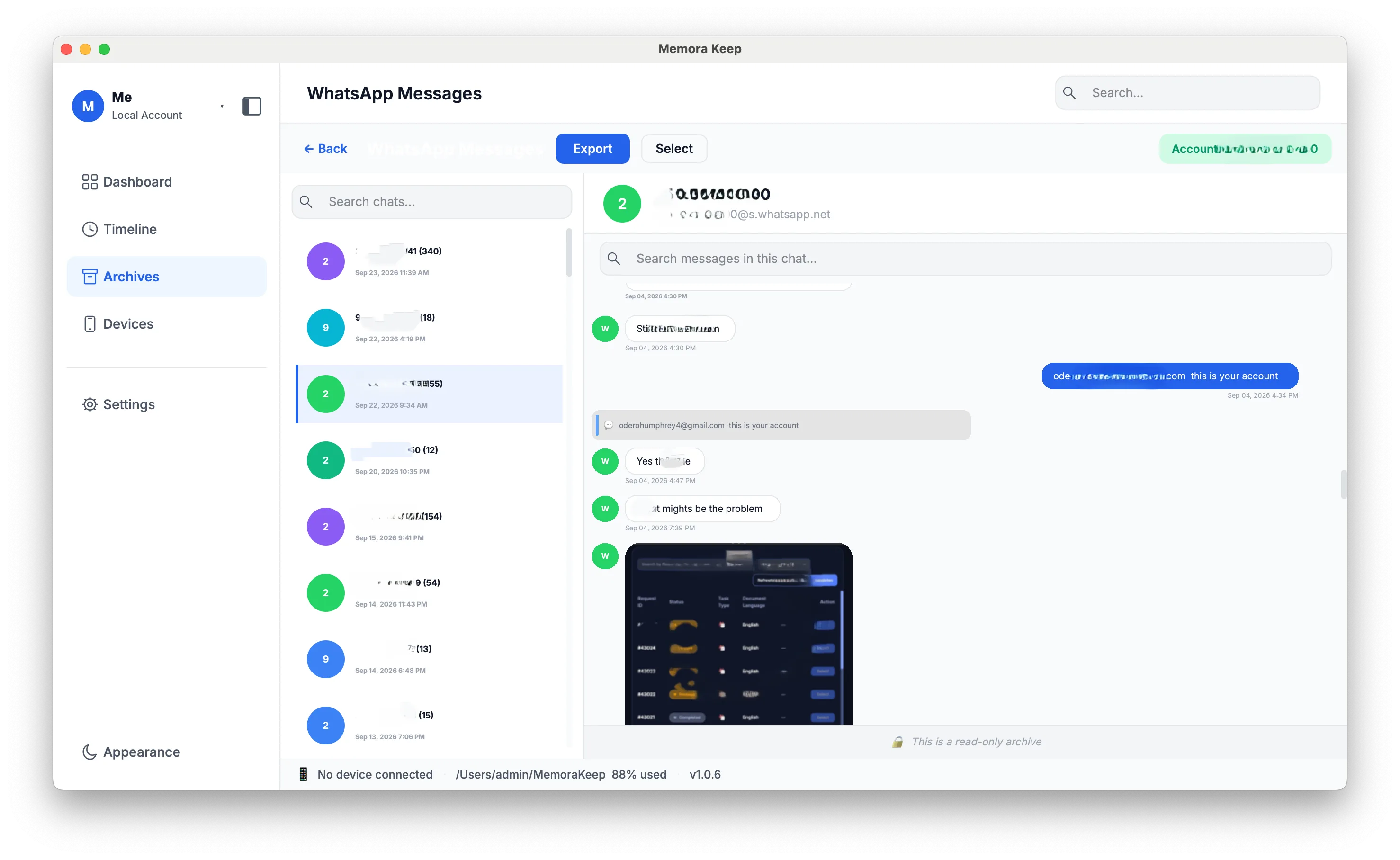
Each number appears as a separate account in Archives → WhatsApp. You can keep reading the old number’s chats even after the SIM is reassigned or the WhatsApp account is deleted.
Merge the old and new accounts in the archive
A conversation that spans the number change may be split between two accounts. Memora Keep can merge the archived accounts so messages with the same contact form one continuous history, with duplicates removed.
Merging changes only the archive, leaving WhatsApp on both numbers untouched. You can choose to keep the original accounts alongside the merged result, so you can save both and decide later.
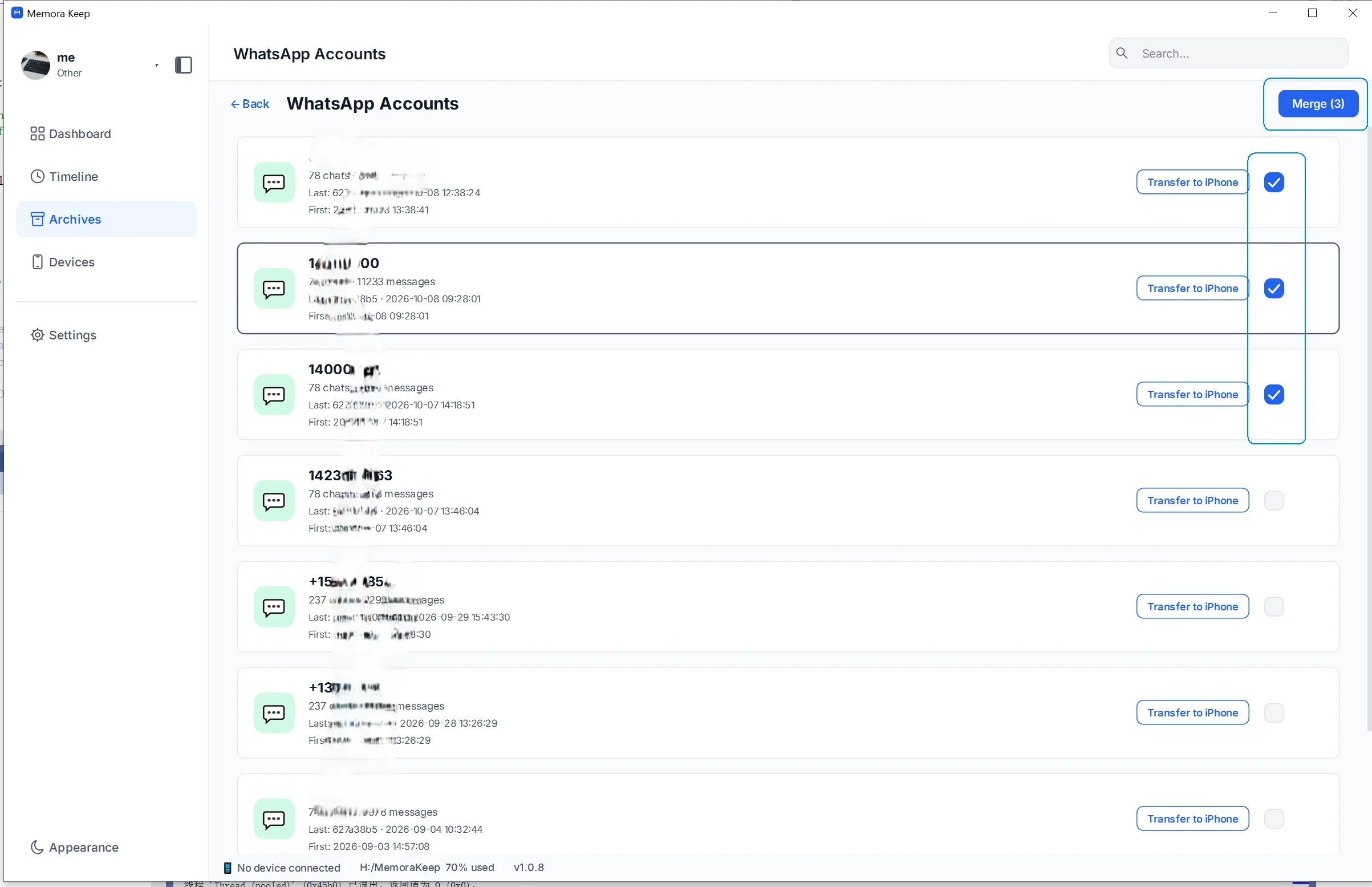
Before merging:
- Add both numbers to the archive first. Back up or import each account.
- Duplicate messages are removed. Messages backed up under both numbers appear once.
- Choose a name for the result. Keep either account’s name or enter a new one.
Follow how to merge WhatsApp chats from multiple accounts. For when merging helps and when to keep accounts apart, see can you merge WhatsApp chat histories from multiple accounts?.
Frequently asked questions
Does WhatsApp’s Change Number keep my chats? It transfers history through the old number’s cloud backup as a whole, without letting you choose chats. WhatsApp also states that events and scheduled calls are deleted. Make a local backup first to keep a separate copy.
My new number already has its own WhatsApp account. What now? Don’t run Change Number, as it would wipe that account’s chats. Back up both numbers to your computer and merge them there to combine the history without overwriting either account.
The old number is canceled. Can I still read its chats? Yes, if they’re in the archive or a backup you can import. You read the saved files; the number doesn’t need to be active.
Will the old chats show up inside WhatsApp on the new number? No. WhatsApp on the new number shows its current chats, including any transferred during migration. The combined history stays in the archive, where you can read, search and export it.
Good to know
- If both phone and number changed, the device side has its own guide: read WhatsApp conversations after changing phones.
- Deciding between merging and keeping accounts apart: organize multiple WhatsApp accounts in one archive.
- The merged timeline exports to PDF, HTML or CSV like any account — see the PDF export guide.
- phone number
- chat history
- backup