How to Open a WhatsApp Backup on a PC
Find the right way to open a WhatsApp file on a PC. Distinguish chat exports, encrypted databases and complete iPhone backup folders.
2 min read
On this page
A WhatsApp export may open in a text editor or browser, while a backup needs a supported reading process. Check the file type before changing anything.
What you need
- The original file or complete backup folder.
- For local backup imports: free Memora Keep on Windows or macOS.
- The backup password if encrypted, and space for a working copy.
Identify the file or folder
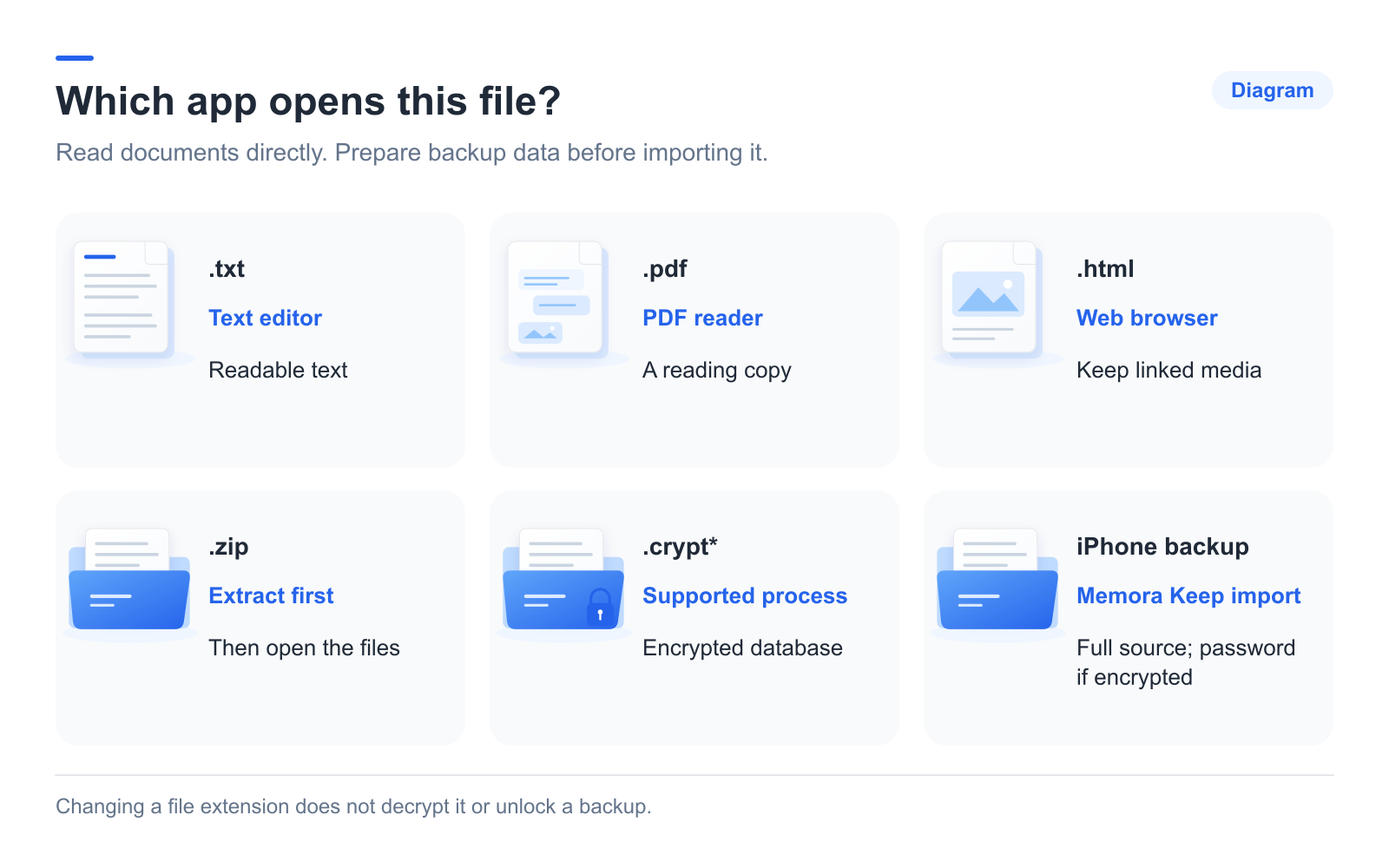
- TXT: open in a text editor.
- PDF: open in a PDF reader.
- HTML: open in a browser, keeping associated media beside it.
- CSV: import into a spreadsheet.
- ZIP: extract it, then inspect the contents. It may contain a phone export or a Memora Keep package.
- Encrypted database or iPhone backup folder: use a supported backup process rather than double-clicking.
Renaming a crypt file to TXT or DB does not decrypt it.
Open an exported chat
Extract the whole ZIP before opening files inside it. Opening just one file from inside a ZIP may leave linked media unavailable.
Check the text and important attachments. These are reading files; they cannot be re-imported through WhatsApp’s official chat restore flow.
Import a supported backup
In Memora Keep, choose Import iPhone Backup and select the complete device backup folder. Confirm the device and date, and enter its password if encrypted.
For Android, use the phone and dedicated WhatsApp backup wizard. This workflow does not provide a general file picker for any crypt database you find.
If the import fails
Keep the original source intact and work from a copy when investigating.
- Read the exact error.
- Check that you selected the correct folder, rather than a parent folder or a single file.
- Confirm that the backup was copied completely.
- Check the password if encryption is reported.
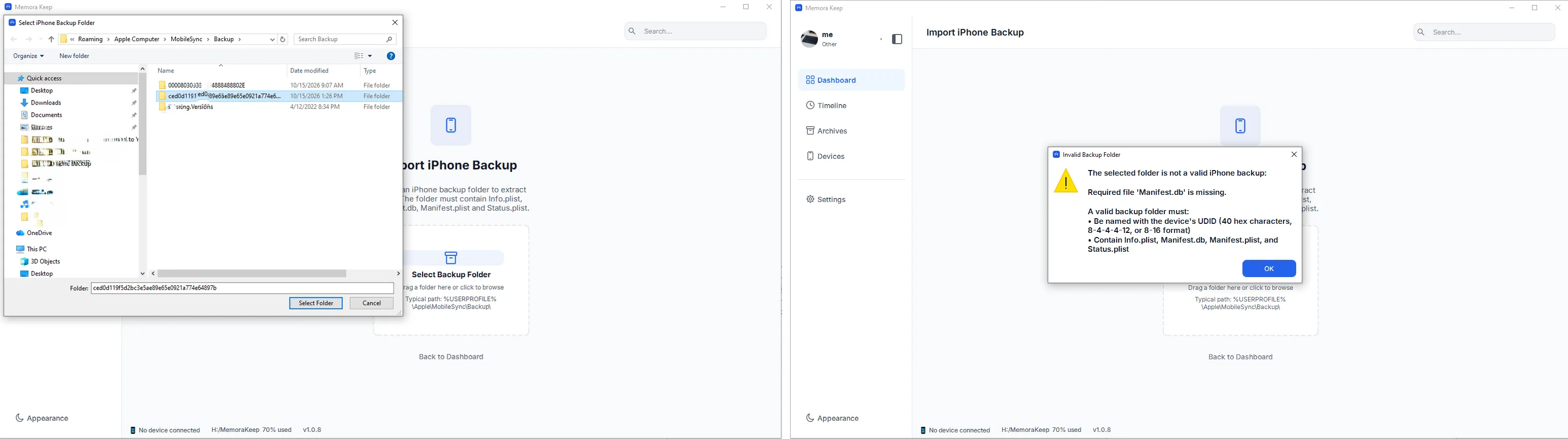
A wrong password and an incomplete backup are different problems. If your only source is a cloud backup, consult its supported recovery process; it cannot be imported directly into Memora Keep.
For a source overview, see reading WhatsApp backups on a computer.
Frequently asked questions
Can I open msgstore.db.crypt14 or .crypt15 directly? No. These are encrypted databases, not documents. A text editor shows unreadable content, and Memora Keep does not offer a general picker for individual crypt files; use the supported backup workflow with the phone.
The file opens but media is missing. Is the file corrupt? Not necessarily. Media may have been excluded at export time, or the entry file was separated from its media folder. Check the package structure first, then the media checks.
- open backup
- troubleshooting
- pc