How to Save WhatsApp Chats Before Deleting Your Account
Save and verify important WhatsApp chats before deleting an account. Check readable copies, attachments and file locations while access remains.
2 min read
On this page
Before deleting a WhatsApp account, save the conversations and files you want to keep, then confirm you can open them independently. Do this while the phone and its chat data are still accessible.
Saved exports do not undo account deletion.
What you need
- Access to the chats on the phone or in a readable local backup.
- For the archive method: free Memora Keep on Windows or macOS.
- Enough space for the source, archive and reading copies.
Understand the account action
Deleting an account is different from uninstalling the app. Uninstalling removes the app; recovering chats afterward still depends on an available, usable backup.
WhatsApp describes account deletion as irreversible. Read its deletion guidance before proceeding, including what happens to account data, groups and backups.
Save the conversations
For a few chats, use WhatsApp’s Export Chat option, include media where needed and save the output somewhere you can find.
For a computer archive, back up Android WhatsApp or import a local iPhone backup into Memora Keep. Open Archives → WhatsApp and verify the account and conversations.
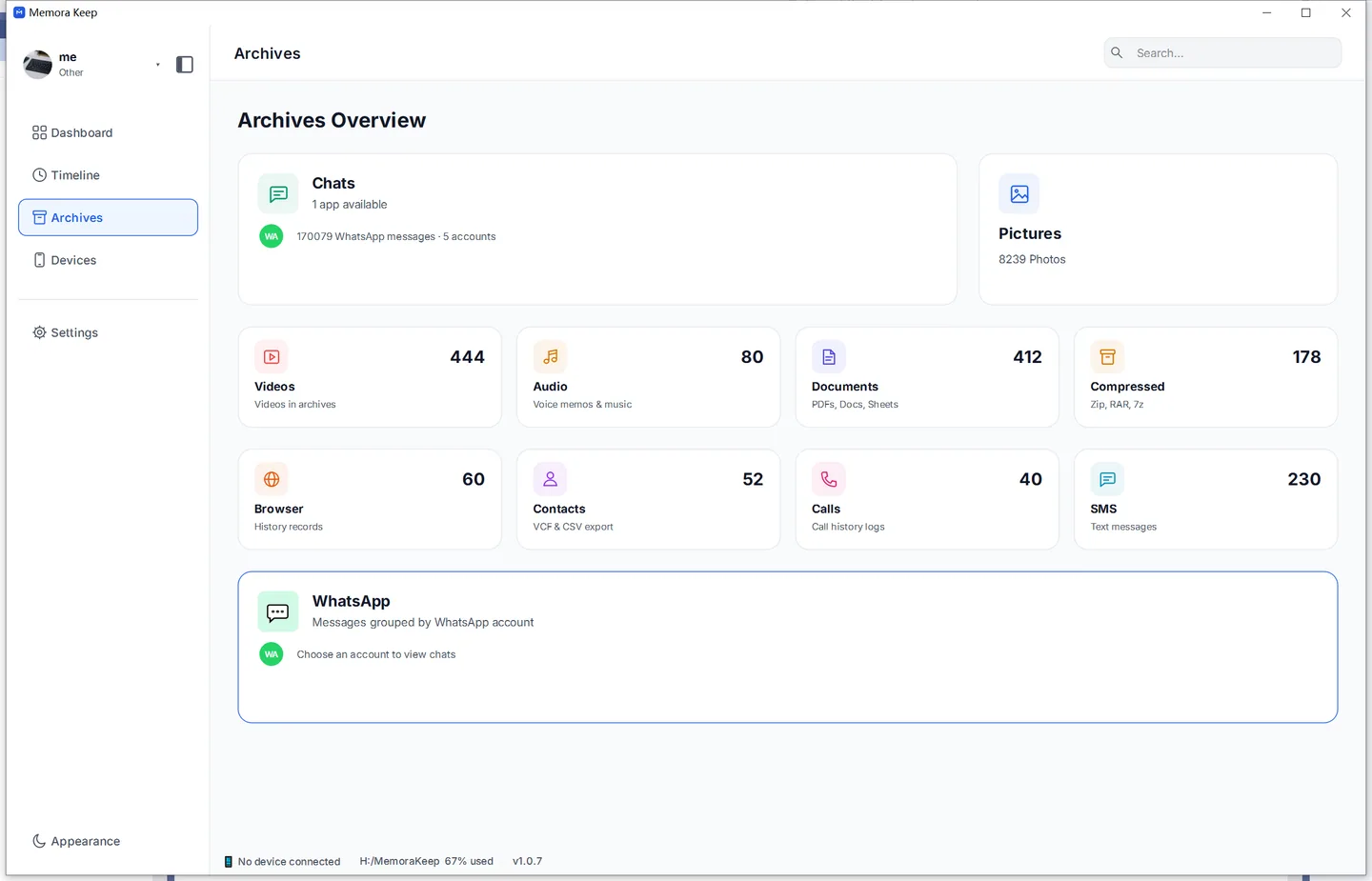
Include important groups, old dates and attachments. Check task warnings; a completed backup is not proof that every item was collected.
Test independent reading copies
Export the chats you need as PDF or HTML + Media. Extract any ZIP, set the phone aside, and open the files from the saved folder.
Check text, photos, videos, voice notes and documents separately. An archive-view screenshot is not proof that an exported file works independently.
If something fails, use the media checks while the original source remains available.
Review before deciding
Confirm that:
- Important conversations and date ranges are present.
- The attachments open from the saved folders.
- You know where the source and reading copies are stored.
- The copies can be opened without reconnecting the phone.
Keep the source and an additional copy if needed. You may still have saved data after an account is deleted, but do not rely on being able to collect it later or restore the account from an export.
For ongoing preservation, see keeping old WhatsApp backups.
Frequently asked questions
Can I undo deleting my WhatsApp account? WhatsApp describes deletion as irreversible. Re-registering the number starts a new account state; saved exports remain readable, but they do not restore the account.
Can I restore chats from an export after deletion? No. PDF, HTML, CSV and TXT files are reading copies. WhatsApp’s official restore uses its own backup sources, and deletion affects them per WhatsApp’s guidance.
- delete account
- save chats
- export