How to Save WhatsApp Chats Without Taking Screenshots
Save WhatsApp chats as searchable text, PDF or HTML instead of taking screenshots. Keep dates, sender labels and available attachments.
2 min read
On this page
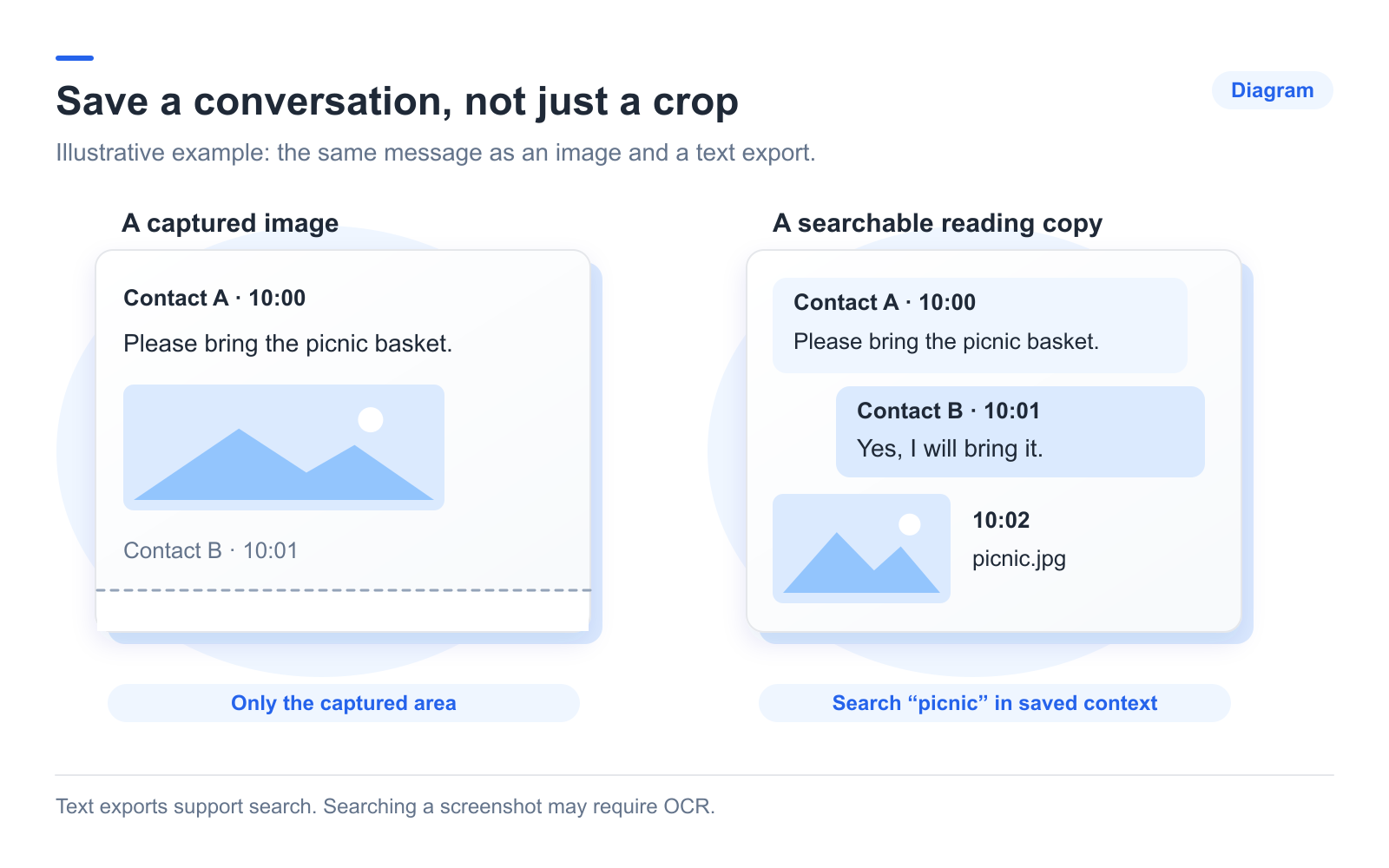
A chat export saves messages as text you can search, rather than a series of screenshots. Use WhatsApp’s built-in export for a text copy, or Memora Keep for PDF and HTML reading copies from a local archive.
Screenshots remain useful for showing exactly what was on screen. Some photo apps can search them using OCR, but exports are usually easier to read as a continuous conversation.
What you need
- The chat on your phone or in a supported backup.
- For PDF or HTML exports: free Memora Keep on Windows or macOS with the chats imported.
- Space for the saved files and media.
Choose a reading format
Choose TXT for simple text, PDF for printing, or HTML + Media for browsing messages with attachments. For sorting rows, use CSV.
The exported layout differs from the phone screen. Check the sender labels, dates and context rather than expecting an exact visual copy.
Use the phone for a quick text export
Open the chat and choose Export Chat, with or without media. Save the result using an available destination. WhatsApp’s instructions cover the built-in feature.
Attachments are separate from the text, and export limits may affect the included history. Check the oldest message you need.
Export PDF or HTML from Memora Keep
Back up Android WhatsApp or import a local iPhone backup. Open Archives → WhatsApp, choose the conversation and clear any checked messages if you want the full-chat dialog.
Click Export, choose the conversation and date range, then select the format. Extract any resulting ZIP and retain its media folder.
Test the saved copy
Open the exported file in its intended reader and search for a phrase. Check a long message, an exchange with several replies and important attachments.
PDF shows rendered content; it does not play audio or video inside the page. Open those files separately. HTML playback depends on browser and file-format support.
If an attachment fails, compare it with the archive and follow the missing-media checks.
- save chats
- searchable
- export