How to View a WhatsApp Backup Offline on Your Computer
View, search and export a WhatsApp backup offline on your computer. Use a local archive without an internet connection or cloud account.
4 min read
On this page
Want to read a WhatsApp backup without an internet connection? A local backup lets you keep your chats on your computer and read them while traveling or offline.
Here’s how to use Memora Keep to view, search and export a WhatsApp backup offline.
What you need
-
Memora Keep on a Windows or macOS computer. It is free.
-
The chats in your local archive, or an Android phone or local iPhone backup containing them. The steps below explain how to add the source.
-
Enough free disk space for the imported data and any files you export.
Why you need a local backup
WhatsApp’s cloud backups aren’t files you can browse:
- A Google Drive backup must be restored onto a phone through WhatsApp.
- An iCloud backup also requires a full restore through the app.
- Both store your chat history on cloud servers.
A local backup stays on your computer, but you still need a tool to read it. Memora Keep for Windows and macOS turns it into a local archive that needs no cloud account, so you can browse chats without restoring your phone.
Step 1: Save or import a backup on your computer
From Android: connect the phone over USB and back up WhatsApp through the app. Chats and media transfer over the cable.
From iPhone: a full device backup over USB includes WhatsApp. Back up the iPhone to your computer, or import an existing iTunes or Finder backup without connecting the phone.
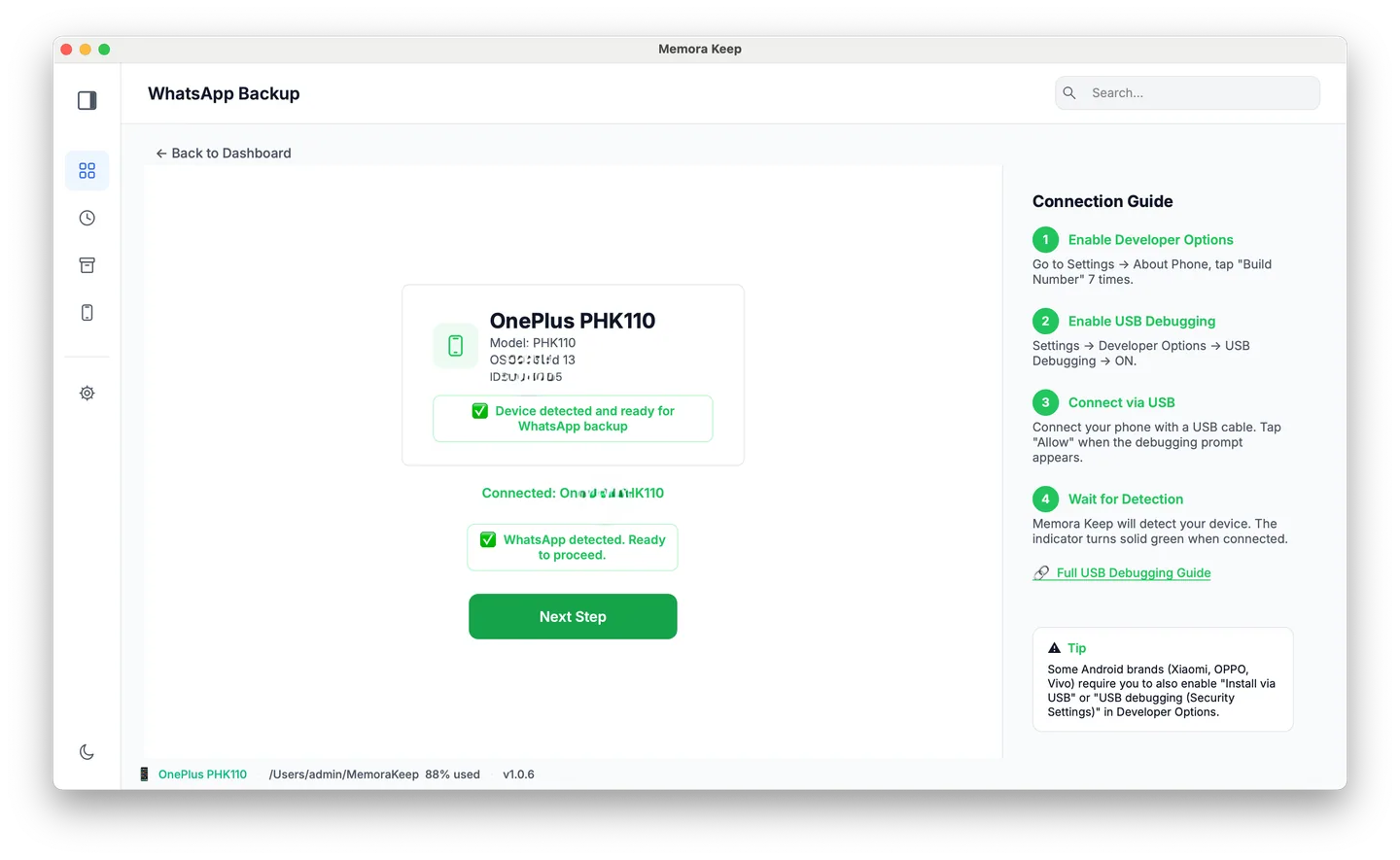
USB backup doesn’t need internet access. Once the data is saved, you can disconnect the phone.
Step 2: Unplug the network
Turn off Wi-Fi or unplug the network cable. The following steps use files on your drive and work without a connection. Memora Keep needs no login or online license check.
Step 3: View the chats offline
Open Archives → WhatsApp, choose the account and open a chat. You’ll see chat bubbles, sender names and timestamps. Scroll to load older messages, and open photos and videos within the conversation.
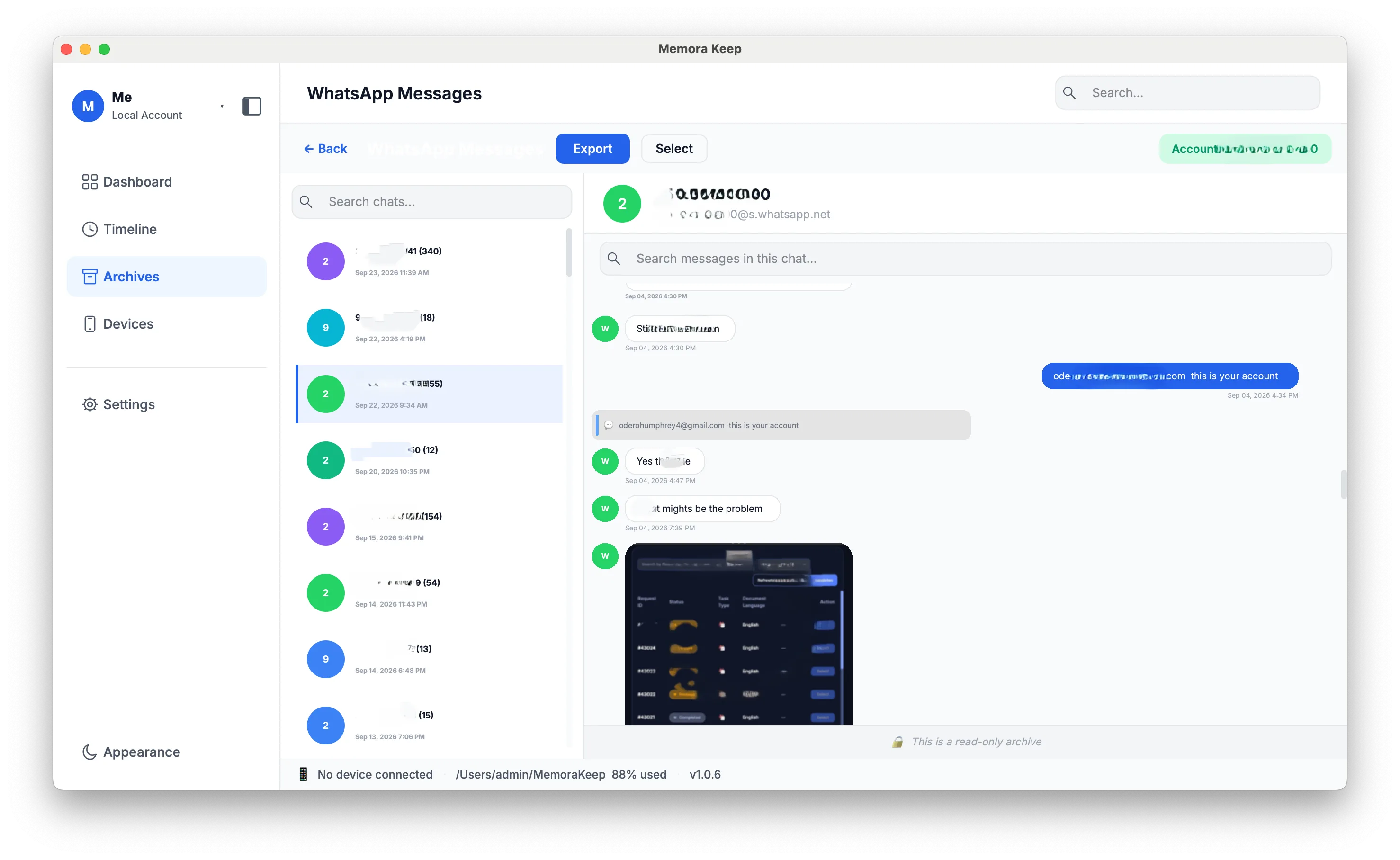
You can read an individual saved chat without restoring the phone.
Step 4: Search offline
You can search the archive in two ways:
- Inside one chat: search for a keyword to list matching messages with their dates. Click a result to jump to it.
- Across all chats: use the Search box at the top-right to search every conversation and see grouped results.
The search index and keywords stay on your computer. See how to search a local backup.
Step 5: Export offline
Select messages, a whole chat or a date range, then export to PDF, HTML or CSV. Choose a folder and the file is saved locally, with no upload, server conversion or email attachment size limit. See how to export selected messages.
How to protect your offline archive
Keeping data offline reduces exposure online, but you still need to protect the computer.
What stays private: your chats aren’t sent over the internet or stored on a company’s servers. An online service can’t disclose, sync or leak files it doesn’t hold, and there’s no online account to compromise.
What you need to protect: someone with access to your computer may be able to open the archive. Keep the computer locked or store the archive folder on an encrypted disk, using FileVault on Mac or BitLocker on Windows. Memora Keep’s own archive encryption is on the roadmap; for now, use disk encryption.
Frequently asked questions
Does viewing a backup need an internet connection? Viewing, searching and exporting use local files. You only need internet access to download the installer.
Can I use this on a computer that was never online? Yes, if Memora Keep is installed. Copy the archive folder to that computer and open it there.
Can I view a Google Drive or iCloud WhatsApp backup this way? Not directly. Make a local backup over USB on Android, or a device backup in Finder or iTunes on iPhone. You can read that backup offline.
Good to know
- The archive also works while you’re online. There’s no separate offline mode to enable.
- New to the idea of keeping chats as files? Save a WhatsApp chat as a readable archive explains the format.
- For a larger view of your conversations, see how to view WhatsApp chats on your computer.
- offline
- local backup
- privacy