How to View WhatsApp Backups on a Mac
Read saved WhatsApp conversations on a Mac from a local iPhone backup or Android backup. Check the source, messages and available media.
2 min read
On this page
To read old WhatsApp chats on a Mac, import a supported backup into Memora Keep and open the saved account. This reads a local copy without restoring the backup to your current phone.
What you need
- Free Memora Keep on macOS.
- A complete local iPhone backup containing the chats, or an Android phone for the WhatsApp backup workflow.
- The backup password if encrypted and enough free disk space.
Find a usable source
For iPhone, use a local device backup, such as one created in Finder. Check the device and date before importing it. If you have no backup yet, follow the iPhone backup guide.
For Android, use the dedicated WhatsApp backup workflow on Mac.
Memora Keep does not directly import WhatsApp chat backups from iCloud or Google Drive.
Import the local backup
Choose Import iPhone Backup and select the complete folder. Confirm the displayed device details, then start the import.
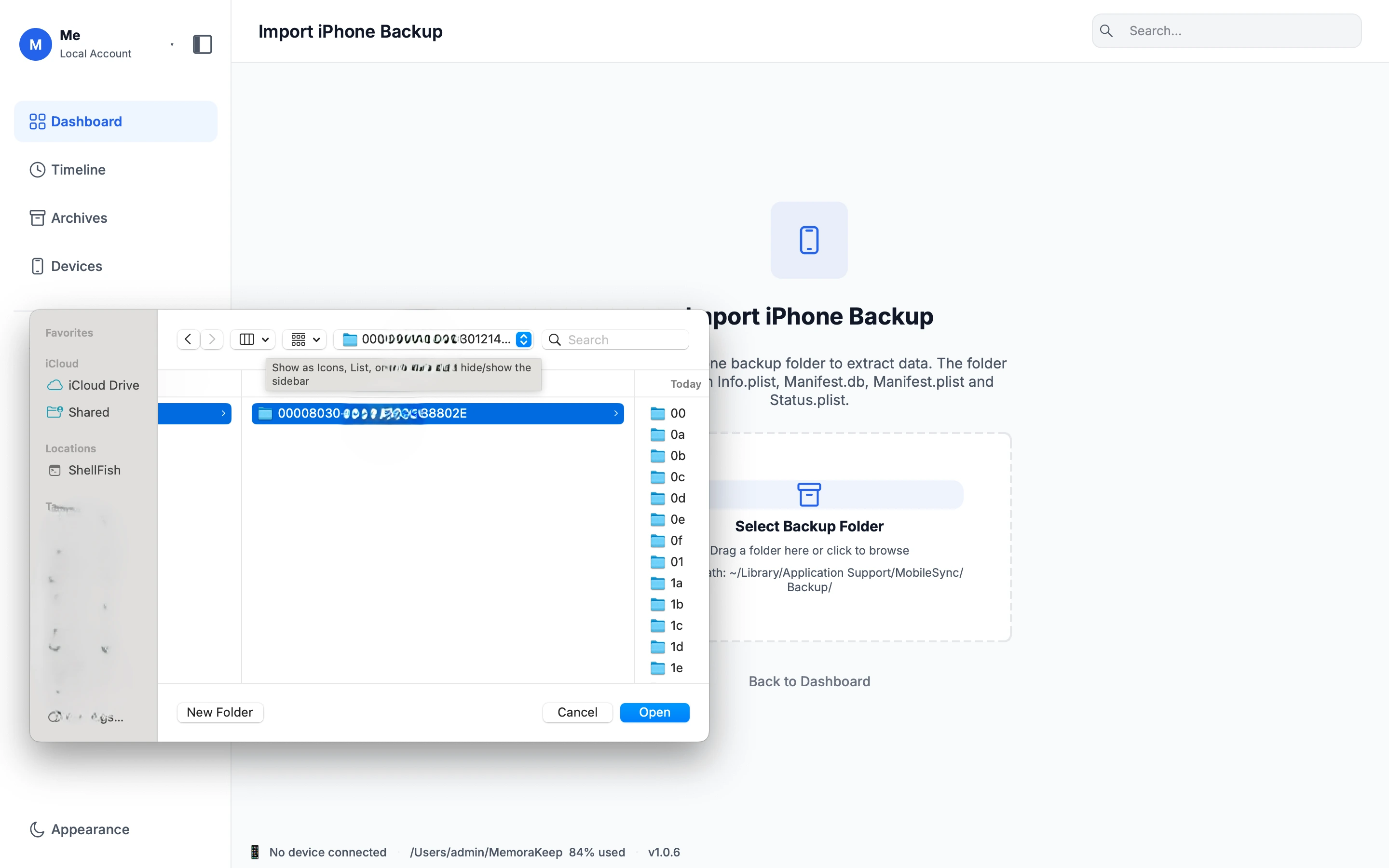
For encrypted backups, supply the backup password when asked. It is the password used for the backup, which may differ from your Apple Account password or phone passcode. Memora Keep cannot bypass it.
Read the completion result and any warnings before opening the archive.
Find the conversation
Open Archives → WhatsApp, select the account, then choose a contact or group. Scroll to older messages or search within the open conversation.
Check a known exchange and an important attachment. If a message is absent, review the source’s coverage and the import result. A missing item alone does not show whether the source or the import caused the gap.
Keep an export for later
Click Export, choose the chats and date range, then save PDF, HTML + Media or CSV. Extract any ZIP in Finder; open PDF in Preview and HTML in a browser. CSV does not include the media files.
See exporting WhatsApp chats on Mac for the output checks. WhatsApp’s official Mac app is the option for live linked-device messaging, rather than this backup-reading workflow.
Frequently asked questions
Does reading the backup affect my phone? No. Once the backup exists, reading it on the Mac involves neither the phone nor any restore. Nothing is overwritten or erased.
How old can the chats in a backup be? A backup can contain messages much older than its creation date. It shows the history available on the phone at that time; messages sent later require a newer backup.
- backup viewer
- mac
- finder