How to View WhatsApp Chats on a PC
Read live WhatsApp messages on a linked PC, or browse saved chats in a local archive. Choose the right source and check messages and media.
2 min read
On this page
For everyday messaging on a PC, use WhatsApp Web or Desktop. To read saved conversations from a backup, use a local archive in Memora Keep.
The choice depends on whether you want to continue a live conversation or look through a saved copy.
What you need
- For live messaging: your WhatsApp account and a linked computer.
- For the archive method: free Memora Keep on Windows or macOS and a supported phone backup or local iPhone backup.
- Space for the local archive and any exports.
Choose live chats or a saved archive
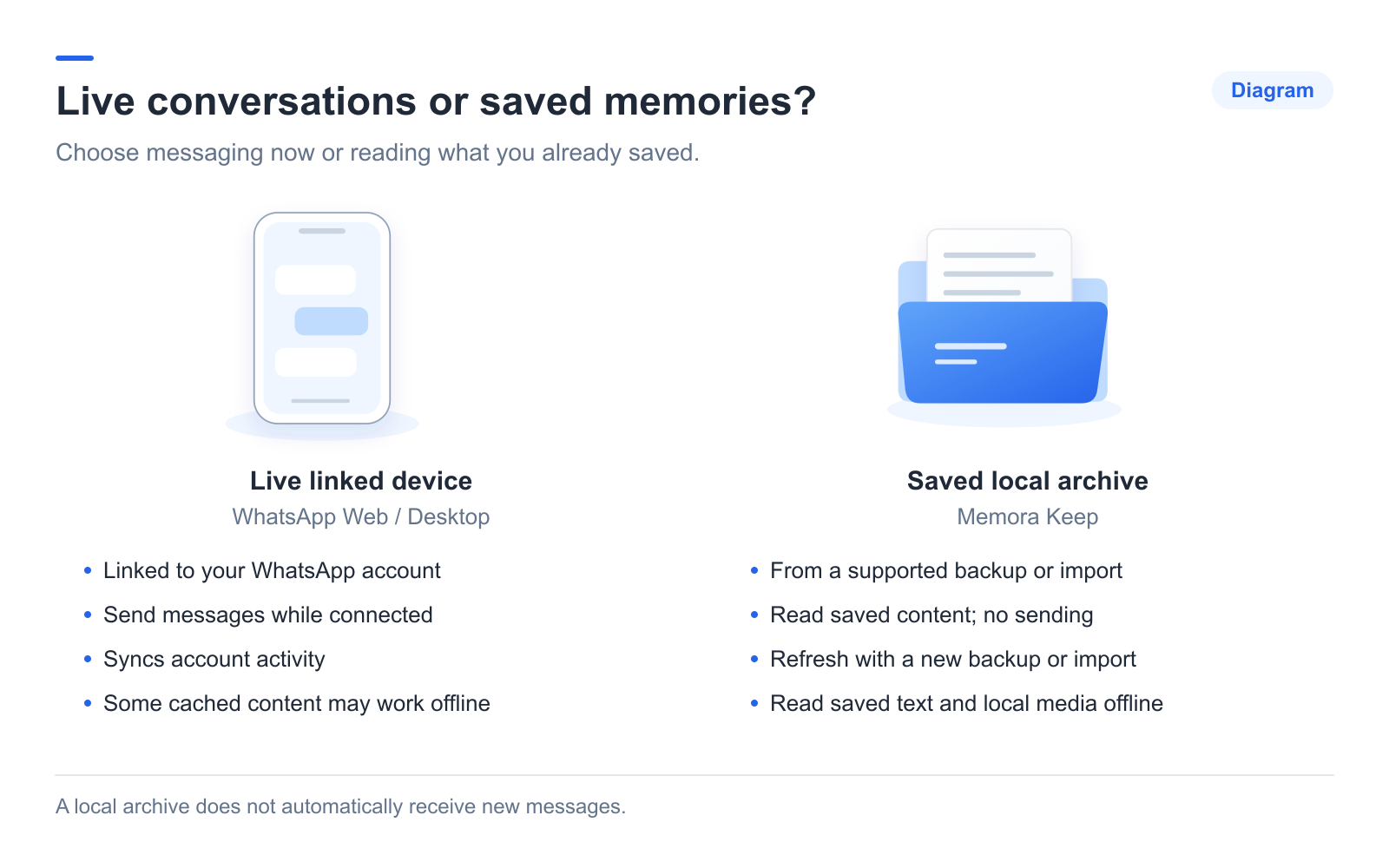
WhatsApp Web and Desktop let you send and receive messages from a linked device. Linking requires the primary phone, but the phone does not have to stay online for the linked device to work. See WhatsApp’s linked-device guidance.
Memora Keep reads saved data. You can browse it with the phone disconnected after backup or import, but the archive does not send messages or automatically sync new ones.
Add the source for saved chats
For Android, connect the phone and run the dedicated WhatsApp backup workflow. For iPhone, import a complete local device backup, entering its password if encrypted.
A WhatsApp Web session is not an import source for this workflow. If you are unsure which files you have, use the backup-type guide.
Open a conversation
Choose Archives → WhatsApp, select the account, then open a contact or group. Scroll to load older messages or search within that conversation for a phrase.
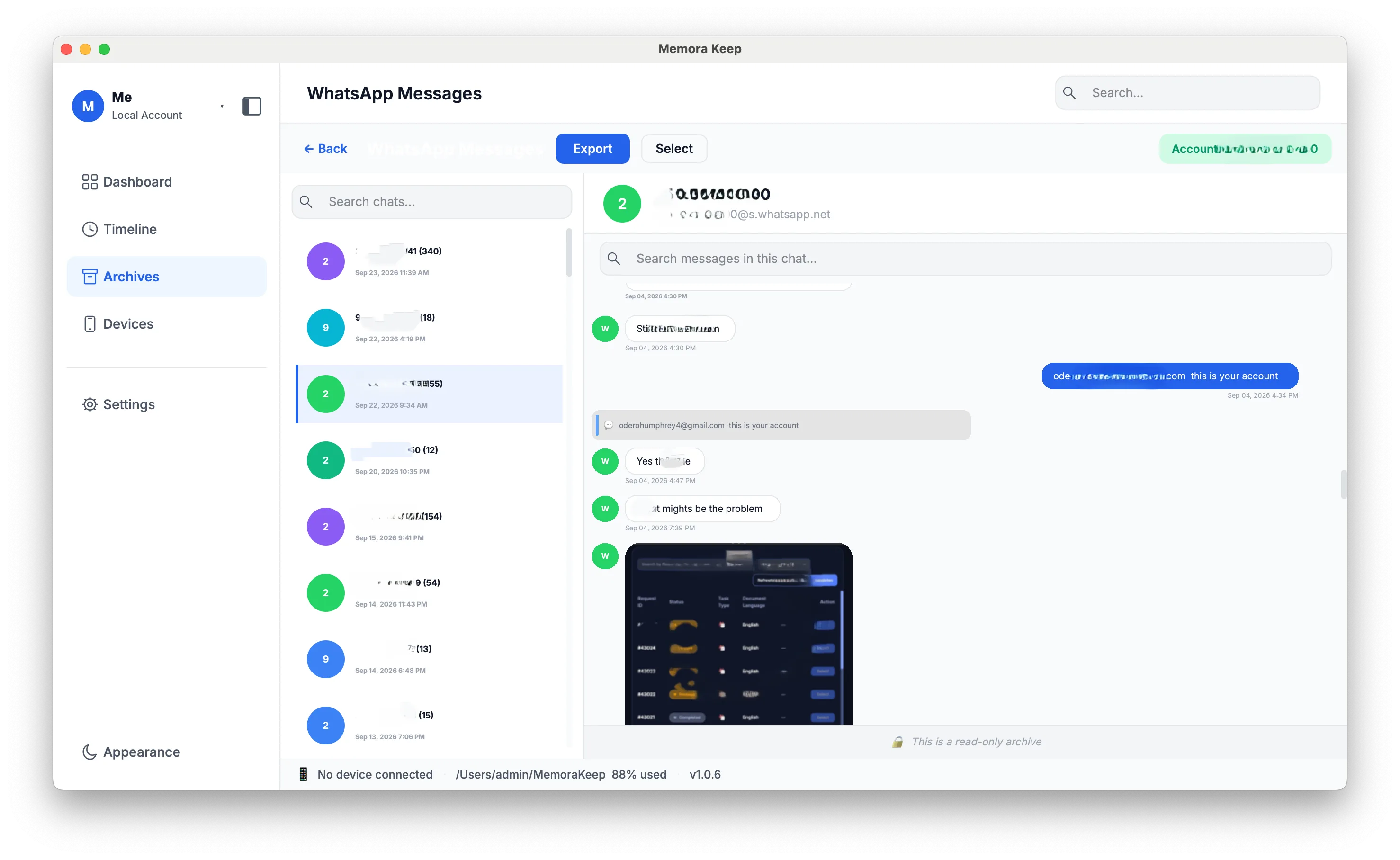
Search applies to the open conversation. It is not a search across every chat in the archive.
Check media and save a copy
Open an important photo, video or voice message. Review any missing-file labels or import warnings.
To read outside Memora Keep, click Export and choose PDF, HTML + Media or CSV. Check the saved files separately. For a shorter walkthrough, follow reading chats in Memora Keep.
- view on pc
- archive
- windows