How to Preserve WhatsApp Chats Before Changing Your Phone Number
Save and check WhatsApp chats before changing your number. Make a local copy, verify important messages and media, then keep readable exports.
3 min read
On this page
Before changing your WhatsApp number, save the conversations you would be upset to lose and check that you can read them. It is easier to resolve a missing chat or attachment while the old phone and its data are still available.
A local archive gives you a reading copy. Changing the number used by your live WhatsApp account is a separate step.
What you need
-
Memora Keep on a Windows or macOS computer. It is free.
-
The chats in your local archive, or an Android phone or local iPhone backup containing them. The steps below explain how to add the source.
-
Enough free disk space for the imported data and any files you export.
Decide what to check
Write down the old number, the phone you use and the conversations that matter. Include group chats, an older date range and any photos or voice messages you want to keep.
Also note whether you are changing only the number or moving to another phone as well. Use WhatsApp’s number-change guidance for the account procedure.
Save a current local source
In Memora Keep, use the WhatsApp backup workflow for Android. It is separate from the general Android media backup.
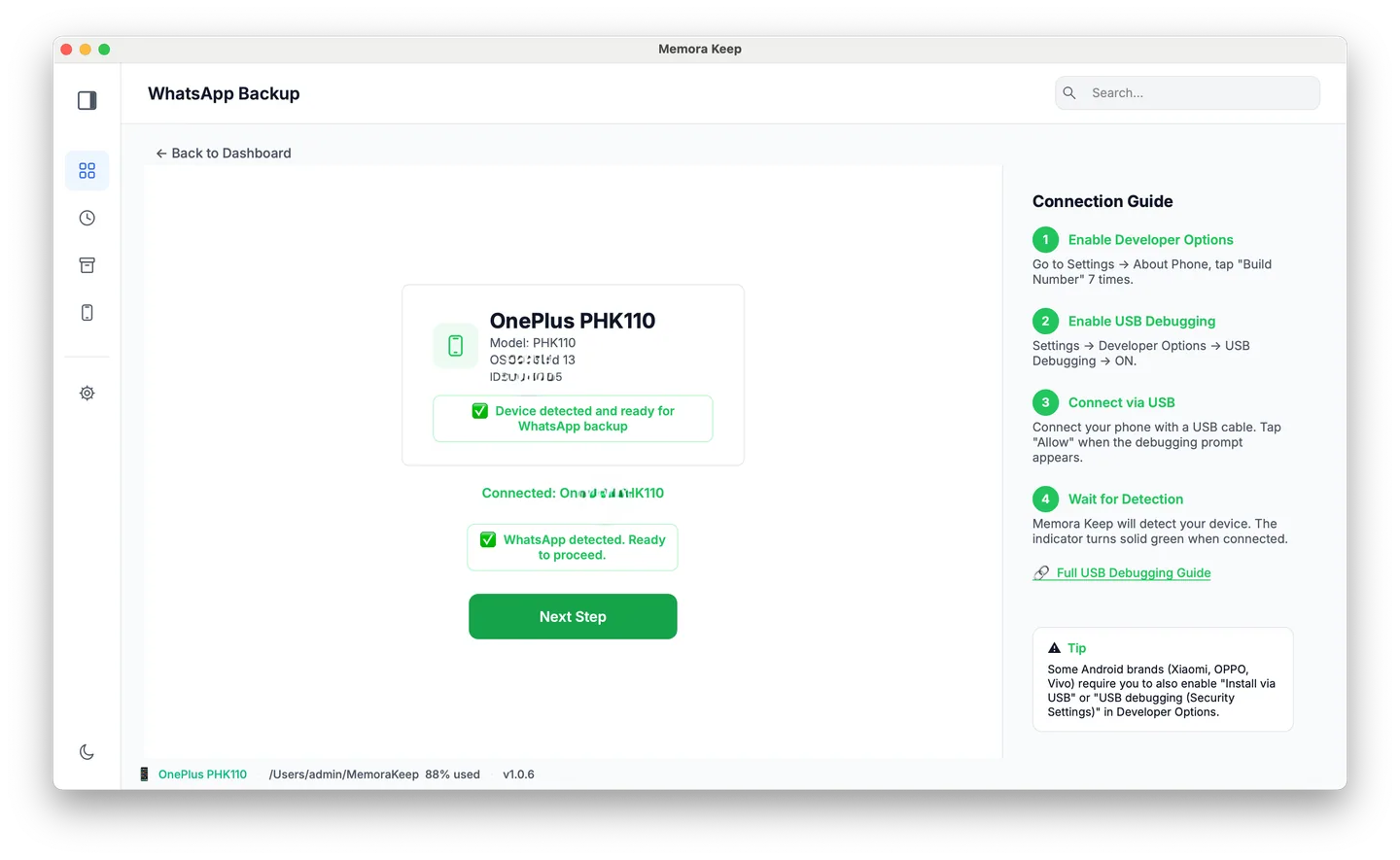
For iPhone, make a device backup or import an existing local backup. Check that an existing backup is recent enough to contain the conversations you want. An encrypted source needs its backup password.
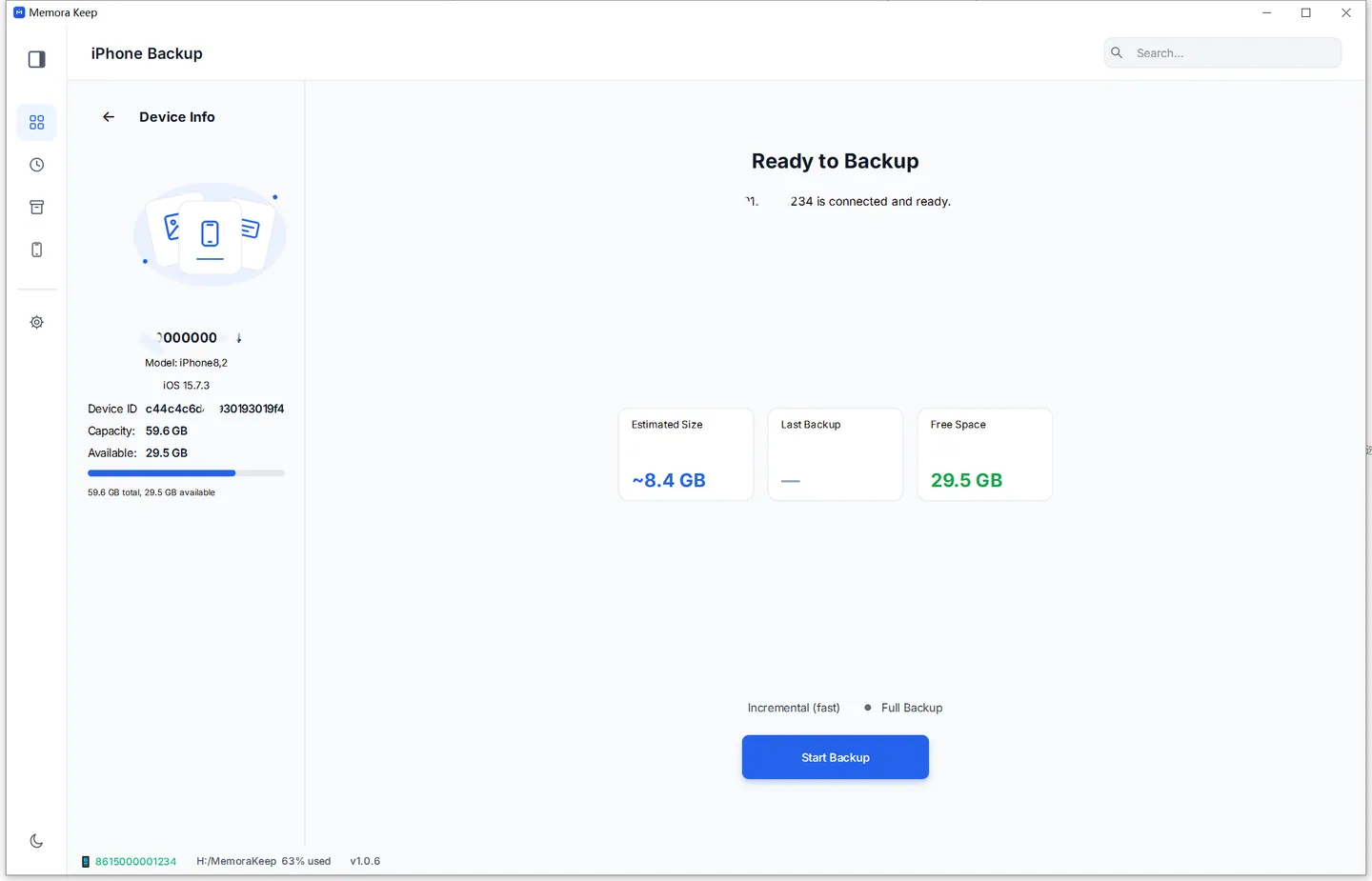
Complete the backup or import before reviewing the archive. A cloud backup alone is not the local folder used by this import workflow.
Open the chats you care about
Go to Archives → WhatsApp, choose the account with the old number and open an important conversation.
Check an early message and a recent one, their dates, and the sender labels. Open a few photos and play any important video or voice message. Repeat this for the group chats on your list.
If something is missing, check the source and import result while you still have access to the phone.
Save a copy you can open elsewhere
Export the conversations you need outside Memora Keep. PDF suits reading and printing, HTML suits browsing, and CSV suits spreadsheet work.
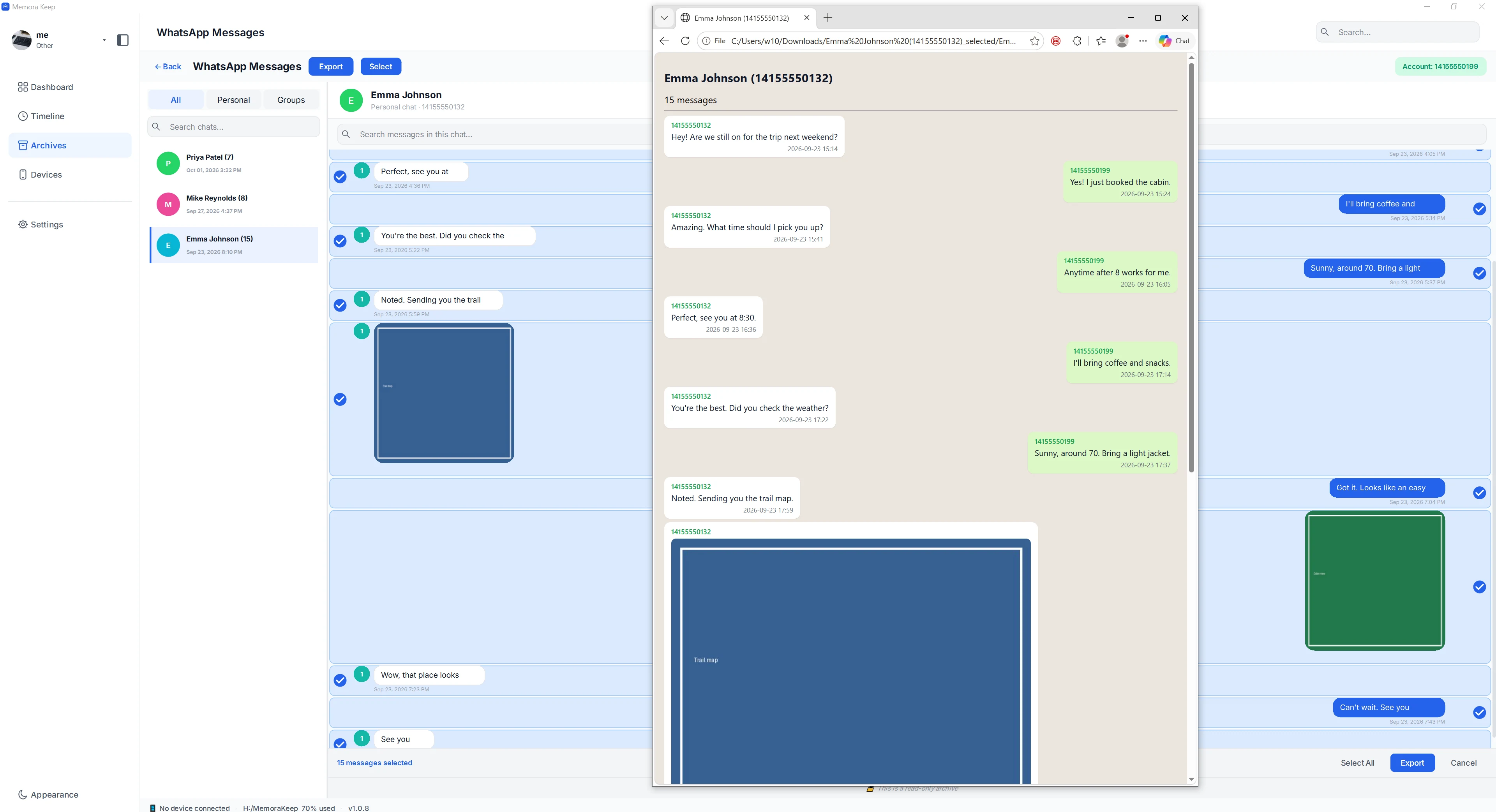
The example shows an HTML export being compared with the archive. Check your own output the same way. Keep any accompanying media folder with the reading file.
For PDF exports with available media, the current exporter creates a ZIP containing the PDF and media files. Extract it and test both.
Finish the checks before changing the number
Make sure you know where the source backup and exports are stored. Confirm that the important chats open, the media works and the backup password is safely available.
Then follow WhatsApp’s account instructions for your situation. The archive cannot verify a new number for you or combine live logins.
Messages received after this copy was made need another backup or export. If you have already changed numbers, see keeping history from an old number for working with the sources you still have.
- change number
- chat archive