Digital Legacy
How to Save Family Conversations for the Future
Save meaningful family conversations with the context, photos and voices a future reader will need. Prepare and check an easy-to-open copy.
3 min read
On this page
A saved conversation is more useful when a future reader knows who is speaking and why the exchange mattered. Along with the messages, keep the photos, voices and a little context.
Start with a few conversations you care about. A small, checked collection is easier to understand and maintain than a folder full of unexplained files.
What you need
-
Memora Keep on a Windows or macOS computer. It is free.
-
The phone or local backup containing the items you want to keep. Start with the source options described below.
-
Enough free disk space for the imported data and any files you export.
Choose people and moments
Make a short list: birthday messages, stories from a parent, family travel plans or a conversation you often reread.
Note the person or group, approximate dates and the phone or backup holding the messages. This helps you find the right source without collecting every conversation from every device.
Save each source in a supported format
For WhatsApp, use a supported backup or import in Memora Keep, then export the conversations as PDF, HTML or CSV.
For iPhone SMS, import a local backup and open the conversation under Archives → SMS. You can then export it as CSV.
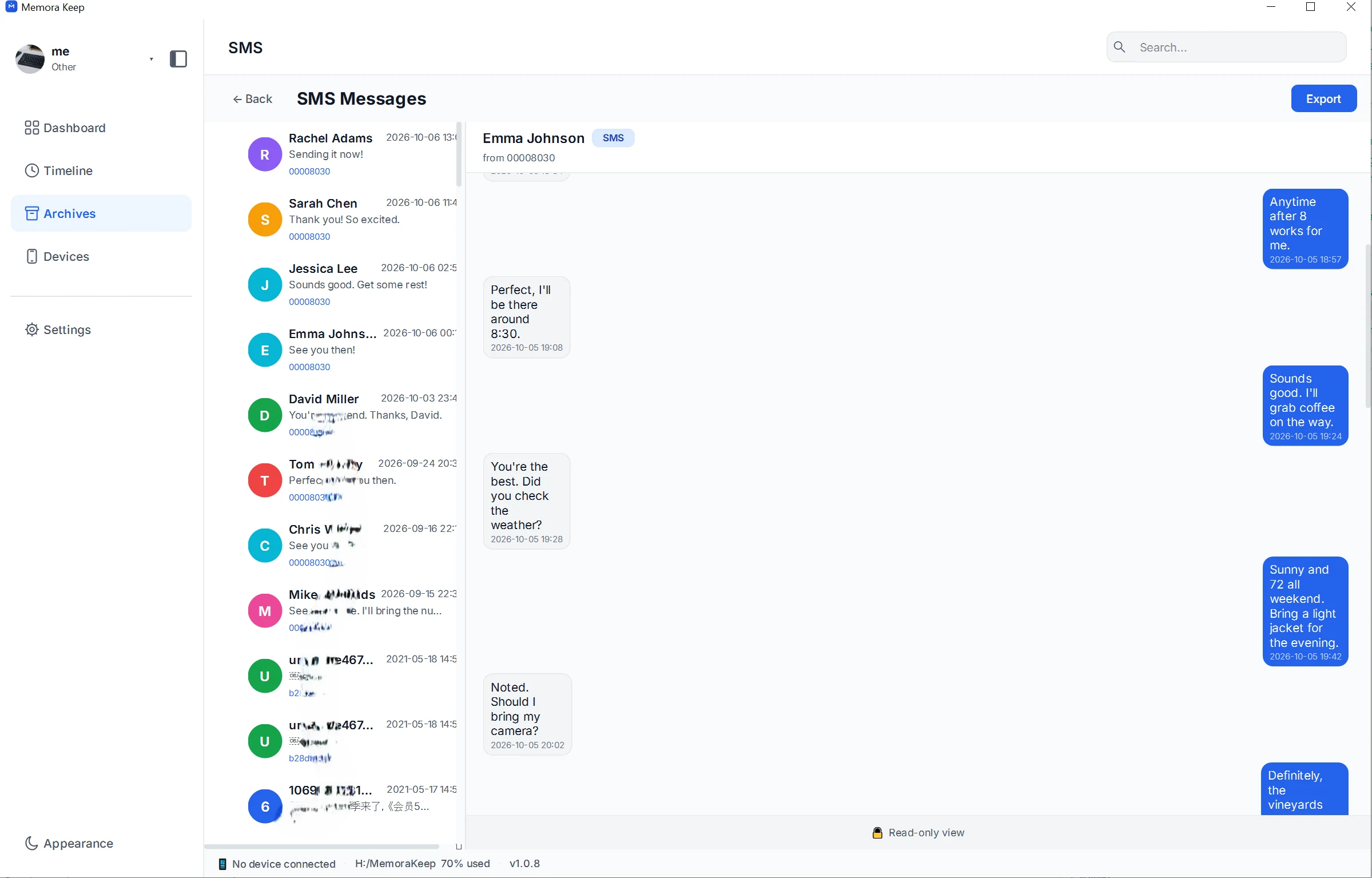
Check the conversation before exporting. A screenshot can preserve a small moment, but a longer readable export gives the surrounding exchange more room.
Add a note for the future reader
Create a separate text document beside the files. Keep it brief and write what someone unfamiliar with the phones would need to know.
| Detail | Example of what to record |
|---|---|
| People | Names, relationships and nicknames used in the chat |
| Period | The dates covered, including any known gaps |
| Source | The phone or account and the backup date |
| Files | Which file to open first and where the media is stored |
| Context | A short explanation of the event or conversation |
| Language | Any expressions or family references that need explanation |
These are notes you write yourself. Keep later recollections clearly separate from what the original messages say.
Keep voices and pictures with the text
Open the important attachments in the archive before exporting.
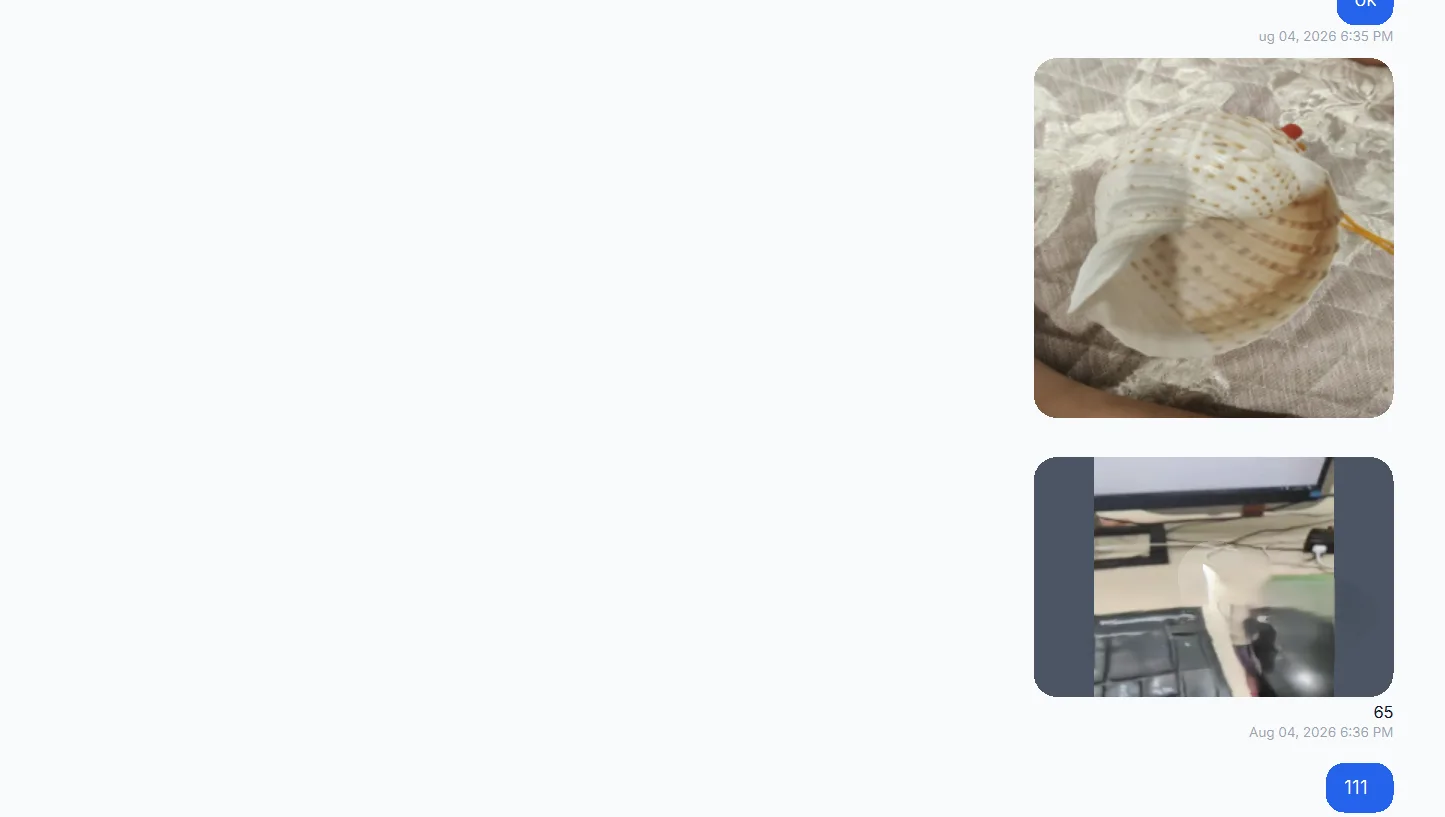
For a current WhatsApp PDF export with available media, extract the resulting ZIP and keep the PDF with its media folder. For HTML, keep the whole exported package together so its relative media links work.
Play the saved voice messages and videos. An attachment label does not replace a working file, and a PDF page does not preserve playable audio by itself.
If something is missing, record that gap rather than leaving a future reader to guess.
Prepare a copy someone else can open
Make a sharing copy containing only the conversations and attachments you intend to pass on. Include the short note and test the files in the apps that person will use.
You can ask them to try opening one conversation, one picture and one recording. That simple check often catches missing folders or unclear instructions.
Revisit the collection
Keep another checked copy in a separate storage location. From time to time, reopen important files, update the location note and add new periods you want to save.
Future access depends on keeping the files and instructions usable. For the broader collection, see building a personal phone archive.
- family
- messages
- digital memories