WhatsApp Account Merging vs Chat Archive Merging
Separate WhatsApp number changes from merging archived chats. Learn what a local merge changes and how to choose the right workflow.
2 min read
On this page
“Merge WhatsApp accounts” can mean several things. You might want to change your number, keep two accounts available, or read conversations from old accounts together.
Memora Keep’s archive merge addresses the last goal: it combines stored chat data inside the local archive. It does not combine phone numbers or live WhatsApp logins.
Decide which result you need
| Your goal | The relevant workflow |
|---|---|
| Use a new phone number for WhatsApp | WhatsApp’s Change Number process |
| Keep work and personal histories distinct | Separate account entries in the archive |
| Read imported histories together | A local chat archive merge |
| Save a conversation for another reader | Export a checked selection |
For a live number change, use WhatsApp’s official guidance. A local archive merge does not perform that account operation.
What the archive merge combines
Start with data from at least two accounts already imported into Memora Keep. Open Archives → WhatsApp and review the account entries.
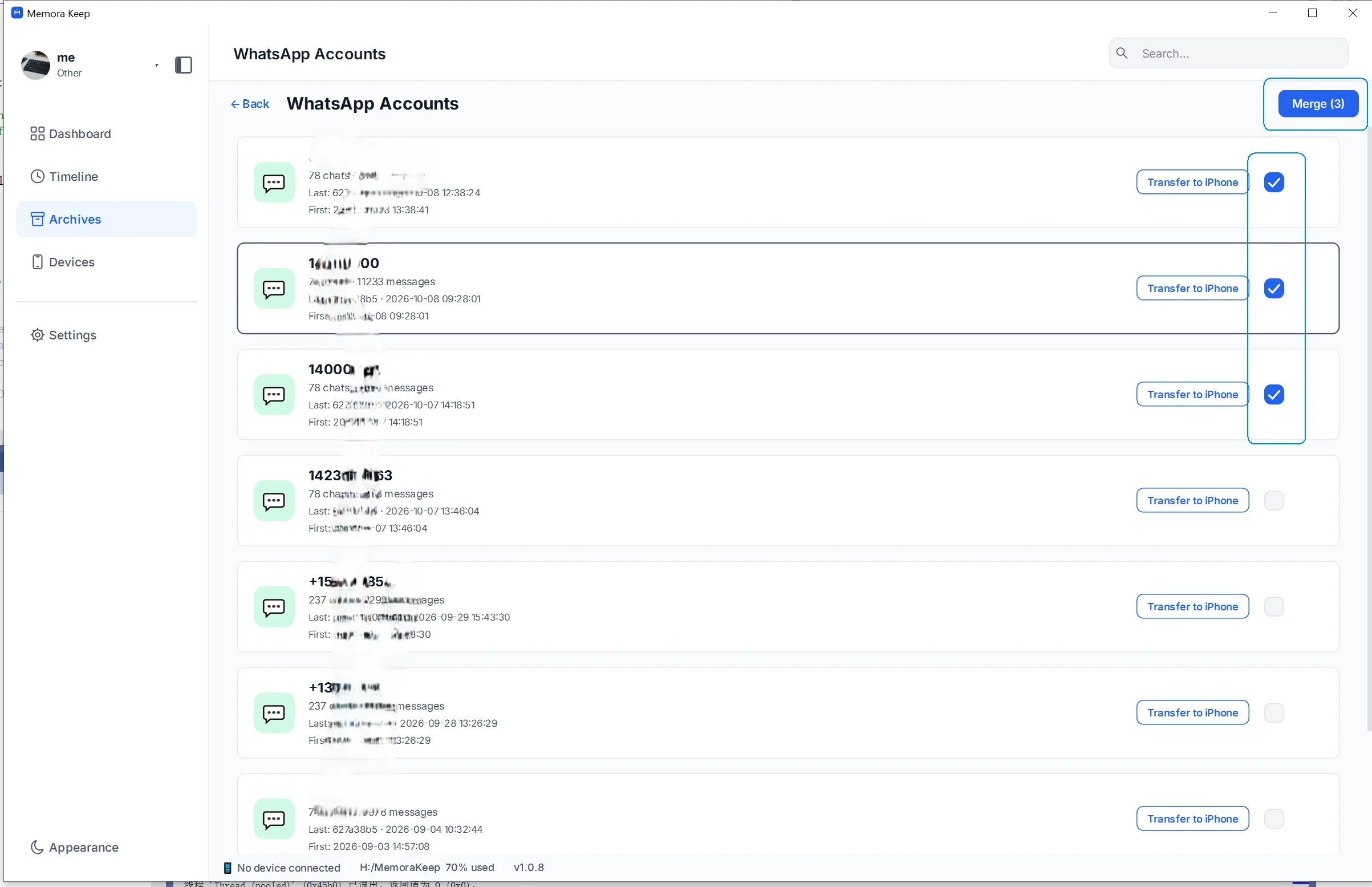
Select the accounts whose histories belong together, then click Merge. The app combines their stored conversations into a merged archive entry that you can browse and export.
The result is a local collection of chat data, not a new WhatsApp login that can send and receive messages.
A saved TXT, PDF or CSV is also not the source account data required by this merge workflow.
Choose whether to keep the source accounts
The merge settings let you choose the result’s name or target account and whether to remove the source account entries afterward.
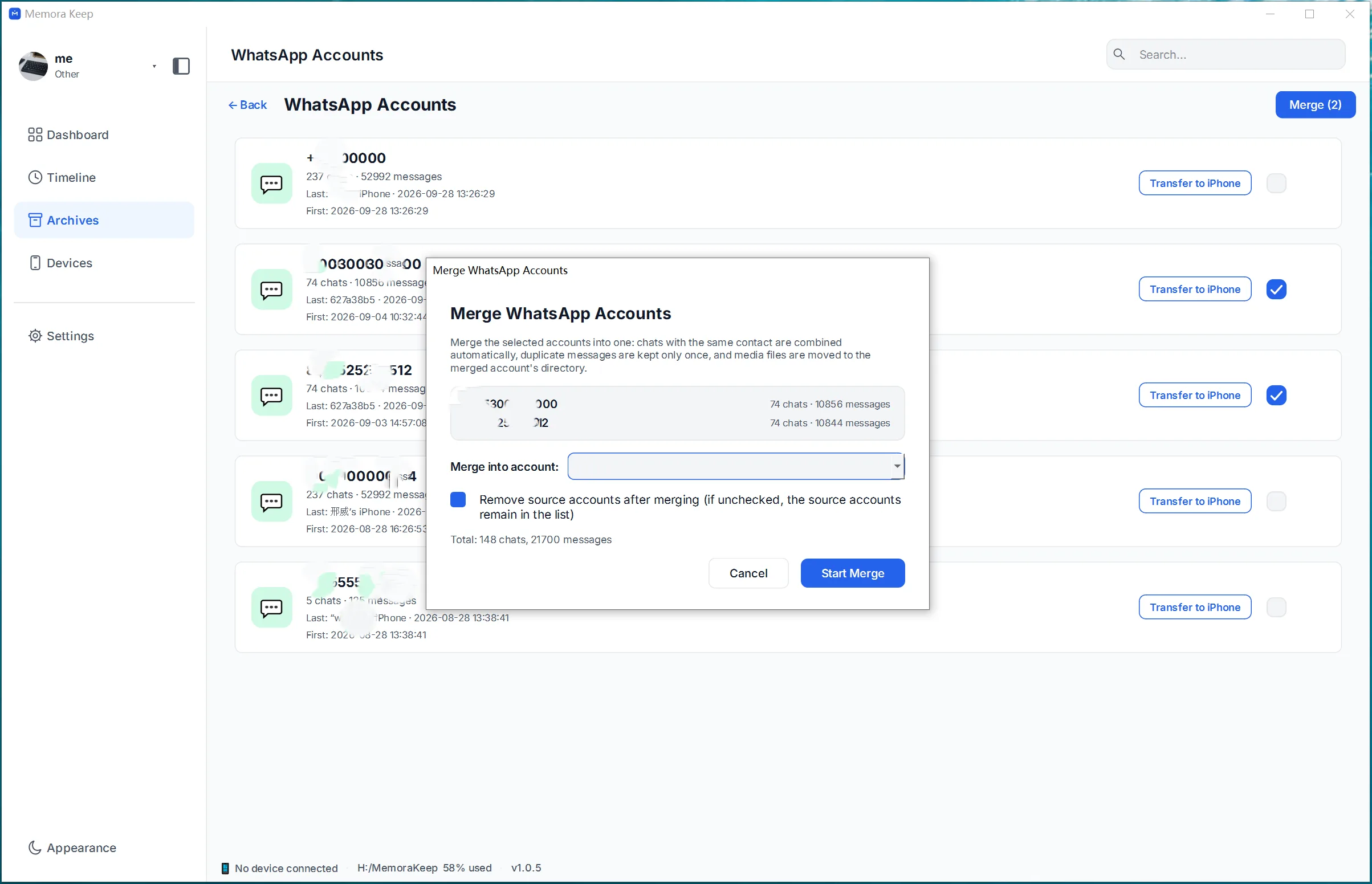
To keep the original account entries available for comparison, leave Remove source accounts after merging unchecked.
Follow the archive merge guide for the complete steps. Merging the archive does not change your live phone numbers or log you out of WhatsApp.
Review the combined history
After the merge, open conversations from each source. Compare dates, sender labels and a few important attachments with the originals.
The merge handles duplicate messages, but you should still review chats with overlapping dates, changed contact details or similar group names. It cannot supply messages or media that were missing from every source.
If you need a copy outside the app, export the checked conversation. Readable exports are separate from phone restoration or transfer workflows.
Keeping accounts separate can be useful
Work and personal histories may be easier to understand as separate entries. The same applies to different family members’ conversations.
Use organizing multiple WhatsApp accounts when your goal is to browse several sources without combining them.
Before merging, ask one practical question: will putting these histories together make them clearer to read? If the sources need to stay distinct, keep them side by side.
- merge
- chat archive