Export iPhone Safari history to CSV
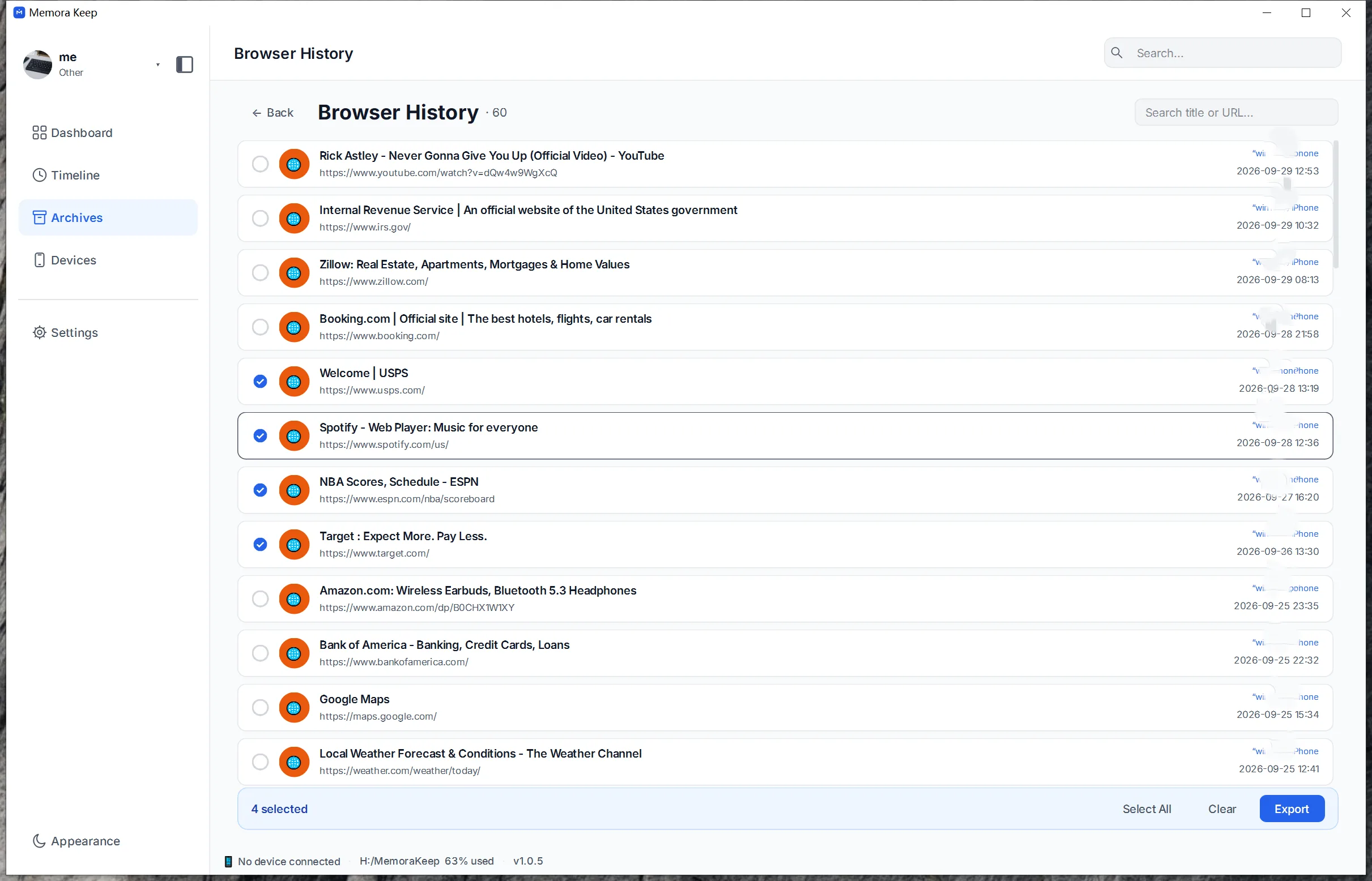
Browse the Safari history and bookmarks parsed from a backup, and export the history to CSV.
Windows & macOS · Free · No account required
Why it matters
The problems this solves
How this feature helps you keep and use your phone data.
-
History is invisible once a device is gone
Browsing history sits quietly on the phone, and it is not something you can read from a backup without parsing it first.
-
You need a record of where something was seen
Sometimes a page you came across earlier matters, and a record of visited pages is how you find it again.
-
History tied to a browser account
When history lives only inside a browser account, it is out of reach at the moment the account is not available.
How it works
How to use it
- 1
Browse history and bookmarks
Safari history and bookmarks parsed from the backup are listed in the archive.
- 2
Choose a destination
You pick the directory on your computer where the CSV file should be written.
- 3
Export the history to CSV
The browser history is exported to a CSV file, while bookmarks remain browsable in the archive and are not part of the CSV export.
Capabilities
What you can do with it
Your archive stays on your computer
Save backups, chats and media in a folder you choose. Memora Keep does not upload your archive, and you can browse and export it offline without an account.
- No account and no sign-in required
- Backups, chats and media are never uploaded
- Diagnostics stay local unless you choose to send them
- Backups and the archive stay readable offline
FAQ
Export iPhone Safari history to CSV questions
Are bookmarks exported to CSV?
No. Only browser history exports to CSV. Bookmarks are parsed and browsable in the archive, and have no CSV export of their own.
What is exported for browser history?
The visited-page history exports to CSV.
Where do Safari history and bookmarks come from?
They are parsed from an iPhone backup into the local archive.
Do I need the phone connected?
No. The export works from history already parsed into the archive from a backup.
Start your own local archive
Free, with no account or subscription. Your archive stays on your computer.
Windows & macOS · Free