Export iPhone call history
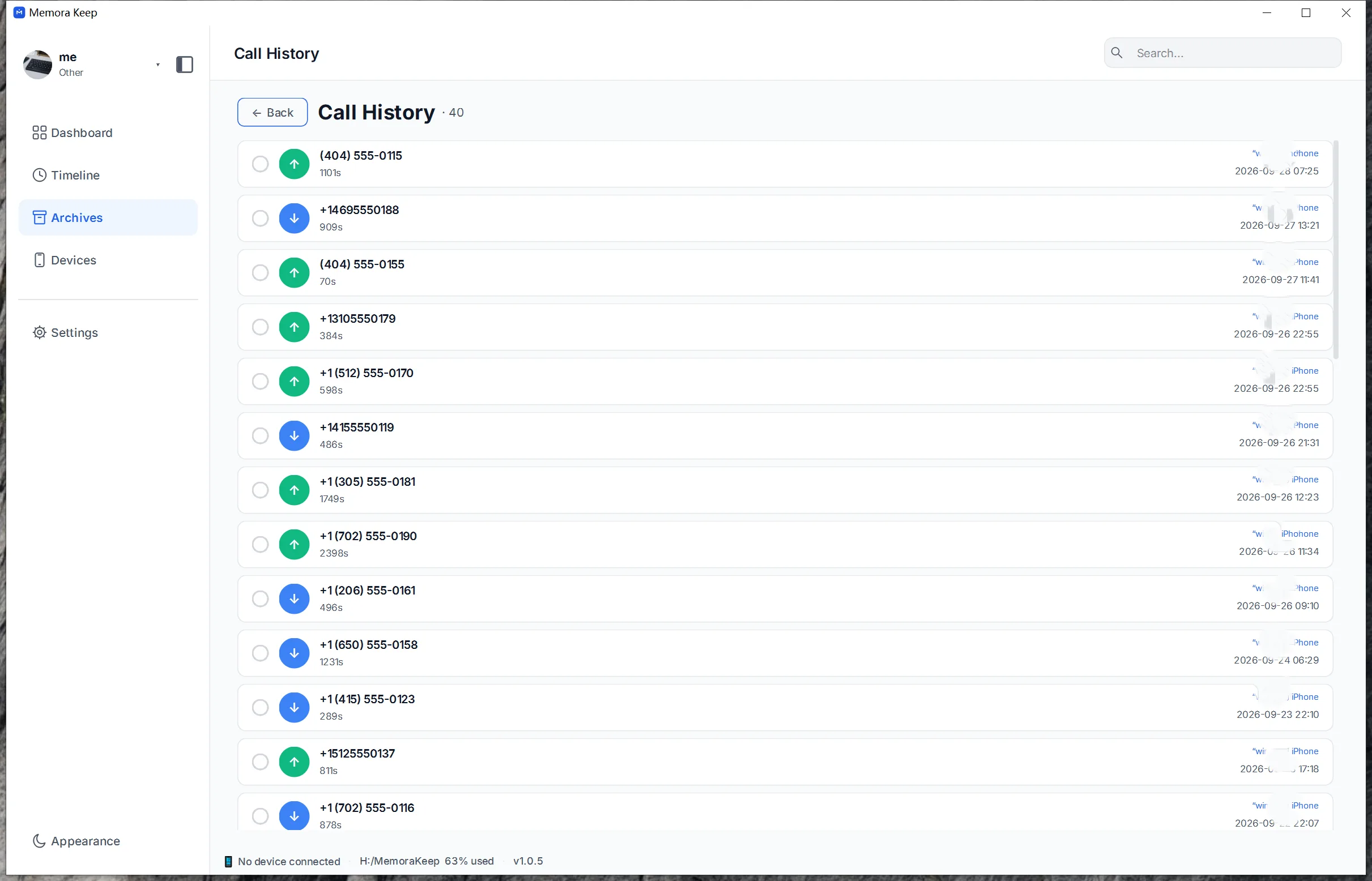
Review the calls parsed from an iPhone backup and export the call list to CSV.
Windows & macOS · Free · No account required
Why it matters
The problems this solves
How this feature helps you keep and use your phone data.
-
Call records vanish from the handset
Older call records may be removed from a phone over time. A backup preserves the records it contains.
-
Sometimes you need a record
A record of calls is useful for practical reasons, from checking a bill to keeping track of who was contacted.
-
No way to review a call pattern
Export the call list to a spreadsheet to sort or filter the records.
How it works
How to use it
- 1
Browse the call list
Calls parsed from the backup are listed with their direction, number and duration.
- 2
Choose a destination
You pick the directory on your computer where the CSV file should be written.
- 3
Export to CSV
The call list is exported to a CSV file that opens in common spreadsheet and database programs.
Capabilities
What you can do with it
Your archive stays on your computer
Save backups, chats and media in a folder you choose. Memora Keep does not upload your archive, and you can browse and export it offline without an account.
- No account and no sign-in required
- Backups, chats and media are never uploaded
- Diagnostics stay local unless you choose to send them
- Backups and the archive stay readable offline
FAQ
Export iPhone call history questions
What details does each call carry?
The parsed call list keeps the direction, number and duration for each call.
What format is the call history exported in?
Call history exports to CSV.
Do I need the phone for this?
No. The export works from call history already parsed into the archive from a backup.
Can I open the exported file in a spreadsheet?
Yes. CSV is a plain table format that common spreadsheet programs open.
Start your own local archive
Free, with no account or subscription. Your archive stays on your computer.
Windows & macOS · Free