Export iPhone contacts to VCF
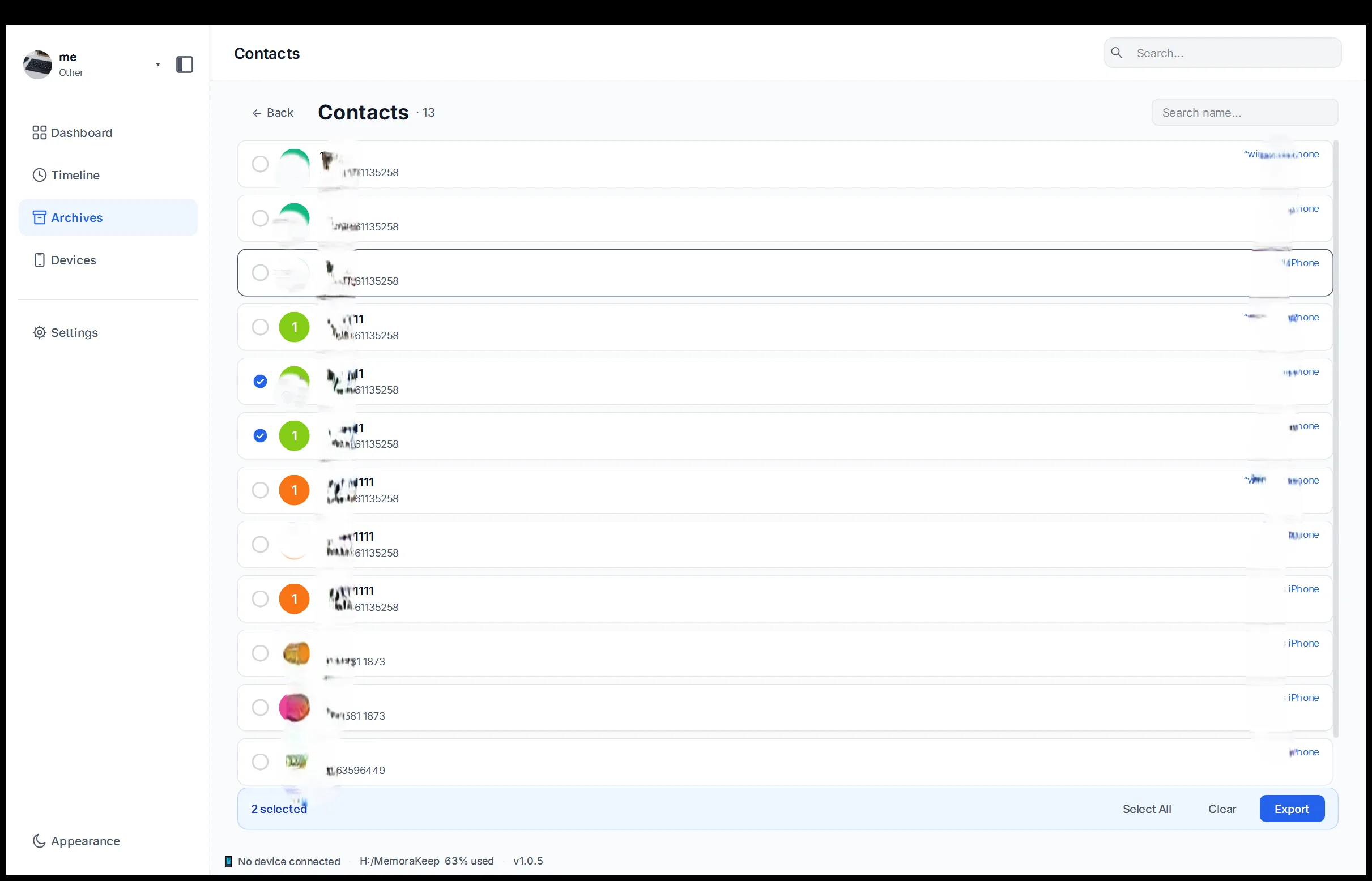
Browse the contacts recovered from a backup and export the address book as a VCF file.
Windows & macOS · Free · No account required
Why it matters
The problems this solves
How this feature helps you keep and use your phone data.
-
Contacts trapped on one handset
If your phone holds the only copy of your contacts, losing it can make those contacts difficult to recover.
-
Moving to another phone or service
A new phone or a different service needs the contacts in a format it can import, not locked inside the old device.
-
No readable copy of the address book
Without an export there is no plain copy of the address book that you can keep, check or pass on.
How it works
How to use it
- 1
Open the list
Contacts parsed from the backup are listed in the archive so you can browse the address book.
- 2
Choose a destination
You pick the directory on your computer where the export file should be written.
- 3
Export as VCF
The app writes the contacts to a VCF file, a format other phones and services can import.
Capabilities
What you can do with it
Your archive stays on your computer
Save backups, chats and media in a folder you choose. Memora Keep does not upload your archive, and you can browse and export it offline without an account.
- No account and no sign-in required
- Backups, chats and media are never uploaded
- Diagnostics stay local unless you choose to send them
- Backups and the archive stay readable offline
FAQ
Export iPhone contacts to VCF questions
Is VCF the only contact export format?
Yes. Contacts export as VCF, and VCF is the only format offered for contacts.
Can I browse contacts before exporting?
Yes. Contacts are shown as a browsable list in the archive, so you can review them first.
Do I need the phone connected to export contacts?
No. The export works from contacts already parsed into the archive from a backup.
Where does the exported VCF file go?
Into the directory you choose on your computer; the app writes the file there.
Start your own local archive
Free, with no account or subscription. Your archive stays on your computer.
Windows & macOS · Free