Browse backed-up Android documents
Browse and export documents and compressed files copied from an Android phone.
Windows & macOS · Free · No account required
Why it matters
The problems this solves
How this feature helps you keep and use your phone data.
-
Documents scattered inside a backup
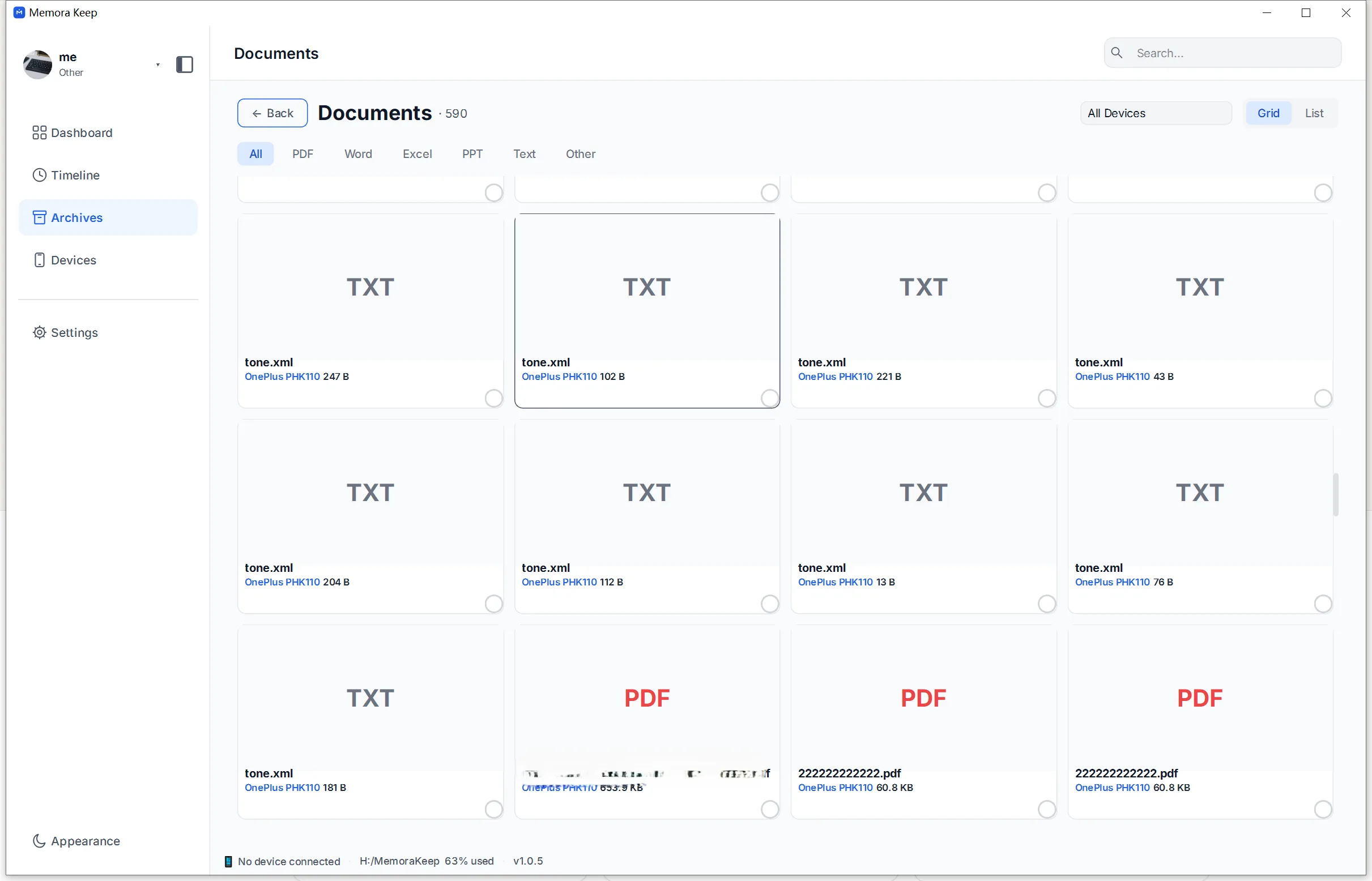
A backup holds documents next to everything else, with no index to say what is there. The archive lists documents as their own category.
-
Archives you cannot open without extracting
A compressed file has to be unpacked before its contents are useful. The archive lists compressed files so they can be seen and exported together.
-
Not knowing whether a file is in the backup
For documents from an Android media backup, the archive answers directly. An iPhone backup keeps those files in the raw backup folder, but they are not parsed into the archive, so they cannot be browsed there.
How it works
How to use it
- 1
Browse the category
The Documents and Compressed categories list the files that an Android media backup has written into the archive.
- 2
Preview what the app can show
Preview images, videos and PDFs in the app. Audio and other documents open in the default app on your computer.
- 3
Export a selection
Multi-select export copies the chosen documents and archives to a directory you choose.
Capabilities
What you can do with it
Your archive stays on your computer
Save backups, chats and media in a folder you choose. Memora Keep does not upload your archive, and you can browse and export it offline without an account.
- No account and no sign-in required
- Backups, chats and media are never uploaded
- Diagnostics stay local unless you choose to send them
- Backups and the archive stay readable offline
FAQ
Browse backed-up Android documents questions
Does iPhone document browsing work?
Not yet. Generic files from an iOS backup are retained in full in the raw backup folder, but they are not parsed into the archive, so they are not browsable there.
Where do the documents in the archive come from?
From Android media backups. Browsing documents from iPhone backups is not supported yet.
Which formats preview inside the app?
Images, videos and PDFs open inside Memora Keep. Audio and other documents open in their default apps.
Is there a separate page just for files?
No. Documents and archives are browsed as archive categories, and there is no standalone file archive page.
Start your own local archive
Free, with no account or subscription. Your archive stays on your computer.
Windows & macOS · Free