Browse backed-up photos on your computer
Browse imported photos, screenshots and app images by category on your computer.
Windows & macOS · Free · No account required
Why it matters
The problems this solves
How this feature helps you keep and use your phone data.
-
One photo among a whole library
A phone library grows until a single picture is hard to find by scrolling. A categorized grid on a large screen turns that into a visual search.
-
The photos only live on the phone
If the library is reachable only through the device, the device is the single copy. A local backup keeps a set that opens on a computer.
-
Pulling originals out needs a round trip
Fetching a few originals through a cloud service means an upload and a download. Memora Keep serves them straight from the backup on disk.
How it works
How to use it
- 1
Back up or import first
The photo grid is populated from a phone backup or an imported backup folder, not from the original device.
- 2
Browse by category
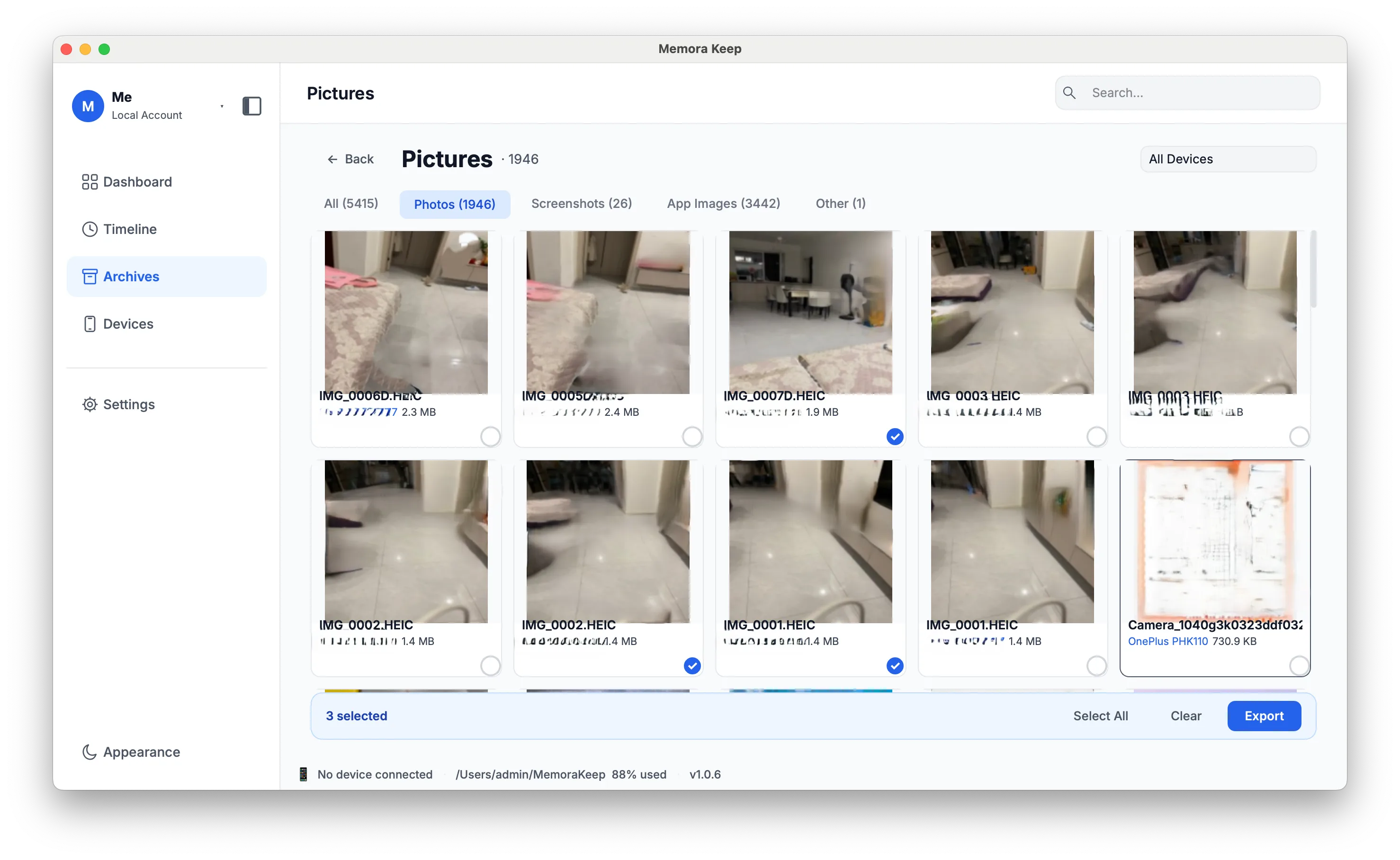
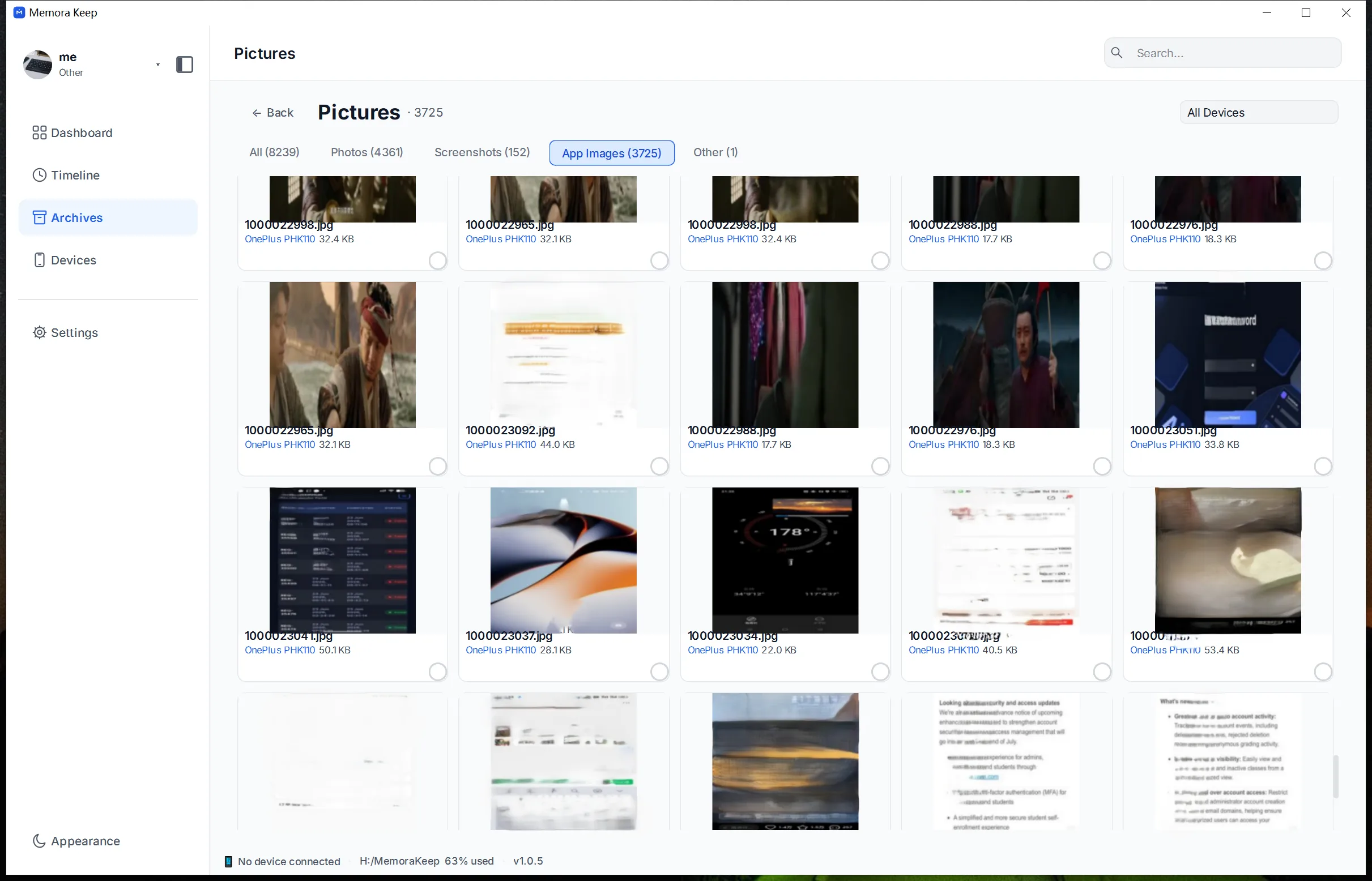
The grid is split into photos, screenshots, apps and other, and thumbnails are cached so scrolling stays smooth.
- 3
Open, inspect, export
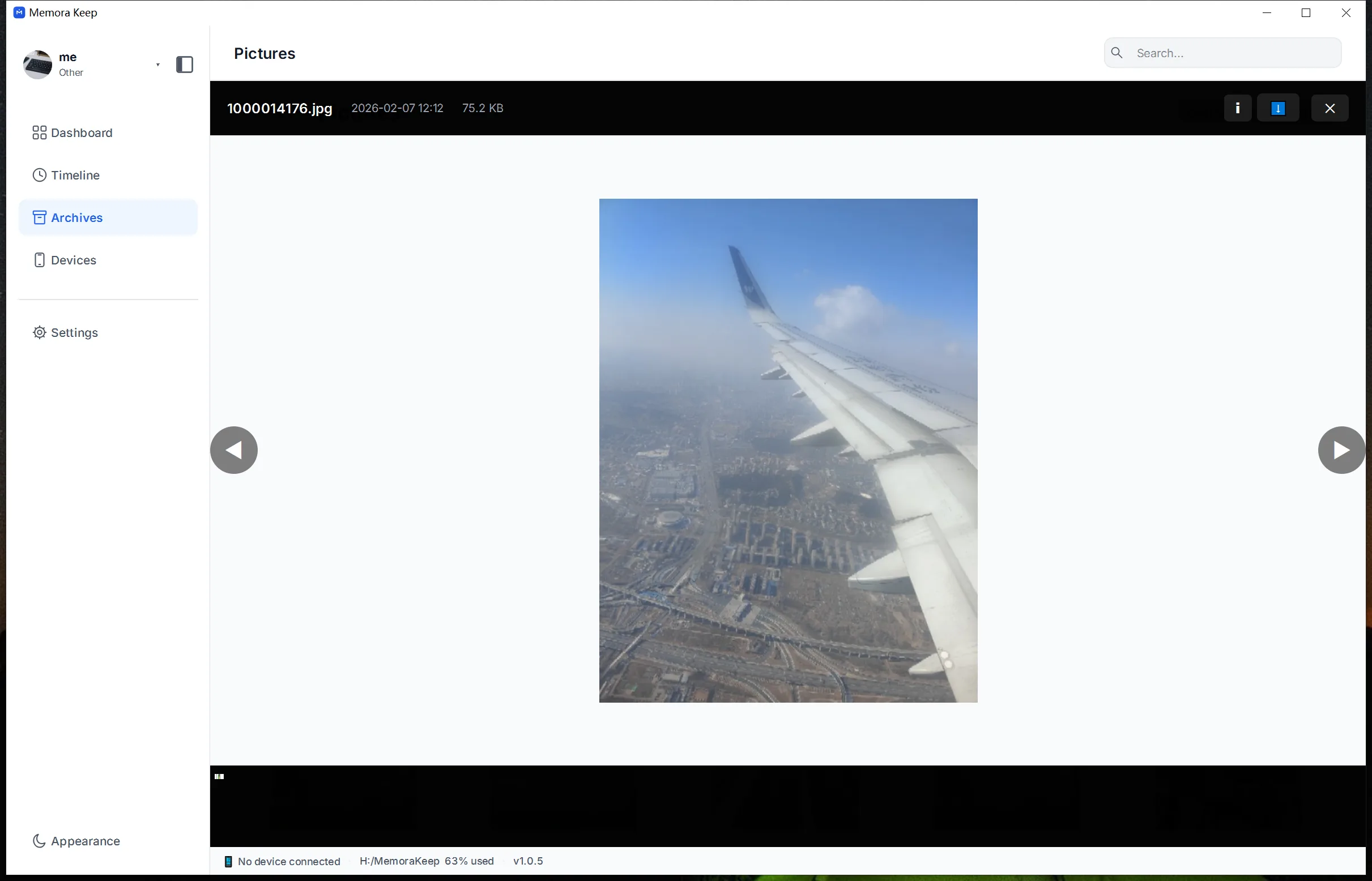
Open a photo full screen, zoom in and check its embedded details (EXIF). Select several photos to export them together.
Capabilities
What you can do with it
In the app
Screenshots
Your archive stays on your computer
Save backups, chats and media in a folder you choose. Memora Keep does not upload your archive, and you can browse and export it offline without an account.
- No account and no sign-in required
- Backups, chats and media are never uploaded
- Diagnostics stay local unless you choose to send them
- Backups and the archive stay readable offline
FAQ
Browse backed-up photos on your computer questions
Where do the photos come from?
From a phone backup or an imported backup folder. The photo library reads the media that has already been copied into the archive.
Can I see screenshots separately?
Yes. Screenshots are one of the categories, alongside photos, apps and other.
Does the viewer change my files?
No. It reads the file in the archive, and downloading copies it out to the location you pick.
What information is shown with a photo?
The full-screen viewer shows the EXIF data stored with the file.
Start your own local archive
Free, with no account or subscription. Your archive stays on your computer.
Windows & macOS · Free