Use case
Gather your digital material into one archive
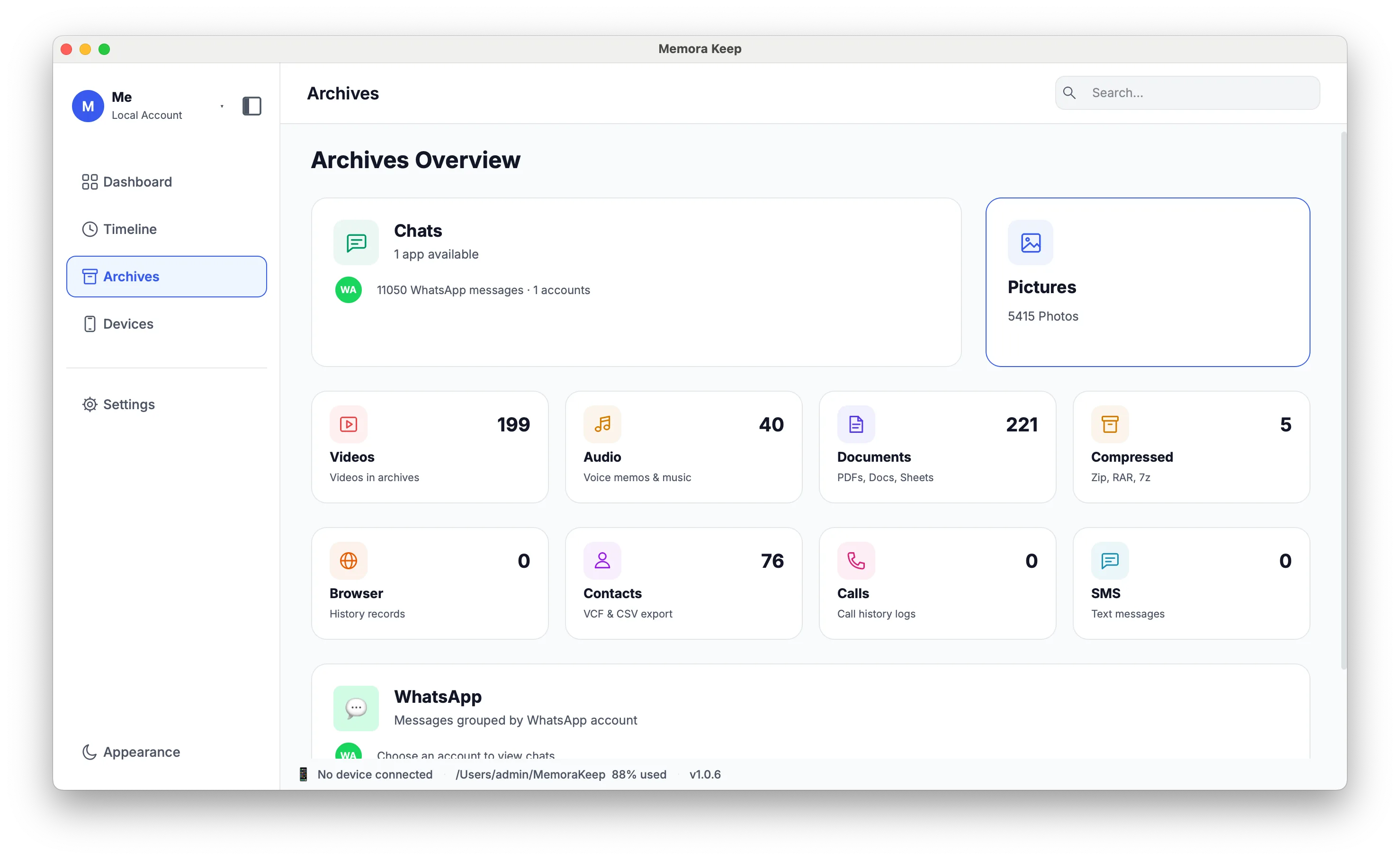
Bring iPhone backups, Android media and Android WhatsApp data into one local archive. Browse by date or category, search within WhatsApp chats and export the items you need.
Windows & macOS · Free · No account required
The problem
Why this is harder than it should be
-
Your data is spread across app accounts
Photos, chats and messages tend to be split across the apps and services that created them, and older phones hold data that never made it anywhere else.
-
Keeping a backup is not the same as keeping access
A phone backup or an export file can be filed away and still be unreadable when you actually want to look something up.
-
A cloud copy is tied to an account
What you keep in a service depends on an account, a connection and the service continuing on the same terms. A copy on your own disk does not.
Use case
How Memora Keep handles this
Import what you have today, build one local archive, then browse and export it in open formats.
- 1
Import what you already have
Point Memora Keep at an iTunes or Finder backup folder, back up an iPhone to your computer, or copy media and WhatsApp from an Android phone.
- 2
Build one archive
Imported data is parsed into a local SQLite archive, with media and the raw backups stored by type and by device in a folder you choose.
- 3
Browse and export
Read chats, filter the timeline by data type, and export to formats that do not need Memora Keep to open.
In the app
What it looks like in the app
Once data is imported, the archive is the single place you browse and export it from.
Timeline
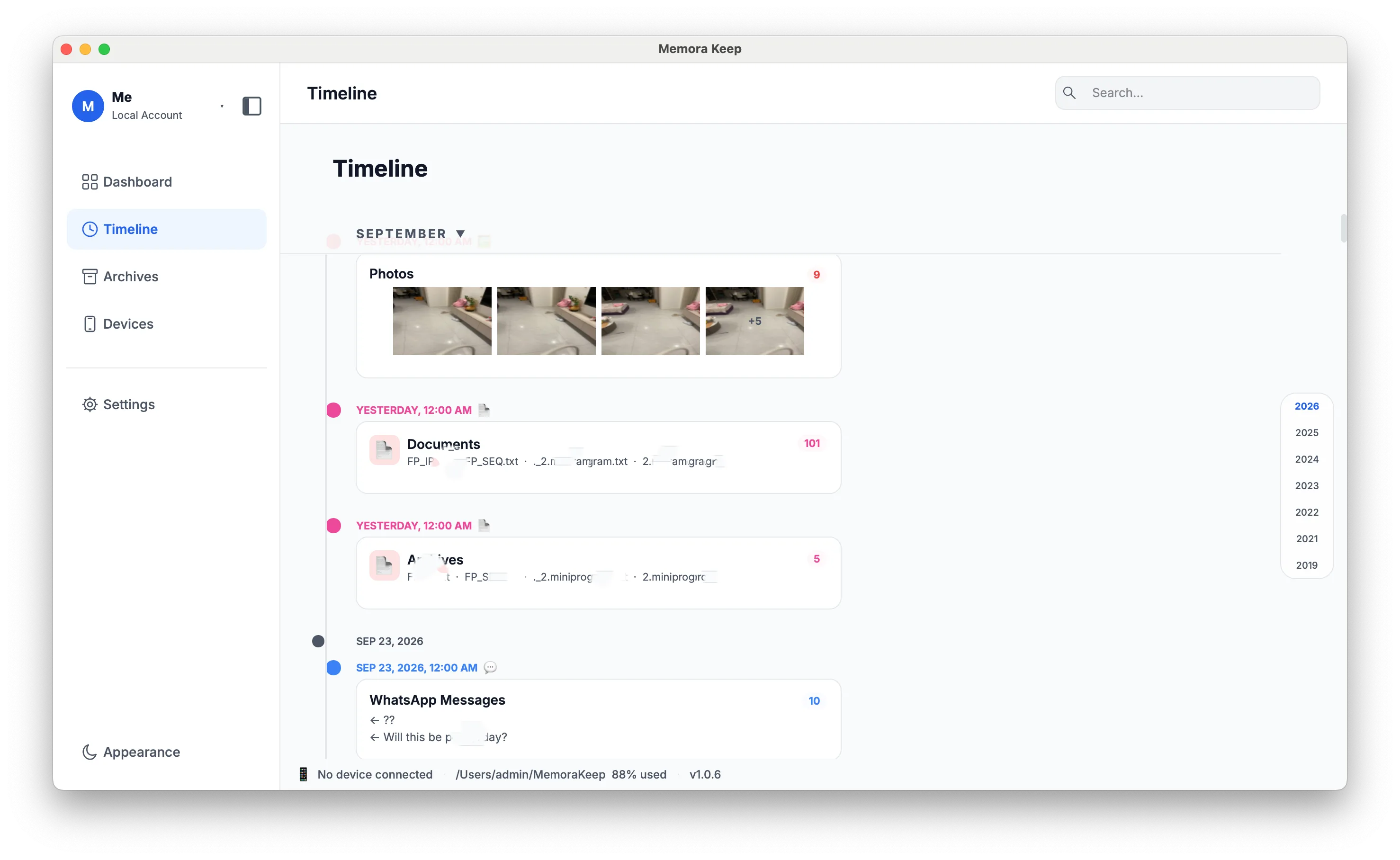
Everything in one timeline
Chats, photos, video, audio, documents, calls, messages and browsing history are mixed into one view, grouped by year, month and day.
- Filter by data type without losing your place
- Open an item to view its details, export it or delete it
- Search for text within an open WhatsApp conversation
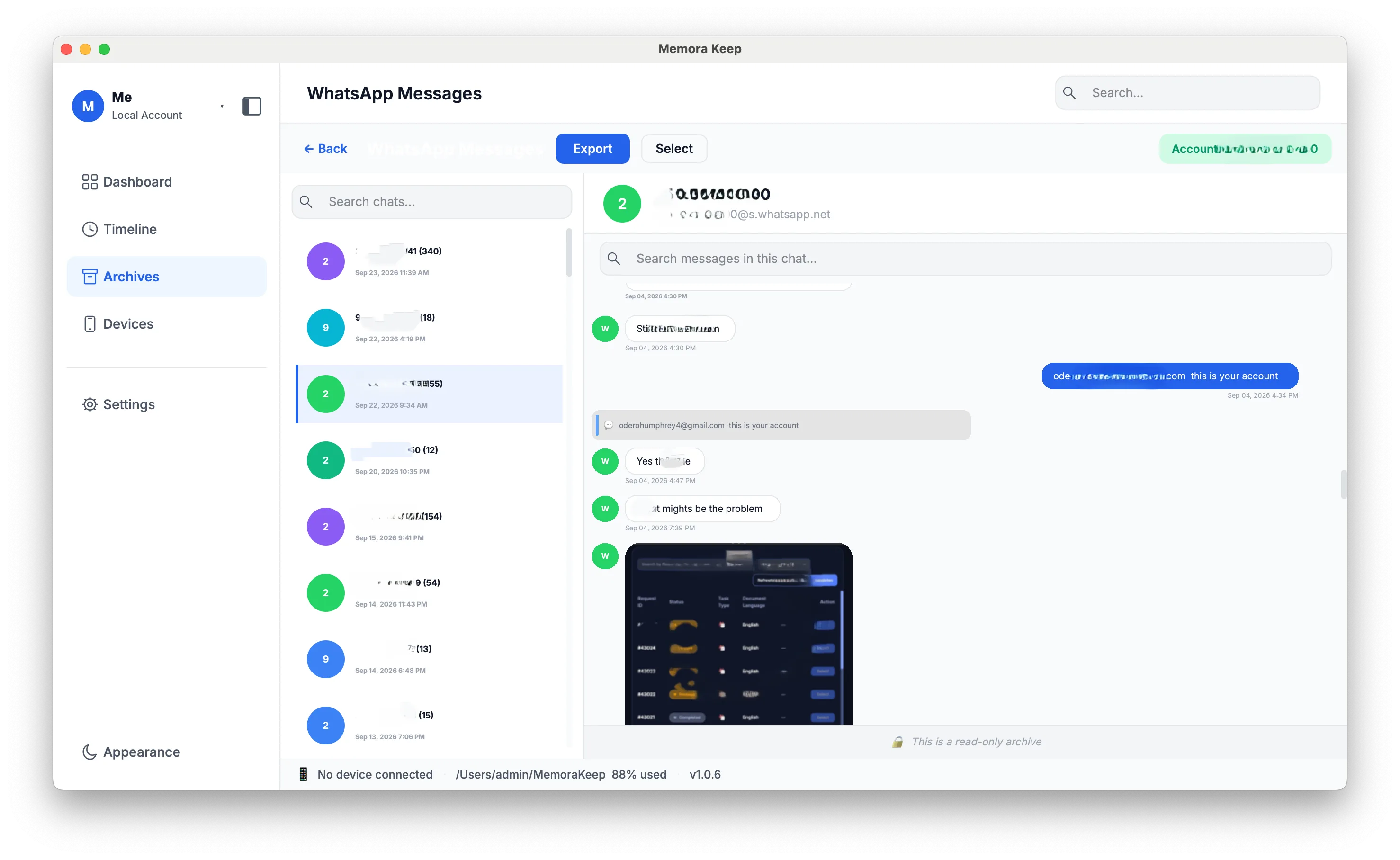
Read chats as conversations
Chats are shown as conversation bubbles with the original data, and you can scroll back through history and preview media without leaving the chat.
- Load earlier or newer messages as you scroll
- In-chat full-text search that jumps to the match
- Image and video preview, plus message multi-select
Export
Take it out in open formats
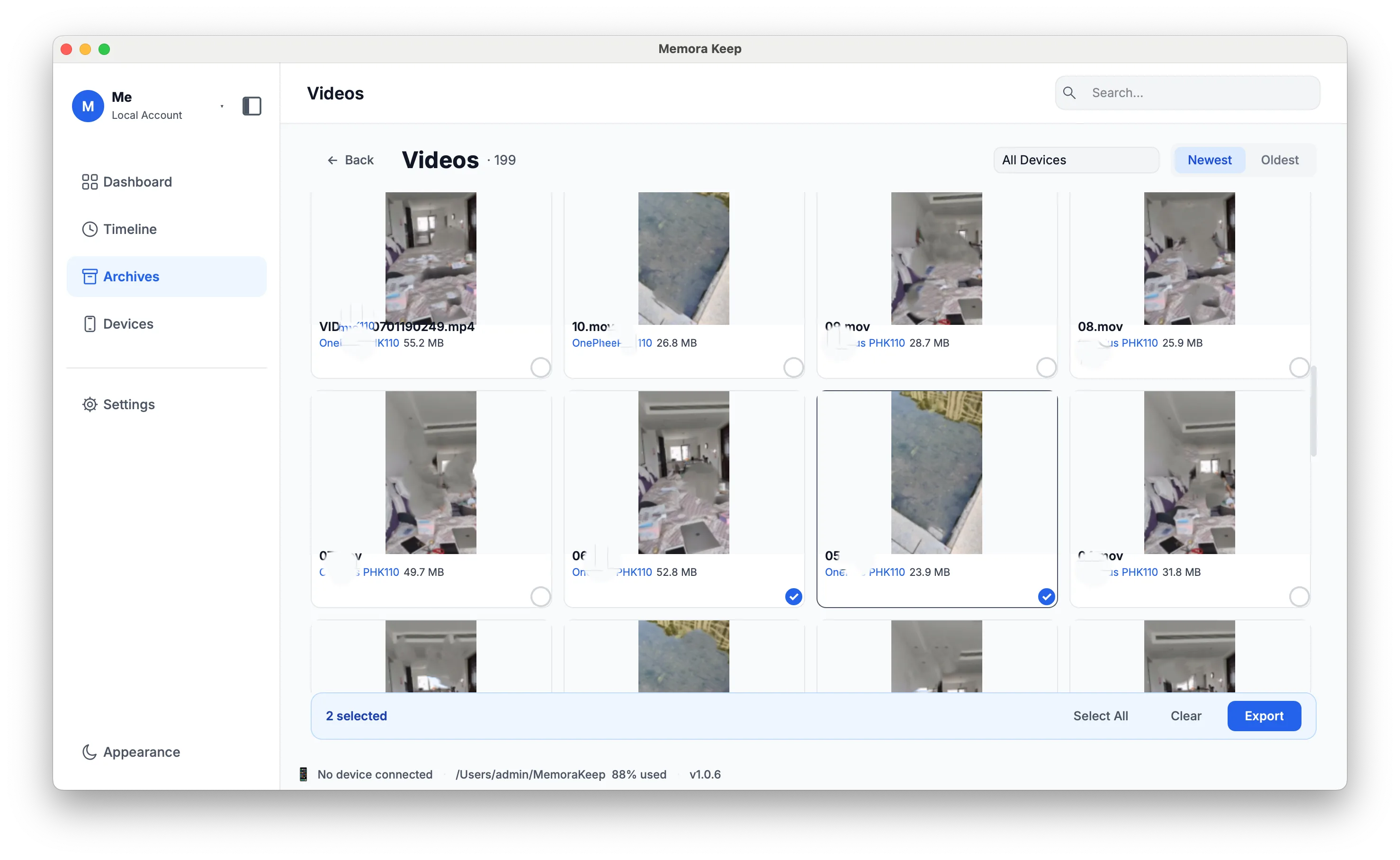
Export one or many conversations, batch-export media to a folder, or write out contacts, call history and browsing history.
- WhatsApp chats to HTML, CSV or PDF, with media and timestamps
- Media exported as original files, optionally split by device
- Contacts to VCF; SMS, call and browsing history to CSV
Planned
Planned: more import sources
Importing backups and media from local disks and external storage is planned for a later phase, as is importing from Google Drive and iCloud. None of them can be used yet.
FAQ
Common questions
What can I import right now?
An iPhone full backup, or an existing iTunes / Finder backup; Android media (photos, videos, audio and documents); and Android WhatsApp chats with their media.
Can I import from an external drive or from iCloud?
You can select an existing iTunes or Finder backup on an accessible drive. General file scanning and import from external drives, iCloud or Google Drive are planned.
Does the archive keep the original backup?
Yes. The raw backup is kept intact on disk alongside the parsed archive, so the original files are still there.
Related
Keep reading
Start your own local archive
Free, with no account or subscription. Your archive stays on your computer.
Windows & macOS · Free