Back up WhatsApp to your computer
WhatsApp and WhatsApp Business chats, read from the phone and kept with their media in your own archive.
Windows & macOS · Free · No account required
Why it matters
The problems this solves
How this feature helps you keep and use your phone data.
-
Access depends on a cloud account
A WhatsApp backup held by a cloud service depends on that account staying reachable. Memora Keep reads the data from the phone and writes it to your own disk.
-
Chat media separated from the chat
A thread without its images and video loses much of its meaning. Chat media is pulled in sync with the messages so the conversation stays together.
-
An encrypted backup is hard to browse
Memora Keep guides you through backing up WhatsApp from a connected Android phone and importing the messages into a readable archive.
How it works
How to use it
- 1
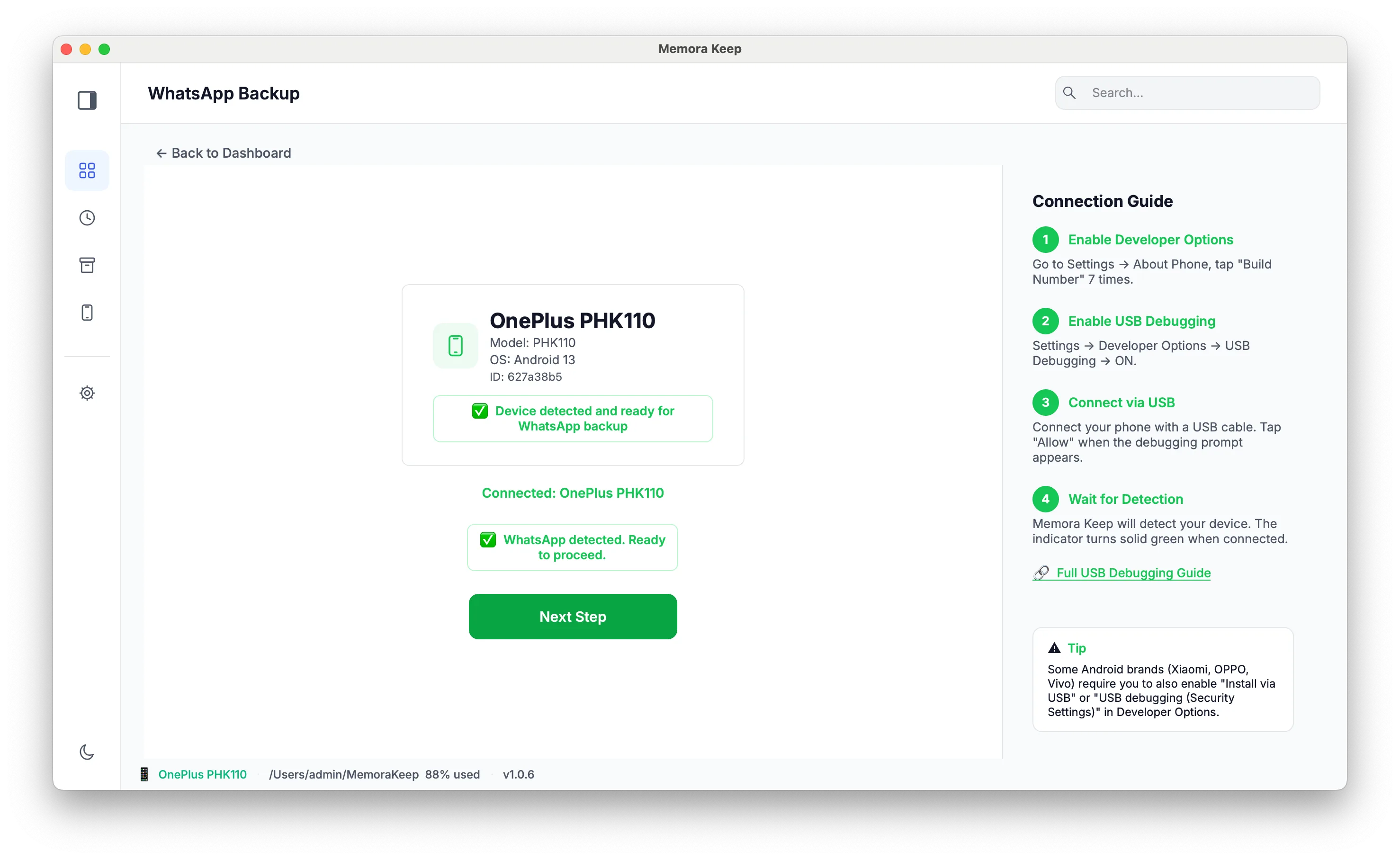
Connect your Android phone
The app looks for WhatsApp or WhatsApp Business on the connected Android device, confirms the installation, and launches the app.
- 2
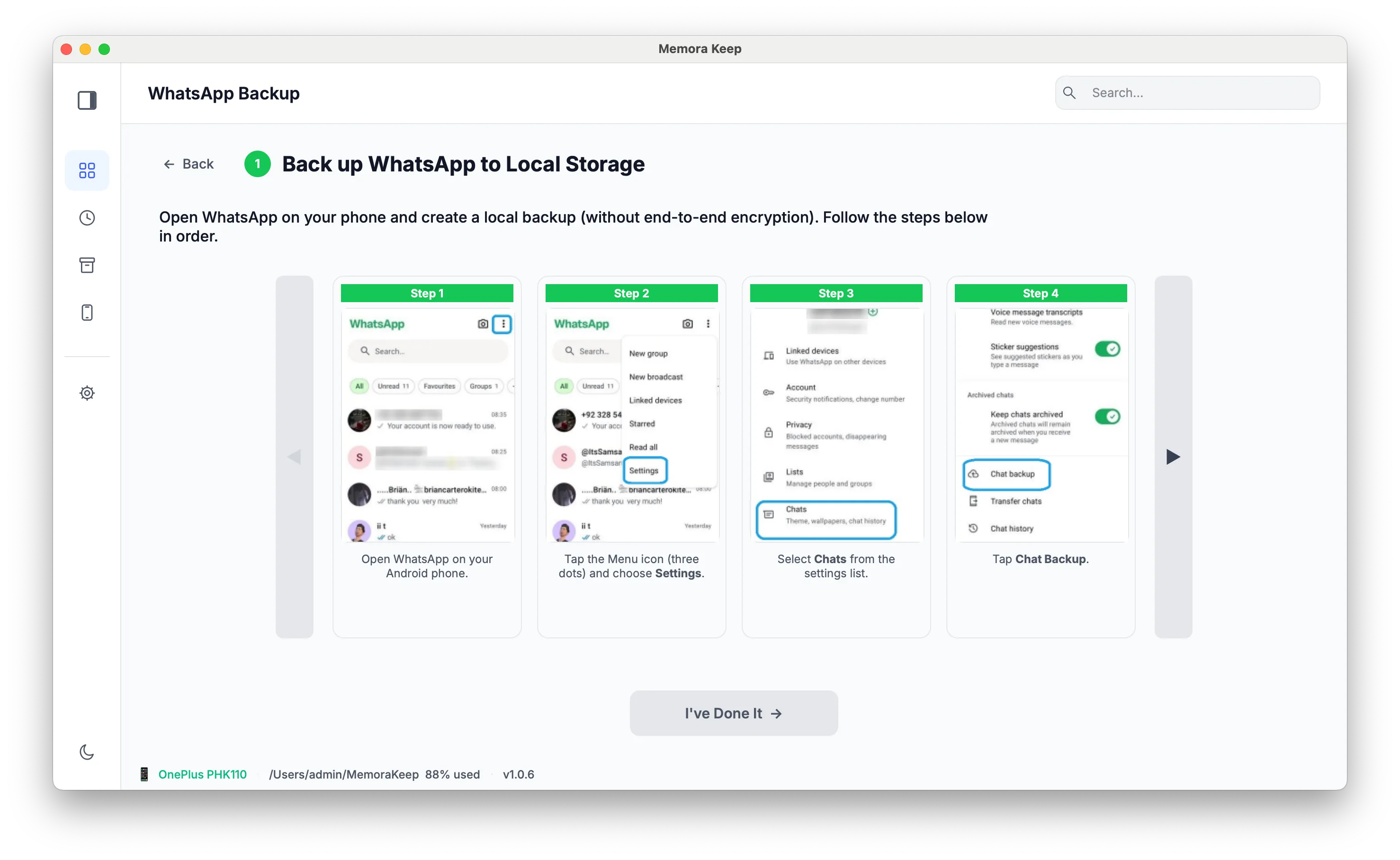
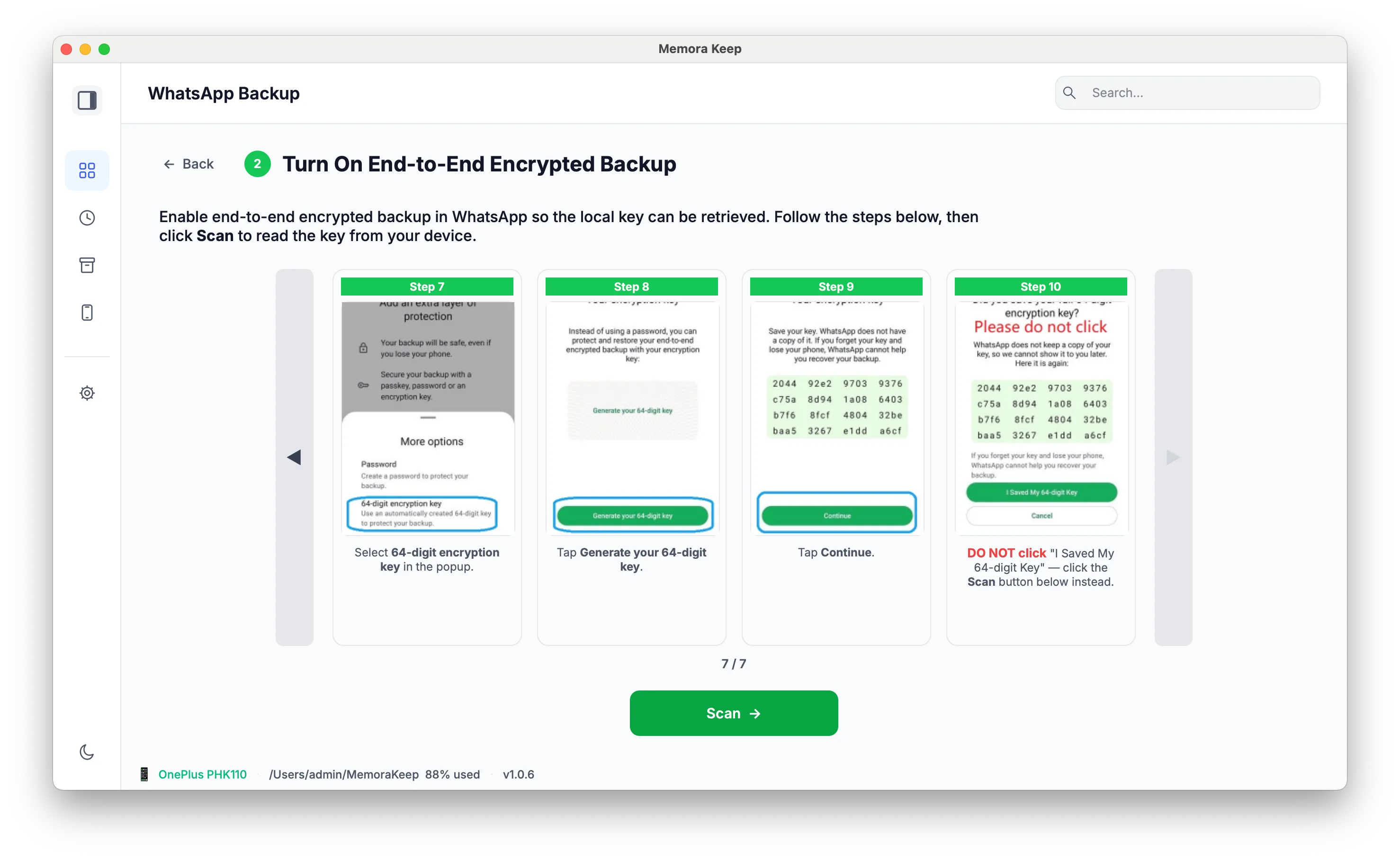
Follow the encrypted-backup prompts
Follow the prompts to prepare the encrypted WhatsApp backup and provide its key so Memora Keep can read the messages.
- 3
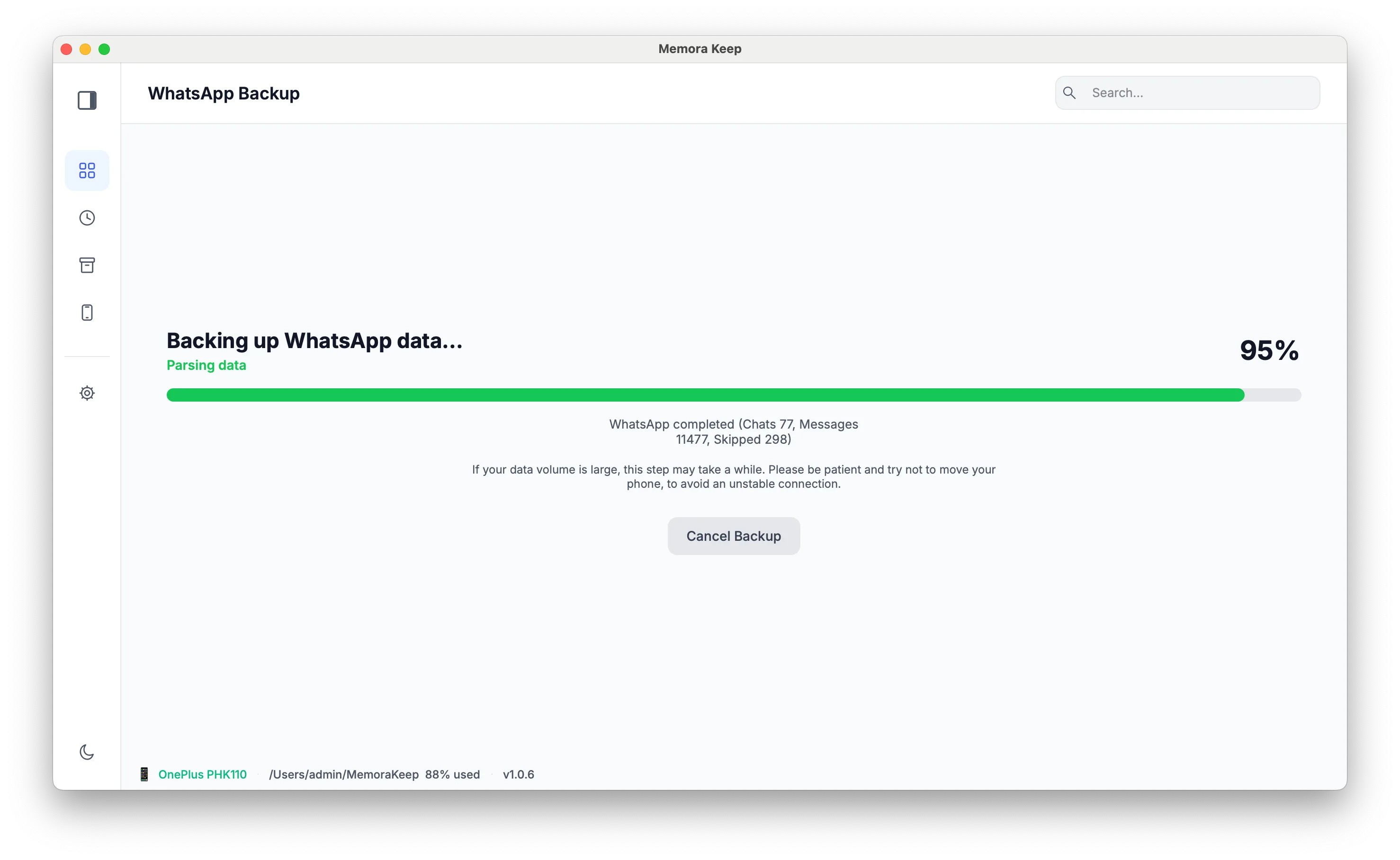
Import chats and media
The app reads supported WhatsApp backup formats and copies the chats with their media. You can cancel the backup while it runs.
Capabilities
What you can do with it
In the app
Screenshots
Your archive stays on your computer
Save backups, chats and media in a folder you choose. Memora Keep does not upload your archive, and you can browse and export it offline without an account.
- No account and no sign-in required
- Backups, chats and media are never uploaded
- Diagnostics stay local unless you choose to send them
- Backups and the archive stay readable offline
FAQ
Back up WhatsApp to your computer questions
Which apps are supported?
Both WhatsApp and WhatsApp Business. The app detects which one is installed on the connected device.
Where does the encrypted database come from?
From the connected Android phone. Follow the backup prompts to provide the encryption key needed to read its messages.
What happens if I back up the same account twice?
The chats merge under the same account entry and duplicate messages are removed, whether the second copy comes from another device or from another backup.
Can I stop a backup in progress?
Yes. The WhatsApp backup flow supports cancellation.
Related
Keep reading
- Feature WhatsApp chat viewer Read backed-up WhatsApp chats on your computer, search within a conversation, and preview photos and videos. Read
- Feature WhatsApp chat export Export one or many conversations to HTML, CSV or PDF, with media and timestamps. Read
- Feature WhatsApp: Android → iPhone Transfer WhatsApp chats and media from Android to iPhone: back up on your computer, convert the data, then restore it. Read
Start your own local archive
Free, with no account or subscription. Your archive stays on your computer.
Windows & macOS · Free