Export WhatsApp chats to PDF, HTML or CSV
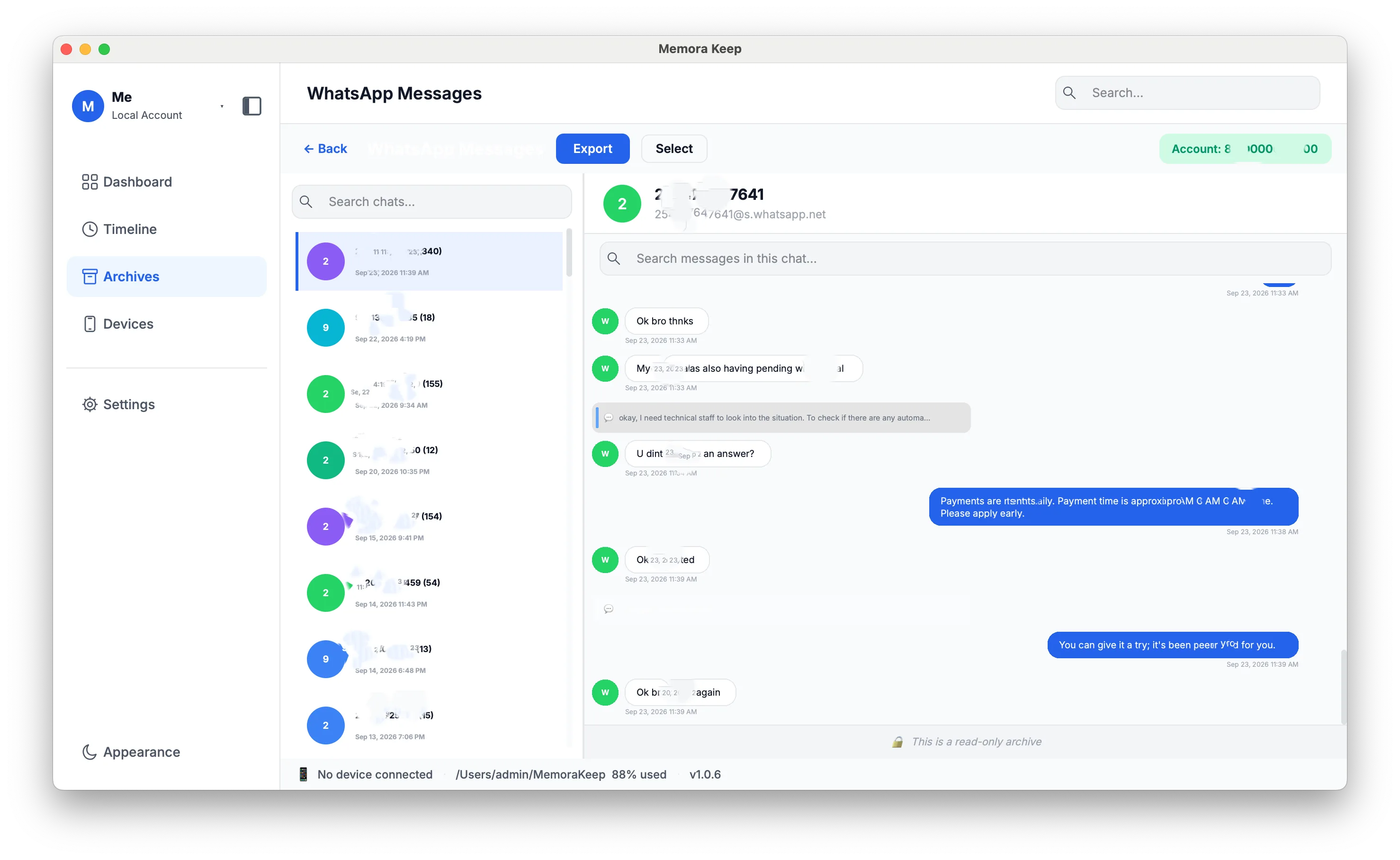
Export a WhatsApp conversation to a file anyone can open, in HTML, CSV or PDF.
Windows & macOS · Free · No account required
Why it matters
The problems this solves
How this feature helps you keep and use your phone data.
-
An archive only one app can open
Export a readable copy so you can open the conversation in another app.
-
Handing a conversation to someone else
Share a PDF or HTML file that someone can read without installing Memora Keep.
-
Needing the messages in a spreadsheet
Sorting, filtering or counting messages calls for tabular data. CSV export puts every message in columns.
How it works
How to use it
- 1
Choose the conversations
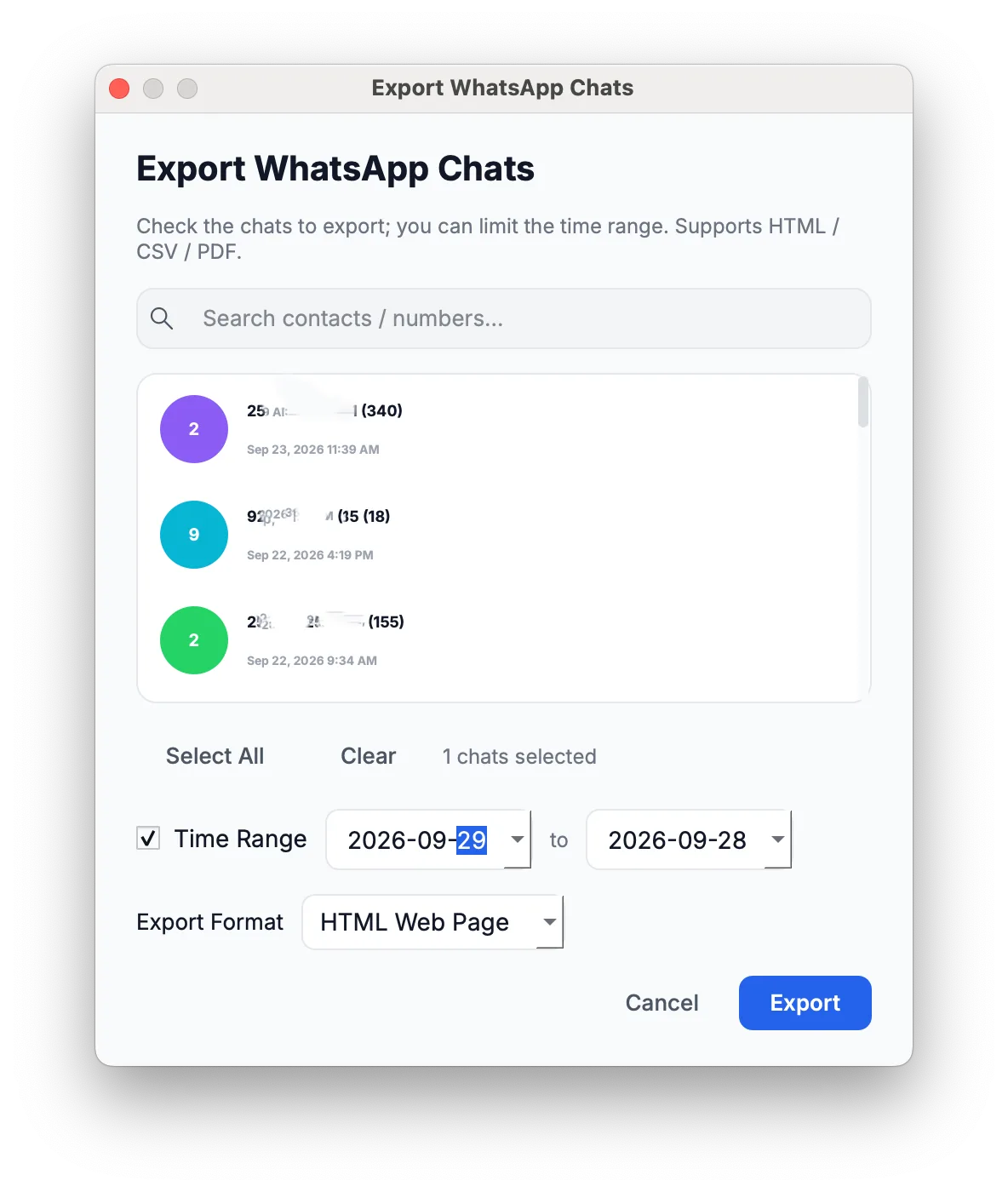
One or several conversations are selected for a single export run.
- 2
Set the range
A date range narrows the export to the period that matters.
- 3
Choose a format and export
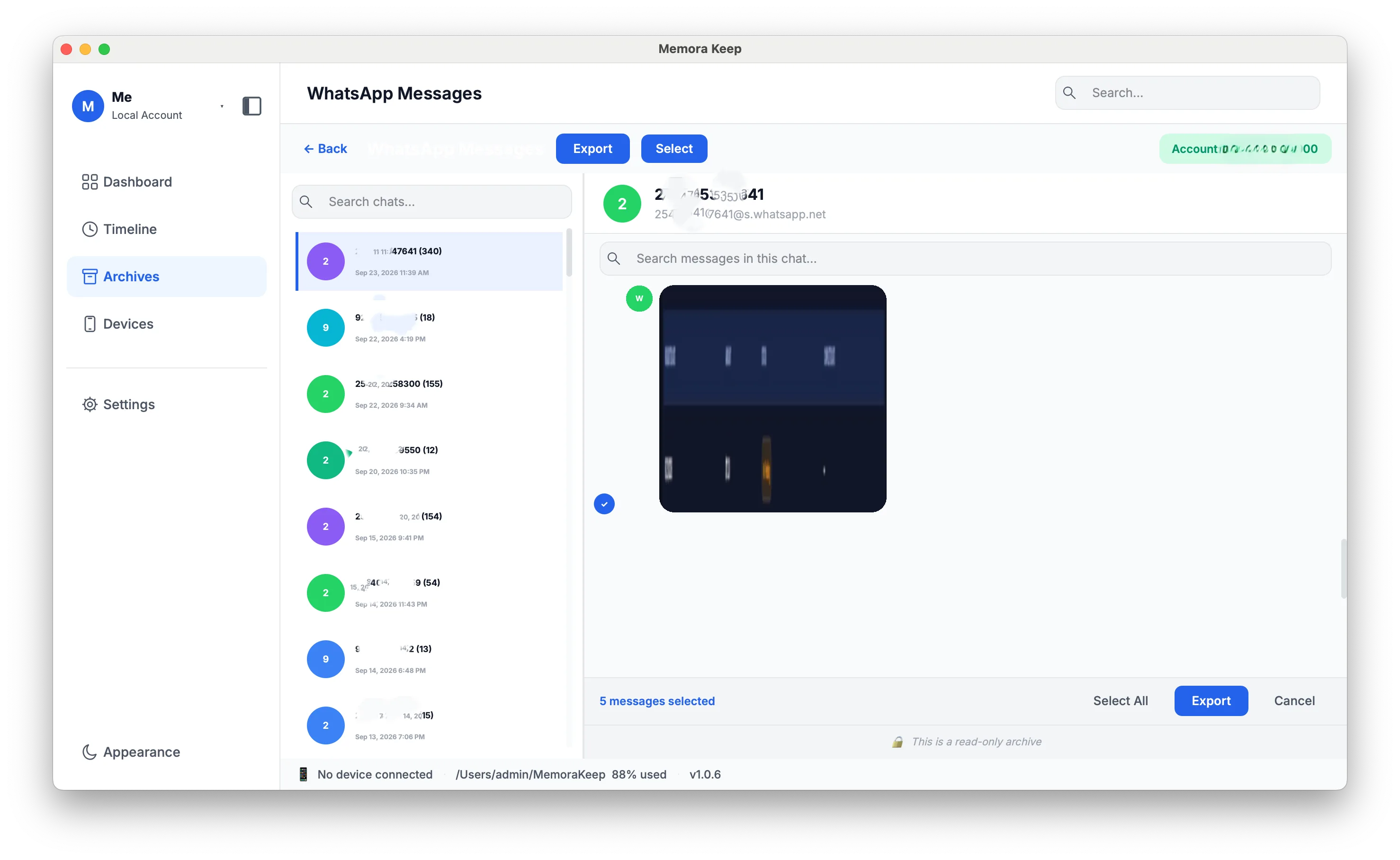
The chat is written out as HTML, CSV or PDF, and individual media items can be exported as well.
Capabilities
What you can do with it
In the app
Screenshots
Your archive stays on your computer
Save backups, chats and media in a folder you choose. Memora Keep does not upload your archive, and you can browse and export it offline without an account.
- No account and no sign-in required
- Backups, chats and media are never uploaded
- Diagnostics stay local unless you choose to send them
- Backups and the archive stay readable offline
FAQ
Export WhatsApp chats to PDF, HTML or CSV questions
Which formats can I export to?
HTML, CSV and PDF.
Can I export more than one conversation at a time?
Yes. Several conversations can be included in one export run.
Can I export only part of the history?
Yes. A date range can be selected to limit what is written out.
Can I export just one image or video?
Yes. Individual media items can be exported, separately from the chat message export.
Start your own local archive
Free, with no account or subscription. Your archive stays on your computer.
Windows & macOS · Free